commit에 comment로 Review 하는 방법을 안내합니다. - commit comment 예시
- comment 내에서
@github이름 으로 repo 수정권한이 있는 사람에게 멘션을 남길 수 있습니다. (예. @ohahohah)
- PR을 사용할 경우, PR 내 code review 기능을 사용 권장합니다.
리뷰(코멘트) 남기기
1.1. Repository의 Code tab 에서 Commits 클릭
2. 코멘트 남길 commit 메세지 클릭
3-1. 기존 코멘트에 리액션, 댓글 남기기
3-2. 좌측 + 버튼을 눌러 해당 부분에 코멘트 남기기

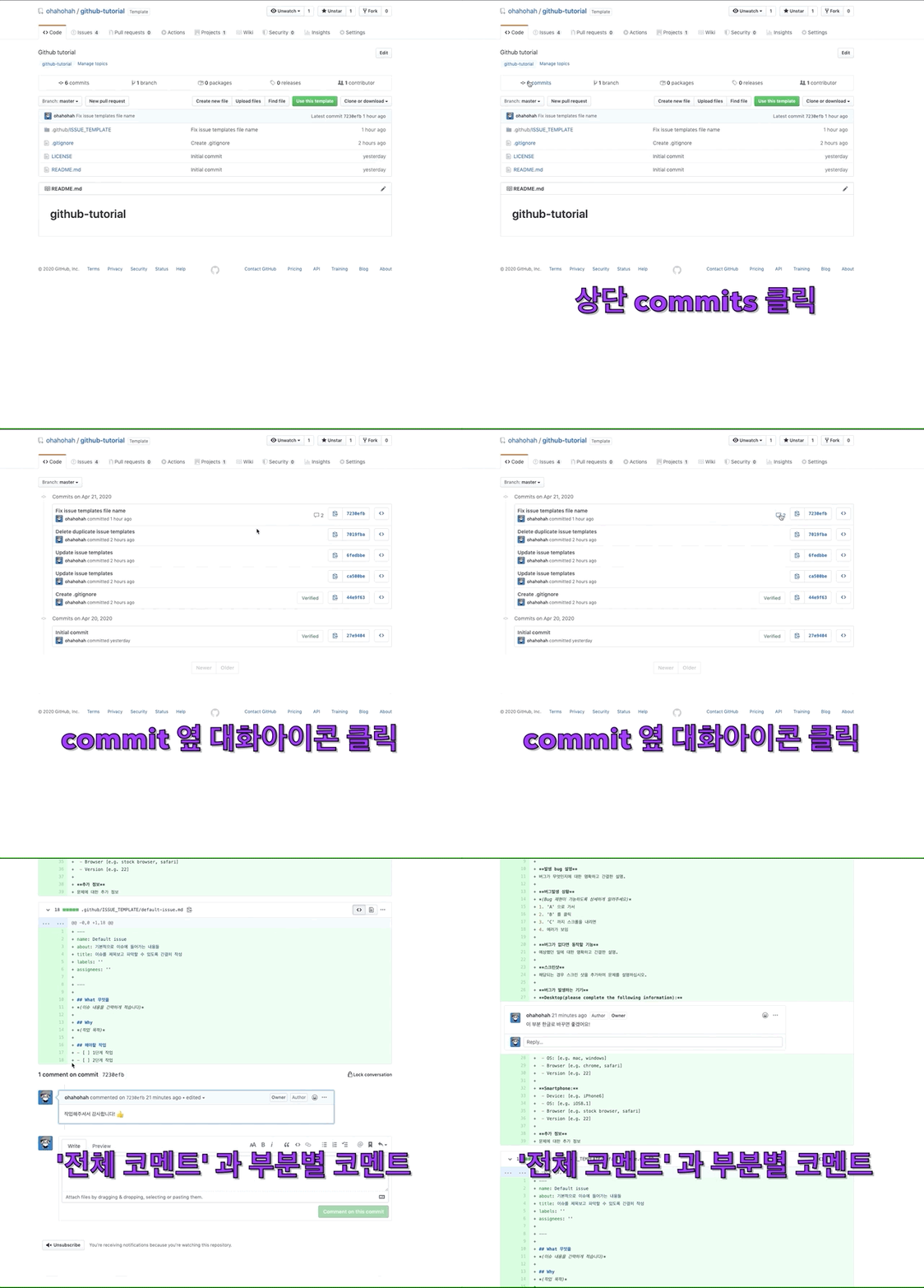
리뷰(코멘트) 확인하기
- Repository의 Code tab 에서
Commits 클릭
- commit 메세지의 대화 아이콘 클릭
- 코멘트 확인
- 확인했으면 댓글을 남기거나 reaction 남기기
commit에 comment로 Review 하는 방법을 안내합니다. - commit comment 예시
@github이름으로 repo 수정권한이 있는 사람에게 멘션을 남길 수 있습니다. (예. @ohahohah)리뷰(코멘트) 남기기
1.1. Repository의 Code tab 에서
Commits클릭2. 코멘트 남길 commit 메세지 클릭
3-1. 기존 코멘트에 리액션, 댓글 남기기
3-2. 좌측 + 버튼을 눌러 해당 부분에 코멘트 남기기
리뷰(코멘트) 확인하기
Commits클릭