Repository navigation
[Step][#1080] Repair: point books at the right Audible record, from the book page and the library - #1054
Open
Yoldark34 wants to merge 127 commits into
Open
[Step][#1080] Repair: point books at the right Audible record, from the book page and the library#1054Yoldark34 wants to merge 127 commits into
Yoldark34 wants to merge 127 commits into
Conversation


Yoldark34
force-pushed
the
wip/repair-books
branch
from
October 19, 2026 15:04
f5d8ce1 to
da84098
Compare
This was referenced Oct 19, 2026
Yoldark34
force-pushed
the
wip/repair-books
branch
from
October 21, 2026 09:14
da84098 to
fb09592
Compare
Yoldark34
changed the title
Yoldark34
added a commit
to Yoldark34/Listenarr
that referenced
this pull request
Oct 21, 2026
Yoldark34
changed the title

Yoldark34
added a commit
to Yoldark34/Listenarr
that referenced
this pull request
Oct 21, 2026

… Match

Co-Authored-By: Claude Opus 5.5 <noreply@anthropic.com>
Yoldark34
added a commit
to Yoldark34/Listenarr
that referenced
this pull request
Oct 22, 2026
Yoldark34
force-pushed
the
wip/repair-books
branch
2 times, most recently
from
October 23, 2026 12:52
181d58f to
9eca254
Compare
Yoldark34
added a commit
to Yoldark34/Listenarr
that referenced
this pull request
Oct 23, 2026
…g, step by step (fake API harness)
Yoldark34
added a commit
to Yoldark34/Listenarr
that referenced
this pull request
Oct 23, 2026
Yoldark34
added a commit
to Yoldark34/Listenarr
that referenced
this pull request
Oct 23, 2026
…ey stopped at the first resize)
Yoldark34
force-pushed
the
wip/repair-books
branch
4 times, most recently
from
October 28, 2026 00:48
5b3683b to
c8f4859
Compare
Yoldark34
added a commit
to Yoldark34/Listenarr
that referenced
this pull request
Oct 28, 2026
…ired (Stay, Leave)

Co-Authored-By: Claude Opus 5.5 <noreply@anthropic.com>
Yoldark34
added a commit
to Yoldark34/Listenarr
that referenced
this pull request
Oct 28, 2026
…ile it asks

Co-Authored-By: Claude Opus 5.5 <noreply@anthropic.com>
Yoldark34
force-pushed
the
wip/repair-books
branch
from
October 29, 2026 12:41
7f88de2 to
64115d6
Compare

Both overlays sit on body at z-index 3000, and the global confirm dialog is mounted first (App.vue),
so a confirmation asked from inside another dialog (leaving the page while books are repaired) came
under it, unseen and unclickable. Found by the E2E run on the test instance.

Co-Authored-By: Claude Opus 5.5 <noreply@anthropic.com>
Co-Authored-By: Claude Opus 5.5 <noreply@anthropic.com>
Leaving the page during the repairs asked first, but the queue went on meanwhile: a user slow to
answer saw more books repaired than the question said. Now the book being repaired ends and the
next one waits for the answer; Stay goes on with them, Leave cancels the ones still waiting.

Co-Authored-By: Claude Opus 5.5 <noreply@anthropic.com>
…ver says

The server rescans a book at most once every 15 s and 5 times in 10 minutes,
answering 429 with how long to wait. The repair waited a fixed 3 s and asked
again once, so a book repaired again within the cooldown always failed.
Now it waits the time the server gives (15 s when it gives none), its card
counting down, then asks again; a longer wait (the 10 minutes' limit) fails
at once, saying when to retry. Cancel also stops the book waiting there.

Co-Authored-By: Claude Opus 5.5 <noreply@anthropic.com>
The library keeps one Repair dialog. Closed while its books loaded, then
opened for other books, it ran two loads: the one answering last filled the
cards (possibly the previous books), and the one answering first ended the
loading. Each load now takes a number and only the latest one touches the
dialog; it reads the books asked when it starts, and closing the dialog
leaves a load still waiting out.

Co-Authored-By: Claude Opus 5.5 <noreply@anthropic.com>
…ays so

The server reads the record from the book's other identifiers (its other
ASINs, then ISBNs) when the picked one fails, and answers with the ASIN and
region it used. The repair said Repaired whatever they were. Now, when they
aren't the picked record's, the book ends in orange with that record and
"check the book", and isn't ticked for Organize. Three tests that meant a
rescan only now pick the book's current record.

Co-Authored-By: Claude Opus 5.5 <noreply@anthropic.com>
The rescan only writes what the new record has, so a repair kept every value
the new record lacks from the wrong one: its series and number, subtitle,
narrators, genres... and Organize, right after, filed the book under the old
series. When the ASIN or its region changes, those details are now emptied
between saving the new ASIN and the rescan, which then fills what the new
record has; the title, authors, cover and runtime are always read again. If
they can't be emptied, the repair stops there, done in part.

Co-Authored-By: Claude Opus 5.5 <noreply@anthropic.com>
A repair can't be undone, so Repair now asks first ("Repair n books?"):
each book takes its new record as a whole, its details replaced and what
the record lacks emptied, changes made by hand lost, the files, folder and
settings kept. Cancel goes back to step 1 as it was; Retry doesn't ask again.

The details are emptied on every repair, a rescan of the same record too,
so the book is exactly its record. When a repair stops part way, its row
says what was already saved: the new ASIN, the emptied details, or both.

Escape on a confirmation shown over the dialog (this one, or leaving the
page) answers it only: every open dialog heard it, and Repair Books closed
too, losing the picks or step 2's results.

Co-Authored-By: Claude Opus 5.5 <noreply@anthropic.com>
The dialog loaded every selected book at once, and one failure (a book
deleted since it was selected, a request timing out) left it showing only
the error, none of the books repairable. Books now load one at a time, like
the repairs. One that fails gets its own card in the error state, saying
why, which can't be ticked; Load again reads it anew, except a book deleted
since it was selected. When none can be loaded, the dialog says why as
before.

Co-Authored-By: Claude Opus 5.5 <noreply@anthropic.com>
…t run paused

The leave question pauses the repairs; Stay resumes them, Leave cancels the
waiting ones, but only while repairs ran. Chosen after the last one ended
under the question, Leave kept the pause, and if the page then stayed (its
navigation failed: the page's code couldn't load after an update), the next
Repair left every book waiting until Cancel. Cancel now always clears the
pause, and a new run starts without one.

Co-Authored-By: Claude Opus 5.5 <noreply@anthropic.com>
The ASIN field had a 10-character limit, which a browser applies to a paste
before the trim: " B0BK9W82PQ", copied with a space before it, became
"B0BK9W82P" and Search said it wasn't an ASIN. The limit is gone, as in Add
New's search box; Search still checks the ASIN's format.

Co-Authored-By: Claude Opus 5.5 <noreply@anthropic.com>
…ck or not

After the rescan, the book was read back to show it, and a failed read
(a timeout) was reported as a failed rescan, in orange, the book left out of
Organize, although the server had it repaired. Now the book the rescan
answers with is used when the answer holds it (Listenarrs#1128), with no request; until
then it is read back, and a failed read only leaves the row showing the picked
record, "Repaired …; the book couldn't be read back to show it". The row
shows the subtitle and authors the server has, none kept from the old record.

Co-Authored-By: Claude Opus 5.5 <noreply@anthropic.com>
When the folder's scan found an ASIN, Find Match put it in the Title field,
the ASIN field empty: searched as a title, it said "Nothing found: no book
for this title and author" where the region doesn't sell it, without the
ASIN's state, and the scan's title and author were lost. It now opens with
the ASIN in its field, the scan's title and author ready, and the search on
opening follows the card's priority, as Search does: "No record for … in
Audible France". Start Matching already searched it as an ASIN. A value the
scan took for an ASIN but isn't one stays a title.

Co-Authored-By: Claude Opus 5.5 <noreply@anthropic.com>
…behind it

Organize, Repair's step 3, waited for the whole library (or the book) to be
read again before opening, with no dialog meanwhile: a blank moment that grows
with the library. Organize reads its previews from the server, so it now opens
at once and the page behind is refreshed meanwhile; the book page does it
quietly, keeping the book shown instead of its loading state.

Co-Authored-By: Claude Opus 5.5 <noreply@anthropic.com>
Yoldark34
force-pushed
the
wip/repair-books
branch
from
October 29, 2026 19:28
79e7811 to
9e59cd1
Compare
… and dates

An ASIN is looked up through the metadata endpoint, whose answer has the
record's series, genres and release date, but the search result built from it
kept none of them, unlike a title search's results. Find Match uses Add New's
search, and Library Import adds a book from the picked result: a book matched
by its ASIN was imported without its series, number, genres or year, and moved
into a folder without its series. The result now carries them.

Co-Authored-By: Claude Opus 5.5 <noreply@anthropic.com>
… fallback

The server stores the ASIN a repair saves as Manual, and a repair kept every
Manual identifier: a book repaired twice kept the first repair's ASIN, which
the rescan reads when the new one fails, and each repair added another. The
ASIN the book is repaired away from is now dropped, whatever its source; other
Manual identifiers (an ASIN added for another region, an ISBN typed by hand)
stay.

Co-Authored-By: Claude Opus 5.5 <noreply@anthropic.com>
…repairing

The repairs and a Retry set the dialog repairing, then back, with nothing in
between to catch an error outside a book's own repair (a broken result while
the planned records are built, the dialog's measures). Such an error vanished
and left the dialog repairing for good: it couldn't be closed, Cancel stayed
Canceling, and the page kept asking before being left. The run now always
ends; the books not repaired end failed, "Repair stopped: …", shown on step 2
and retryable, and the error is logged.

Co-Authored-By: Claude Opus 5.5 <noreply@anthropic.com>
…t asks

"Repair n books?" is the app's confirmation, not the dialog's: left open while
the page changed (browser Back, a redirect to the login), it stayed over the
next page, and accepting it then ran the repairs with no dialog, Cancel or
guard. The question now closes, as Cancel, when the dialog goes, and an answer
given after the dialog has gone starts nothing.

Co-Authored-By: Claude Opus 5.5 <noreply@anthropic.com>
…ooldown finish

The leave question promises the book being repaired ends its repair, but Leave
canceled like Cancel, which also stops a book waiting for the server's rescan
cooldown: that book was left with its new ASIN and its details emptied, unseen.
Only Cancel stops the wait now, its row saying so with Retry; Leave, or the
dialog going, lets the book finish its rescan.

Co-Authored-By: Claude Opus 5.5 <noreply@anthropic.com>
…an't

When Audible has nothing for a search, the server adds records from another
source (OpenLibrary) without an ASIN. Canary's Find Match could match a folder
to one and Library Import add the book from it; the shared card ignored the
click, so a book Audible doesn't sell could no longer be imported. Find Match
picks and uses such a record again (records are told apart by their id there).
Repair needs a record a metadata provider can read again: such a result is
greyed, tagged "No ASIN", with the reason, and can't be picked.

Co-Authored-By: Claude Opus 5.5 <noreply@anthropic.com>
The cards of books that couldn't be loaded shared one "Loading…" flag: a
second Load again took it from the first card, and the first answer cleared
it from the second, whose button came back on while its request still ran, so
a click sent the same request twice. Each book now has its own, and Load again
on a book already loading does nothing.

Co-Authored-By: Claude Opus 5.5 <noreply@anthropic.com>
The spec mounted each dialog on the page and most tests never unmounted it:
dozens stayed alive, still hearing Escape, able to warn before the tab
closes, and calling the shared mocks during later tests. Every mounted dialog
is now unmounted after its test (the composable spec stops its scopes too);
only the tests that make the dialog go on purpose still unmount it themselves.

Co-Authored-By: Claude Opus 5.5 <noreply@anthropic.com>
A result without an ASIN in Repair had its "No ASIN" tag and couldn't be
picked, but looked like any other result. It is now greyed, with the
not-allowed cursor and no hover.

Co-Authored-By: Claude Opus 5.5 <noreply@anthropic.com>
Yoldark34
added a commit
to Yoldark34/Listenarr
that referenced
this pull request
Oct 29, 2026
… before repairing, books not loaded, the rescan cooldown, another record read, records without an ASIN, Find Match)
Yoldark34
marked this pull request as ready for review
October 29, 2026 23:25
…s fit in

The room kept for the results was a fixed 320 px: with the rest of the
dialog, Repair with one book scrolled on a 1080 px window (218 px at 900), and
Find Match on a 900 px one. A card alone in its dialog now keeps the room left
by the rest, at least two results high (the list scrolls inside past that),
measured when it shows and when the window is resized, before any search
answers. Repair with one book has no Selection block either: the book's own
checkbox says it all.

Co-Authored-By: Claude Opus 5.5 <noreply@anthropic.com>
Yoldark34
added a commit
to Yoldark34/Listenarr
that referenced
this pull request
Oct 29, 2026
…room its results fit in; one book without Selection
This file contains hidden or bidirectional Unicode text that may be interpreted or compiled differently than what appears below. To review, open the file in an editor that reveals hidden Unicode characters.
Learn more about bidirectional Unicode characters
Sign up for free
to join this conversation on GitHub.
Already have an account?
Sign in to comment

Add this suggestion to a batch that can be applied as a single commit.This suggestion is invalid because no changes were made to the code.Suggestions cannot be applied while the pull request is closed.Suggestions cannot be applied while viewing a subset of changes.Only one suggestion per line can be applied in a batch.Add this suggestion to a batch that can be applied as a single commit.Applying suggestions on deleted lines is not supported.You must change the existing code in this line in order to create a valid suggestion.Outdated suggestions cannot be applied.This suggestion has been applied or marked resolved.Suggestions cannot be applied from pending reviews.Suggestions cannot be applied on multi-line comments.Suggestions cannot be applied while the pull request is queued to merge.Suggestion cannot be applied right now. Please check back later.
Why
A book already in the library can point at the wrong Audible record: another edition, another volume, or the same book in another region's catalog. Rescan metadata can't fix it, because it keeps rescanning that record. This PR adds the buttons to point a book at the right record.
Find Match is affected too
Repair and Library Import's Find Match now use the same component, a book card (
BookMatchCard.vue), because they do the same thing: find the Audible record a book should point at. Find Match shows the folder's book in that card, without the checkbox, and "Use this match" takes the record found. It always opens with the same search, from the folder's scan, in the configured region, whatever match the folder already has: that match only shows as Current. When the scan found an ASIN, it is in the ASIN field and searched as an ASIN, as Start Matching does ("No record for … in Audible France" when the region doesn't sell it), with the scan's title and author ready for a search without it; otherwise the scan's title and author are searched. A pick from an ASIN search carries the record's series, genres and dates (Add New's ASIN search now keeps them from the record), so the book is imported with them. Everything below about the card applies to Find Match as well.Change
Where
Three steps, each named in the dialog's title: "Repair Books - Matching - Step 1/3", "Repair Books - Repair process - Step 2/3", then the Organize dialog opened from it, "Repair Books - Organize - Step 3/3".
Step 1, matching: each book is a card
ASIN - Title: Subtitle - Authors - Region), with room kept for their usual lines. Once a record is picked, New shows in green the parts that change, and Current in orange the parts they replace (the same record picked again, to read its metadata anew, highlights nothing).Results for … in France (FR) - Request: 1.23 s(or- Cached results), orNo results for …(orange when nothing was found or the search was canceled, red when it failed).Searching
States: a bar along each card's bottom (grey ignored, green matched, orange invalid, red error, blue breathing while searching), with the legend in the footer, centred on the dialog, moved aside only as far as Cancel and Repair need, and on its own line above them (still centred) when the line is too short (the cards then take the narrow layout). The dialog's bottom bar is unseen on step 1, its room kept.
Step 2, the repair process
Step 3, Organize: "Organize n" opens the Organize dialog, titled as Repair's step 3, on the ticked repaired books (their files were organized with the old metadata, which the message at the top of step 2 says). Its Cancel is Back there: step 2 again, as it was left. It opens at once: Organize reads its previews from the server, and the page behind (the library, or the book, kept shown) is refreshed meanwhile. Before, it waited for the whole library to be read again, with no dialog in between.
Known limit: the repairs run in the browser tab. No lock between tabs (another tab goes stale; the same book repaired in two tabs keeps the last save), and a tab closed mid-repair, past the browser's warning, may leave the book being repaired done in part, which a Rescan finishes. The "Repairs as backend tasks" step of #1080 removes it.
Known limit: one book at a time, in the browser. Books are loaded, then repaired, one after the other (no backend task yet), so a large selection takes a while, and a selection of hundreds of books makes a dialog with hundreds of cards. Repair is meant for the odd book that points at the wrong record, not for the whole library. The "Repairs as backend tasks" step of #1080 lifts it.
Known limit: Repair trusts the server's rescan. When Audible gives an empty record for the picked ASIN at the time of the rescan, the server still answers success and the book keeps its old metadata, so the row says Repaired: #1124.
Known issue, from Add New's search: a title or author holding "Series:", "Author:", "Title:", "ISBN:" or "ASIN:" is searched wrongly (#1127). The cards search exactly like Add New, whose search splits such a title on that word as if it were a search keyword ("The Wheel of Time Series: Book 1" is searched as the series "Book 1"). Canary's Find Match sent the title and author apart, so this PR brings the problem there; it is the price of one shared search instead of three, which also makes the move to the backend search (#1076) one change. Fixing Add New's search fixes Add New, Find Match and Repair at once.
Known issue, already on canary: the page scrolls behind an open dialog (the shared Modal doesn't lock it). Not caused nor fixed here; it needs its own issue and a fix in the shared Modal.
Not in this PR
Tests
RepairBooksModal.spec.ts,LibraryImportSearchModal.spec.tsandFindMatchResults.spec.tscover the rules above: search priority and its triggers, the answered searches and Retry, the header line and its sources, loading and reveal timings (fake clock), placeholders and kept heights, the tags, one search at a time, the footer layout, the highlighted parts, step 2 (one repair at a time, Cancel, Retry, Back, the warning, details, the kept heights, leaving the page and the repairs held while it asks, the rescan cooldown, a rescan that read another record, only the latest load, a book that can't be loaded, the details emptied, the question before repairing, Escape on a question over the dialog) and Organize's step 3 (its title, Back). Frontend: 828 passed; type-check, eslint and prettier are clean. No backend change.End to end, on a real instance: five scenarios drive the real app in Chrome (Playwright), on a throwaway Listenarr with its library on local storage and real Audible searches; the checks read the API and the files on disk. The sample library is generated by m4bard/listenarr-testdata (commit
bd59f6f, seed 1): five real public-domain books with verified ASINs, as silent one-second files carrying genuine tags (two of them in 40 chapters), in an author/title layout. The instance has French settings. A seed runs a real Library Import and is snapshotted (database, library, import folder); every other scenario restores it first. All five pass on this branch (full run about 2.5 min). Every repair accepts the question "Repair n books?" first. An earlier run found one bug, fixed here: the "Leave while books are repaired?" confirmation opened under the Repair dialog, unseen and unclickable (the shared confirm dialog's overlay is now above the dialog that asks it,ConfirmDialog.vue).B0F48KS3BX/fr, the French title, no series left (the English record's Captain Nemo #1), its 40 files in the new folder (not under Captain Nemo), no audio left in the old oneEvery step, its expected result, and what the runs showed
00 Seed
B0F48KS3BX); the US books "No match found" (not sold in France).B01FKWL15A, Use this match: the wrong record, on purpose.10 Repair from the book page
B01FKWL15A/us.B0F48KS3BX→ "Repair 1".B0F48KS3BX/fr; the French title; no series (it was Captain Nemo Basic Functionality #1); a new folder, not under Captain Nemo; its 40 files exist; no audio in the old folder.11 Repair several from the library
B0F48KS3BX, "Repair 0".B0F48KS3BX/fr; the two others unchanged.12 Leaving during repairs
B0F48KS3BX/fr.B0F48KS3BX/fr: its repair, waiting when Leave was chosen, never ran.13 Find Match on a matched folder
B008DFUGCQ, Use this match → its row shows it.B008DFUGCQ) in the ASIN field, region France, the scan's search, the US match only on Current, results "in France (FR)".What the runs showed
How it looks
Every interaction, step by step: the real dialogs (this branch's components and styles) in a browser over a simulated API, so the timings and failures show. Every repair answers "Repair n books?" first. Click a group to open it.
Step 1, matching (13)
A title search revealing its results; a record picked (ticked, New with the changes in green, Current with the replaced parts in orange, bar green), clicked again to unpick it, another one picked.
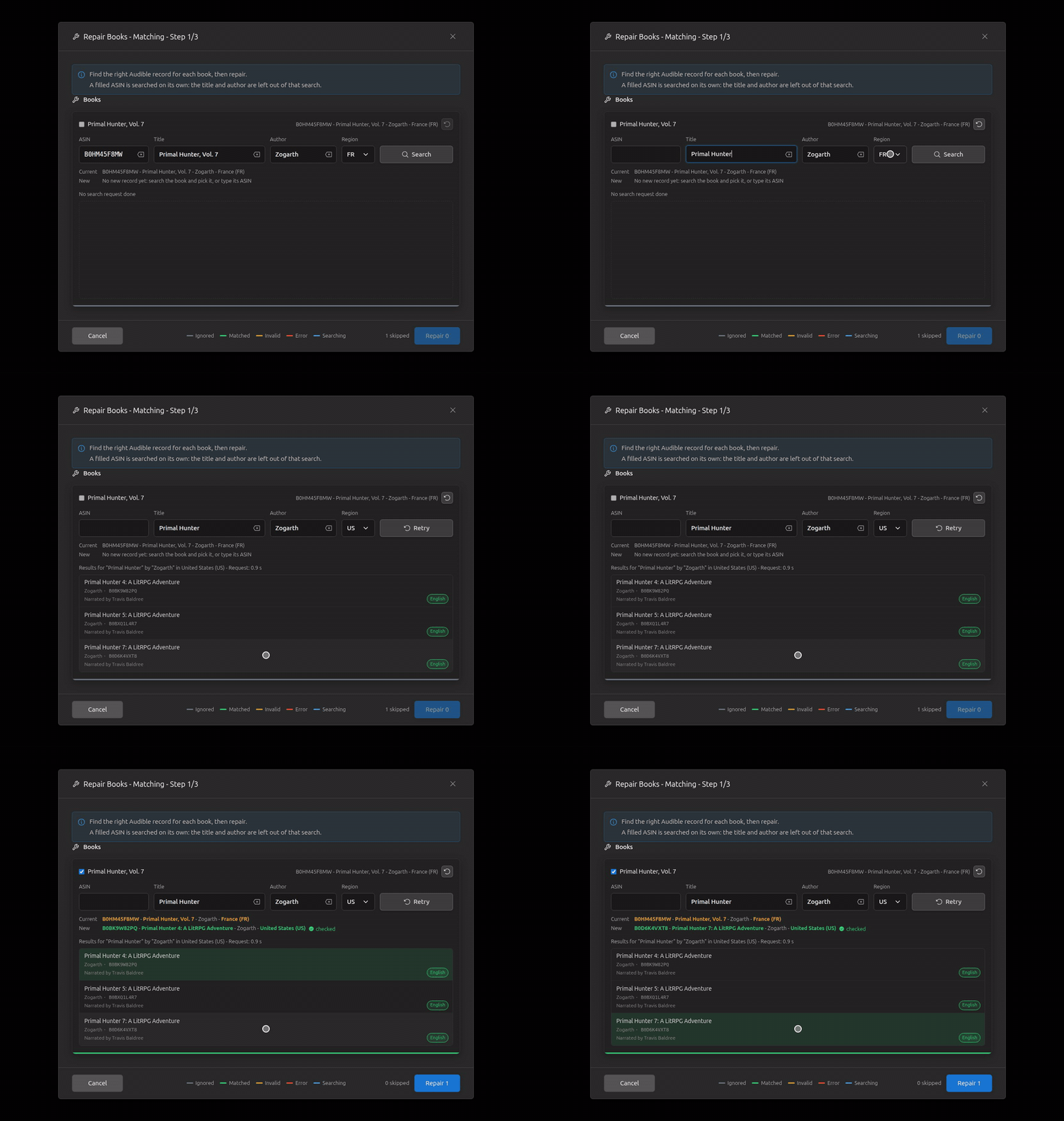
Typing only prepares: Enter or Search runs the search, Search becomes Retry, a changed field makes it Search again; an erase button.
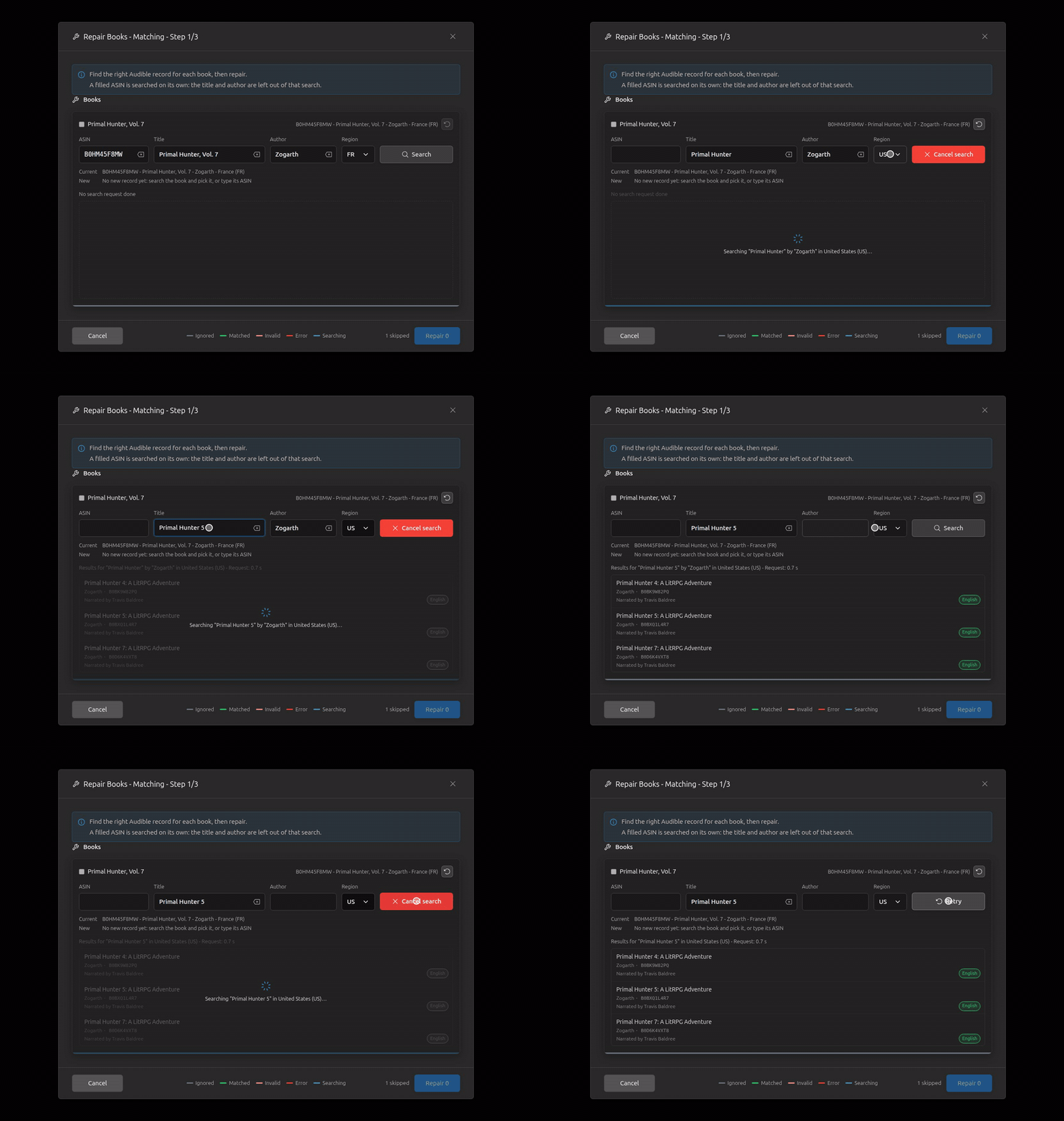
A region change searches there; back to a region already searched: Cached results; Retry asks Audible again.
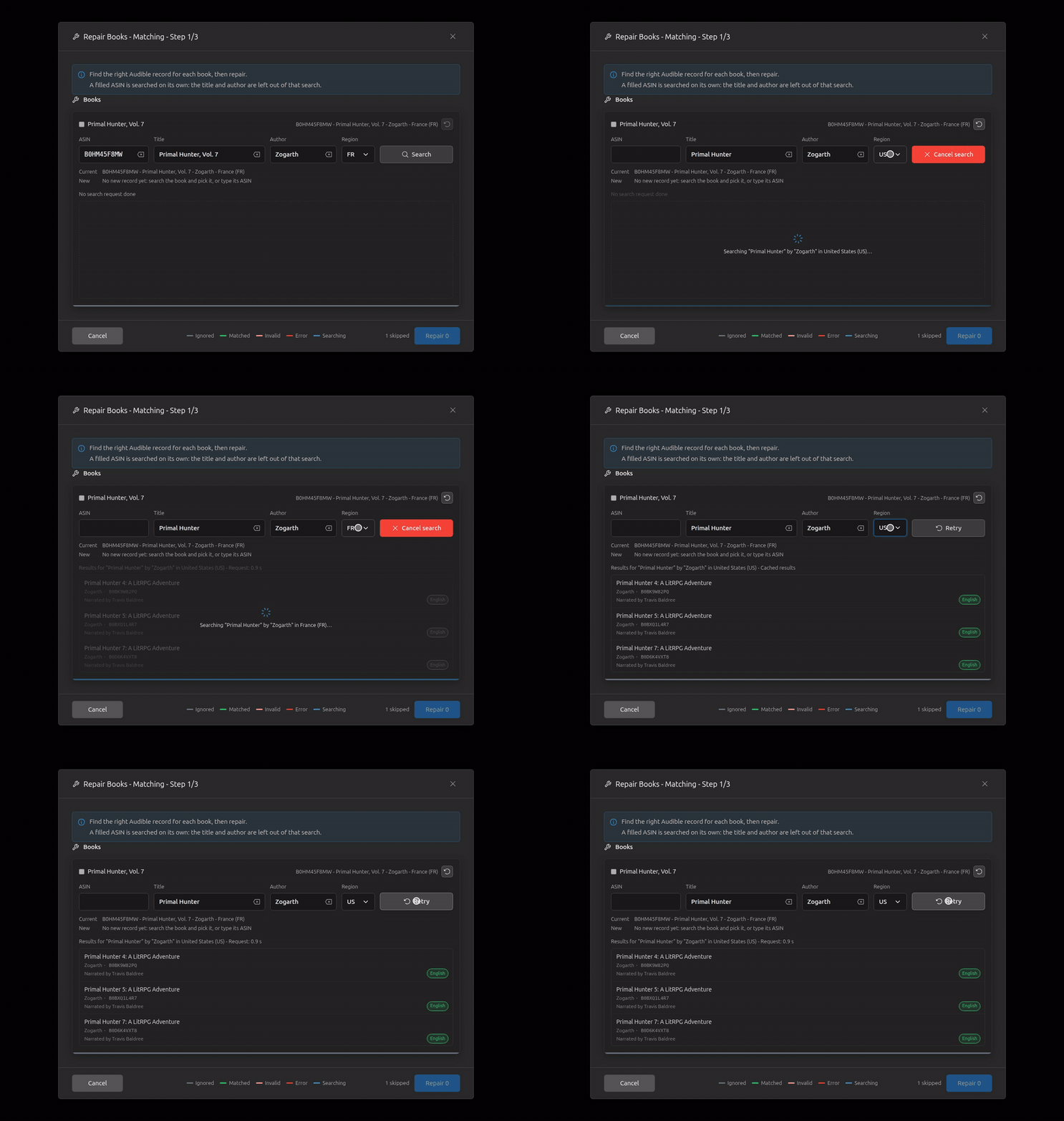
A filled ASIN searched on its own: no record in the new region (orange), a typed ASIN found and picked, an ASIN that isn't one.
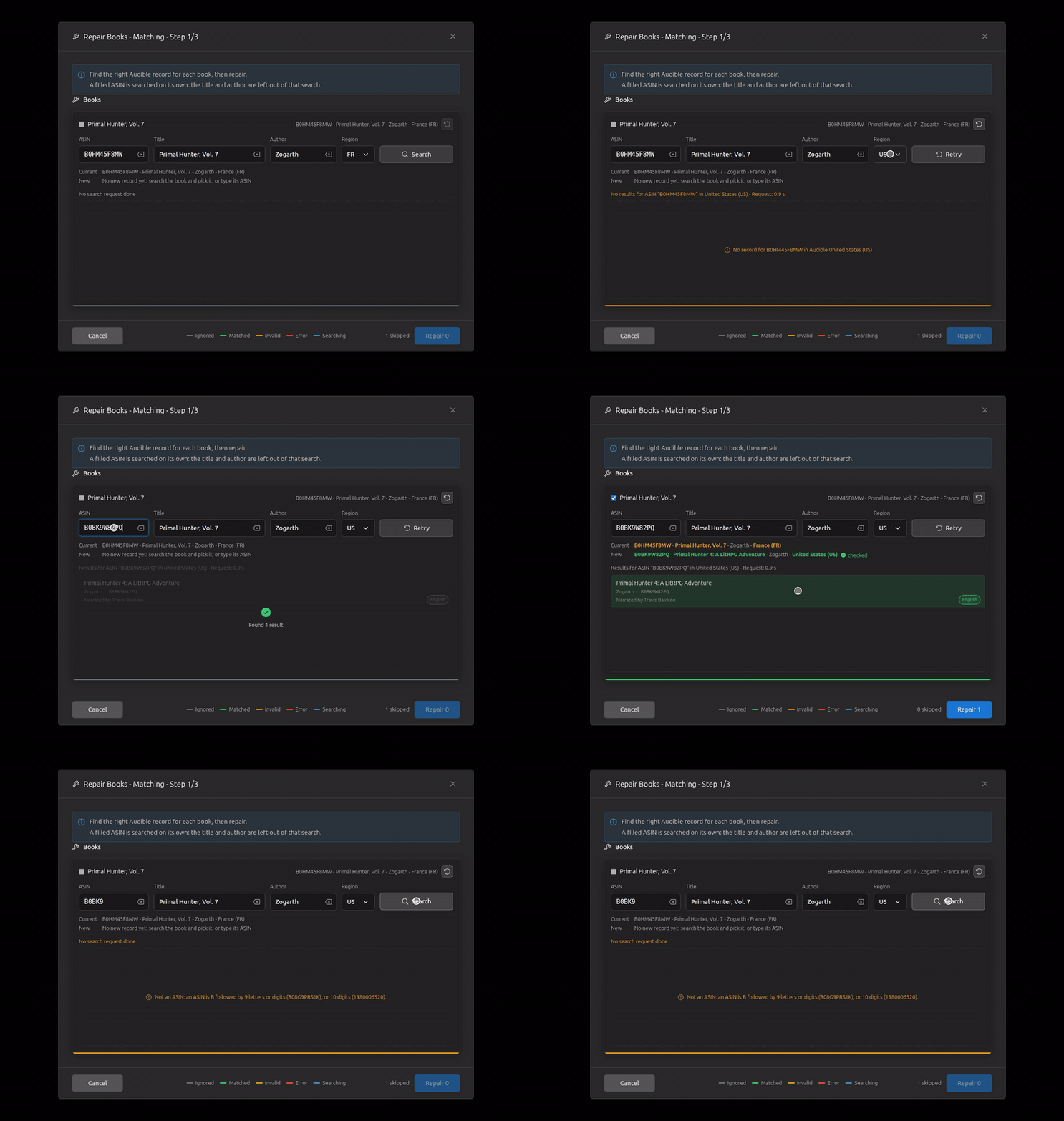
A slow search (3 s): the bar breathing blue, the spinner over the list; Cancel search, then Retry.
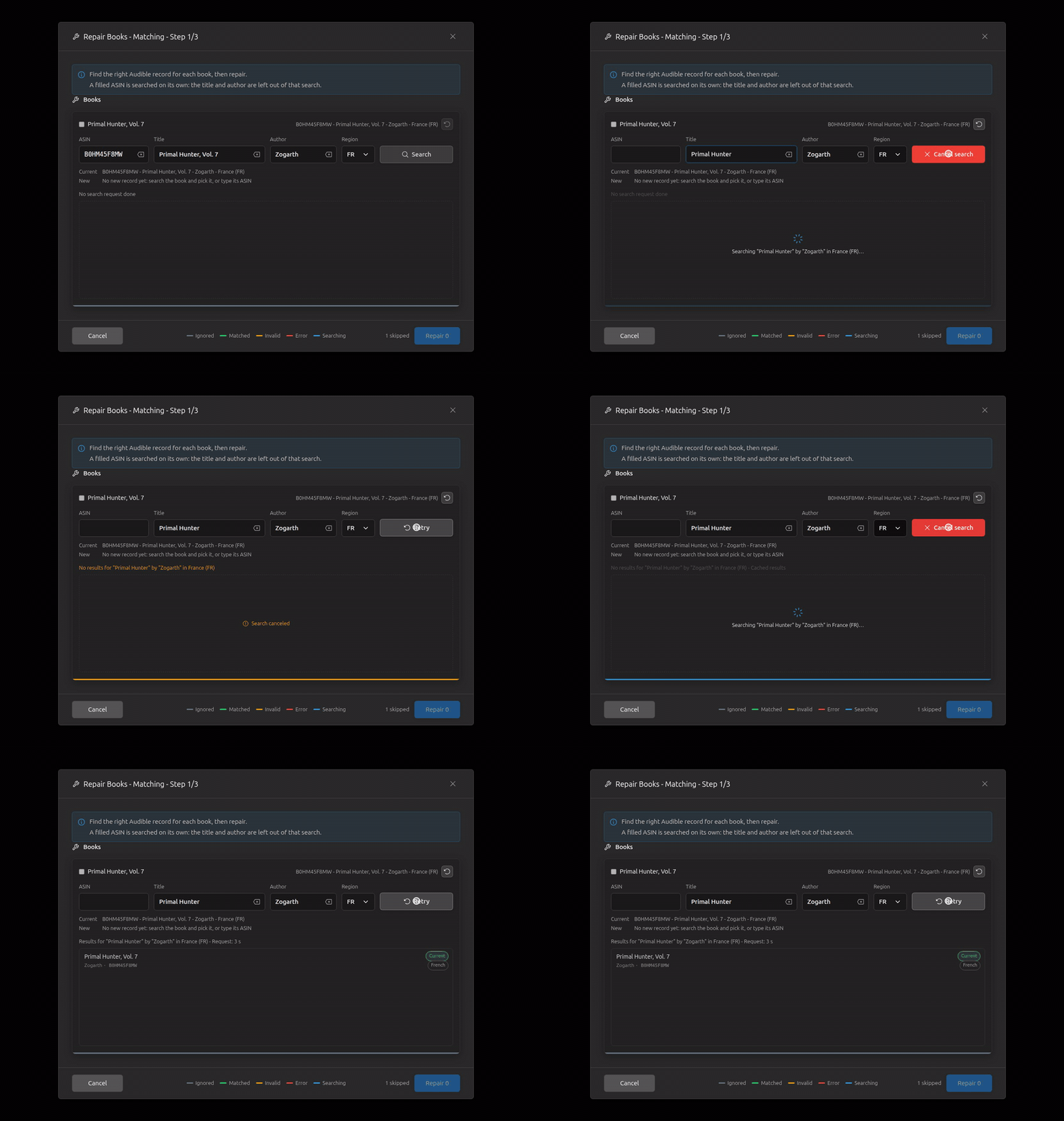
A failed request: the empty list with the reason in red in its middle; Retry.
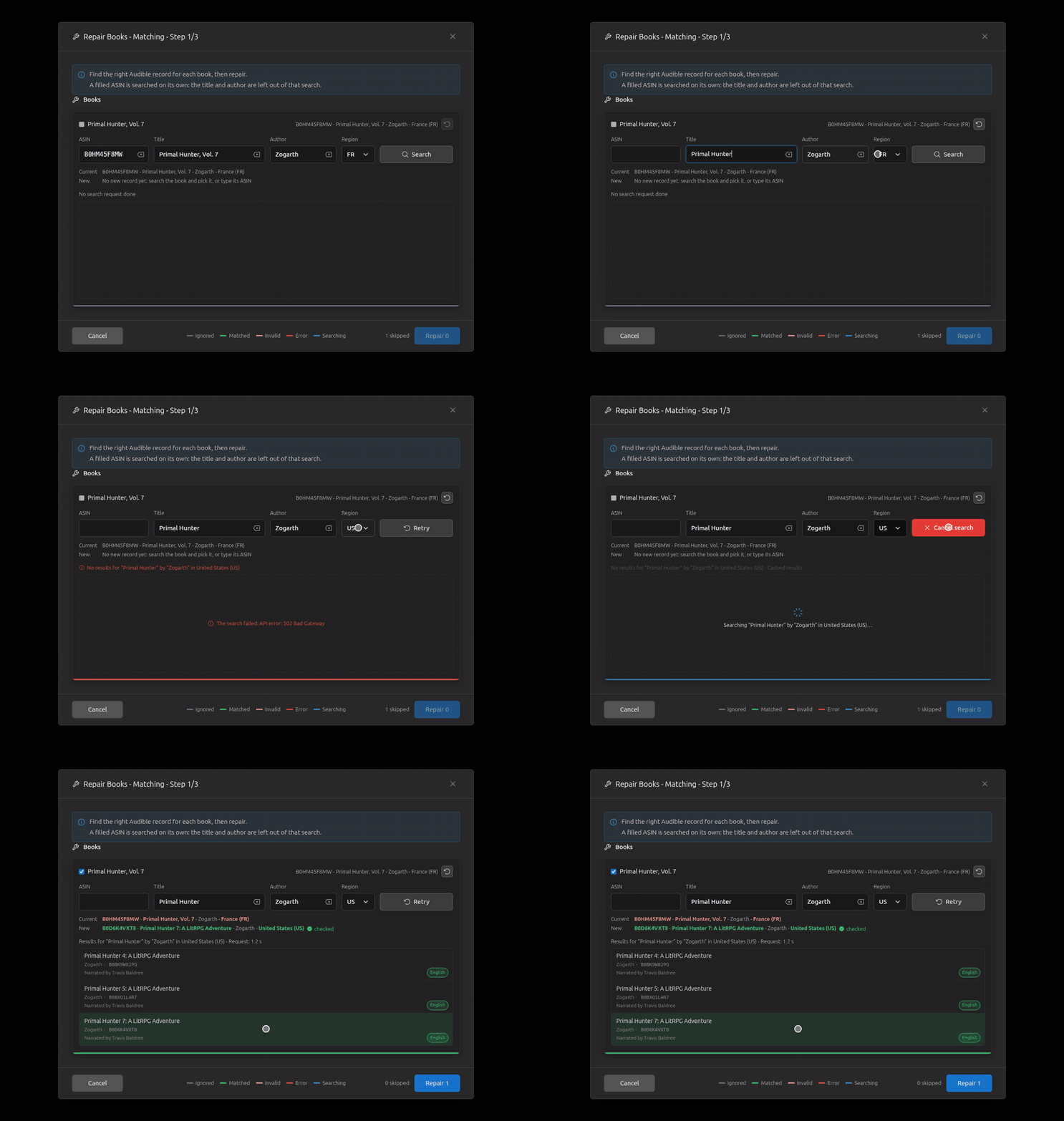
Revert: the fields back as they were, the pick dropped.
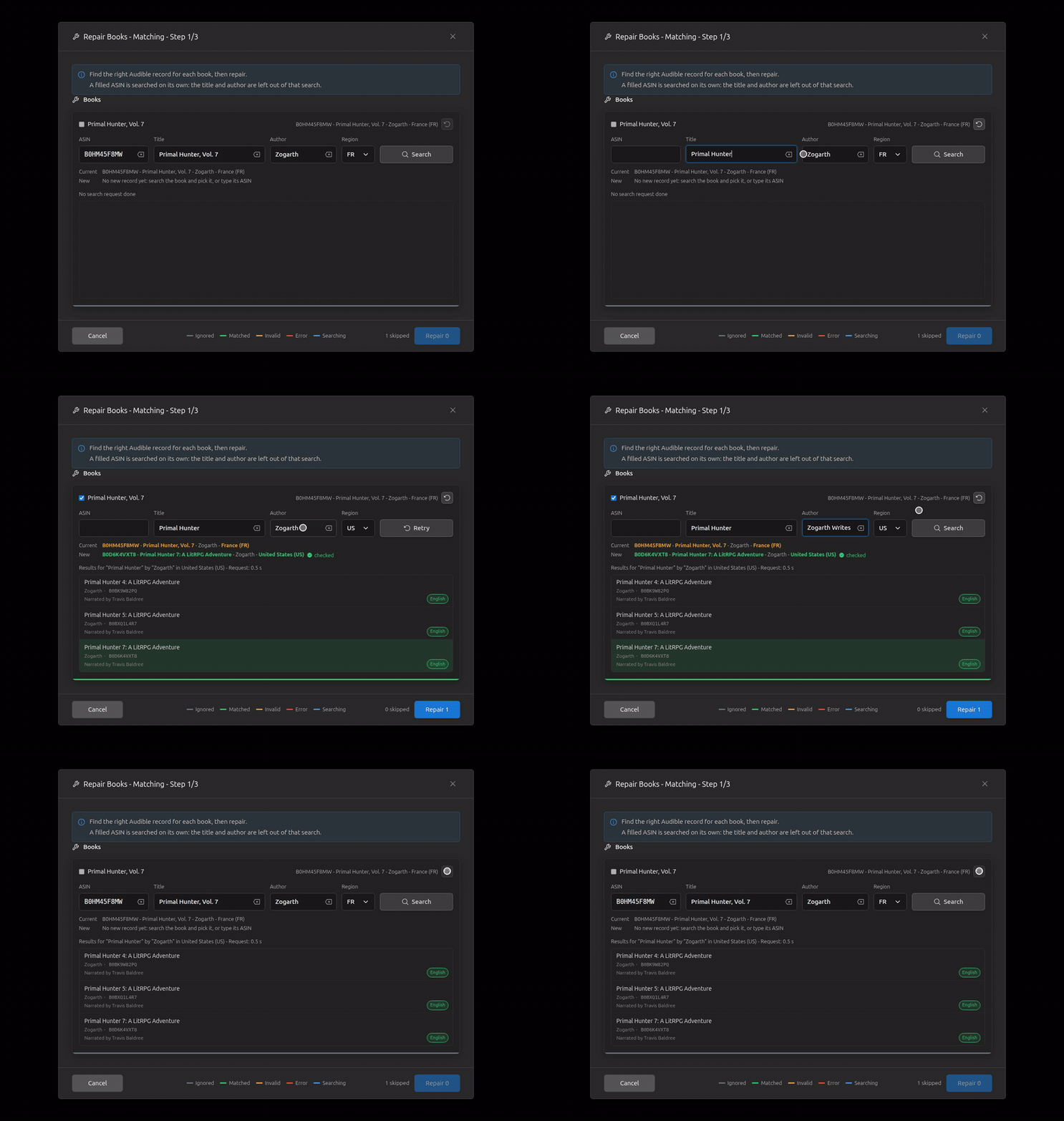
One search at a time: the other book waits, greyed out; nothing moves when the first answers.
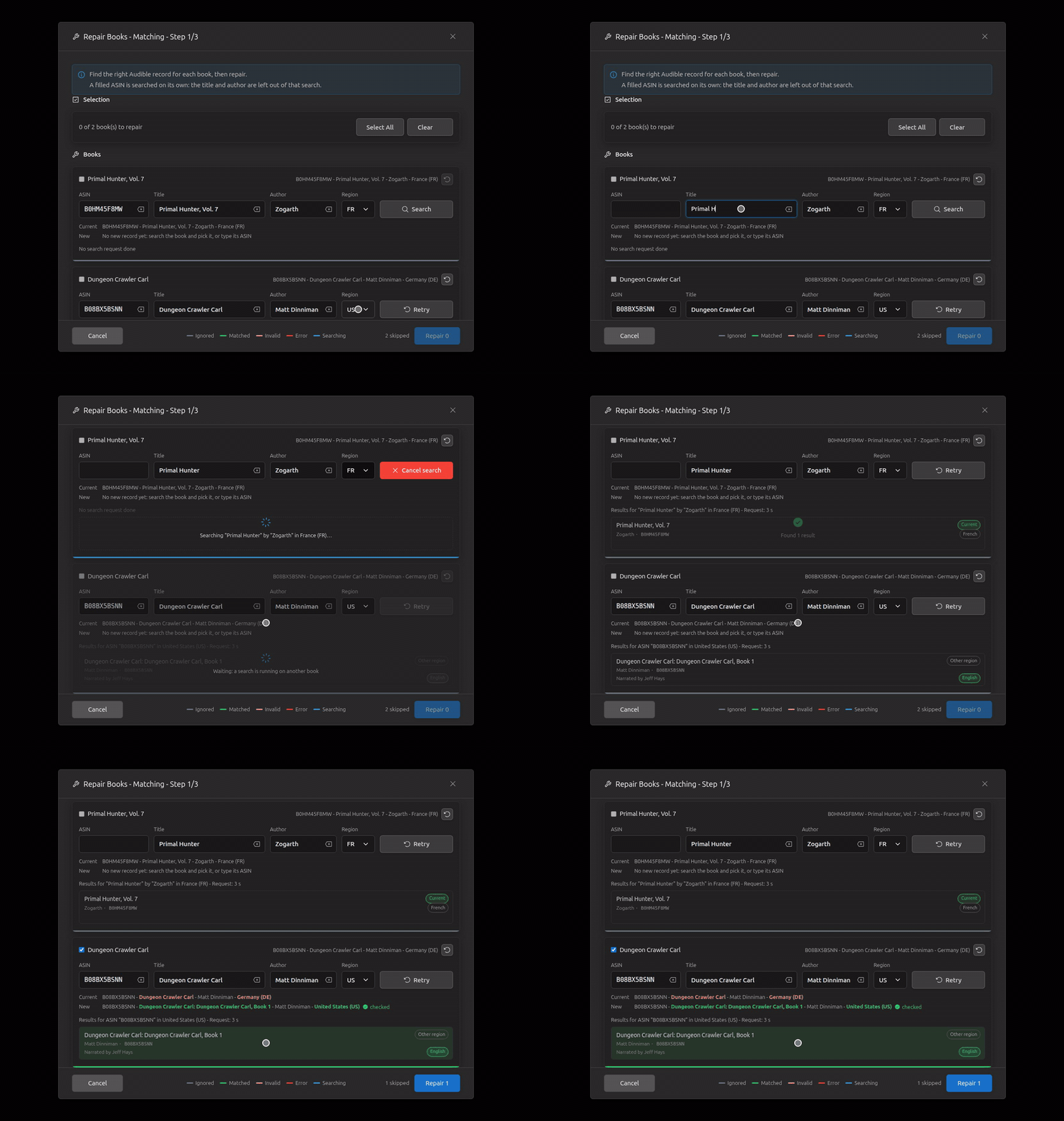
A matched book unticked (skipped), Clear, Select All.
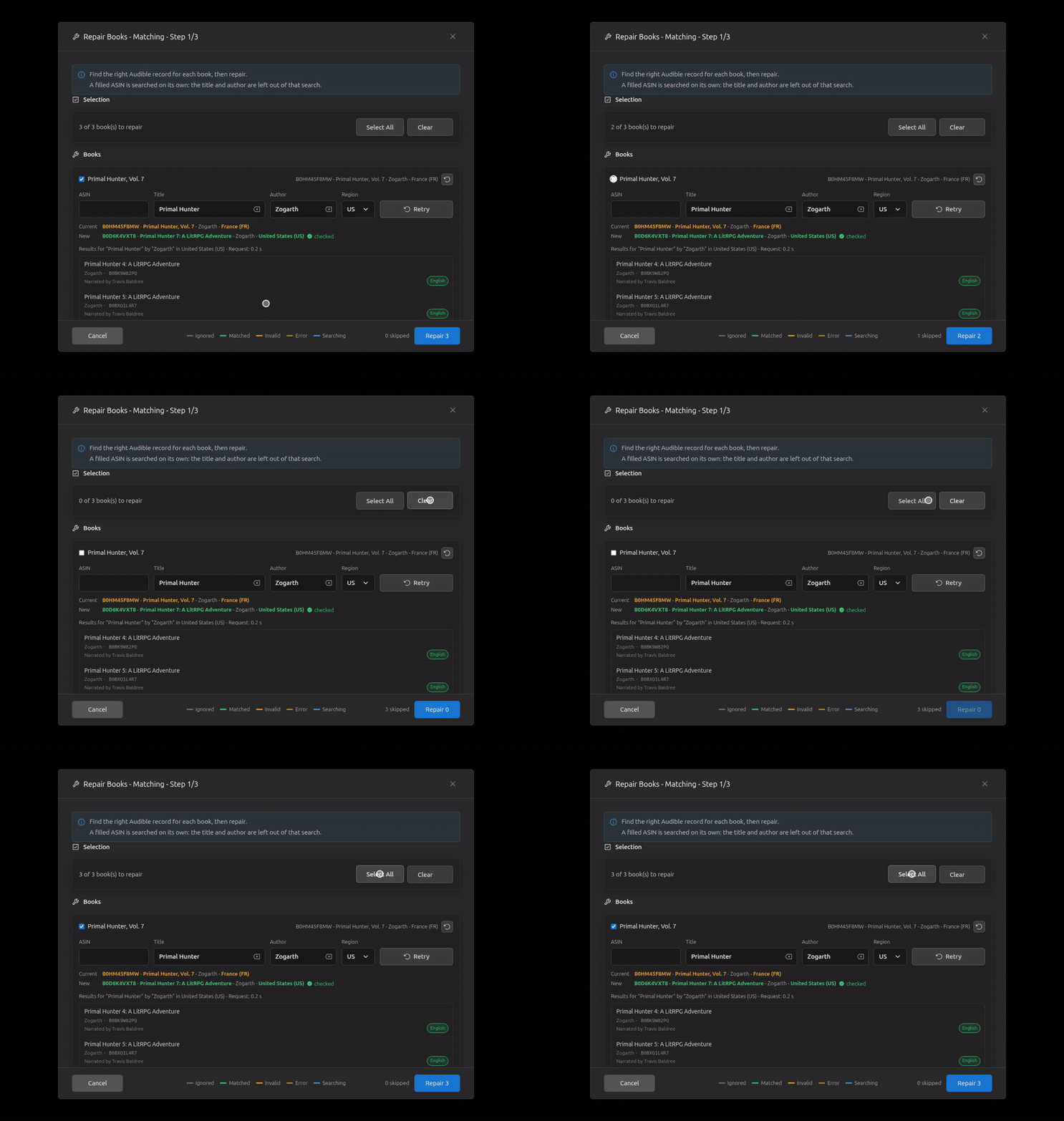
The legend centred on the dialog, moved aside, then above the buttons.
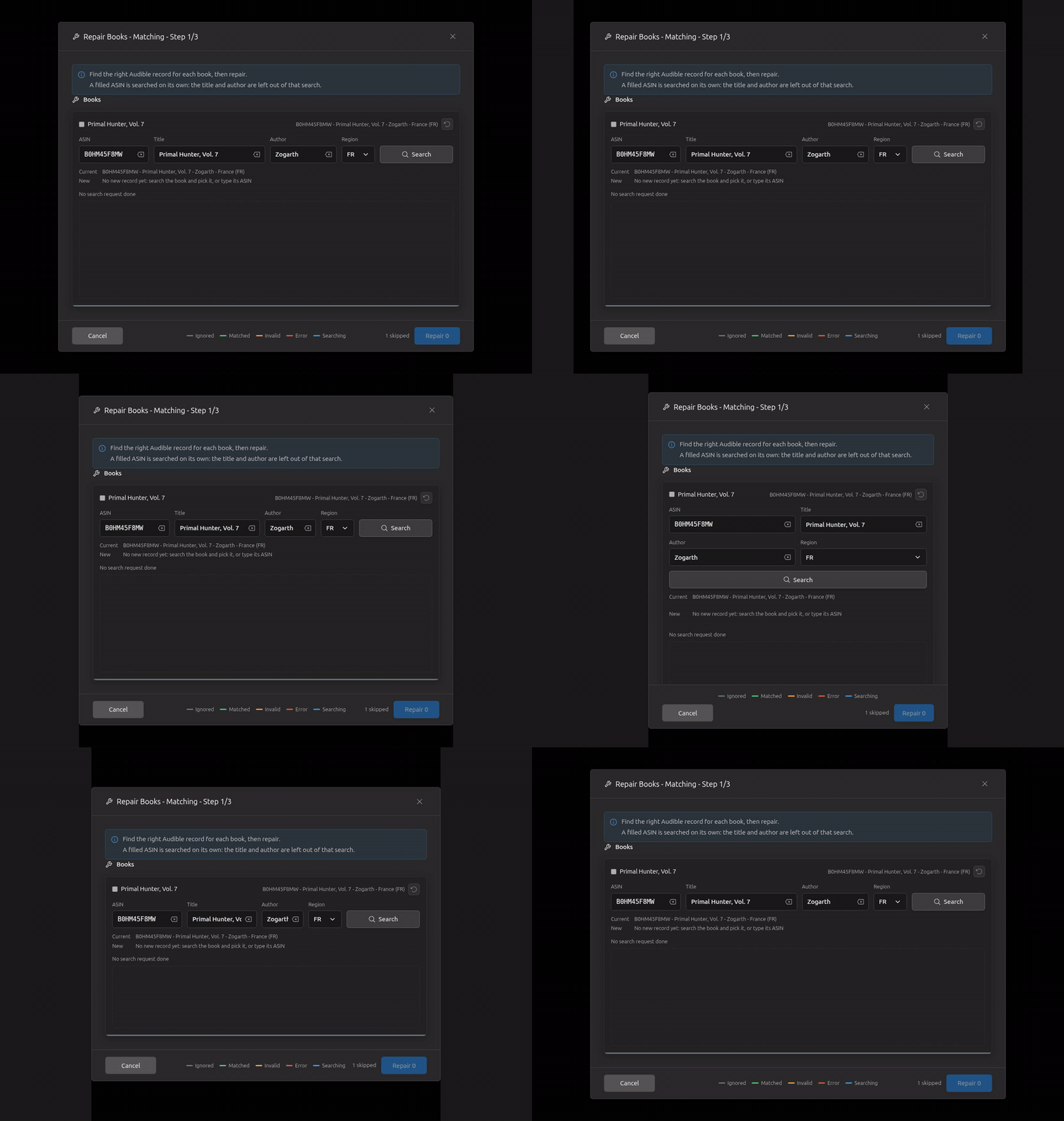
Cancel closes the dialog.
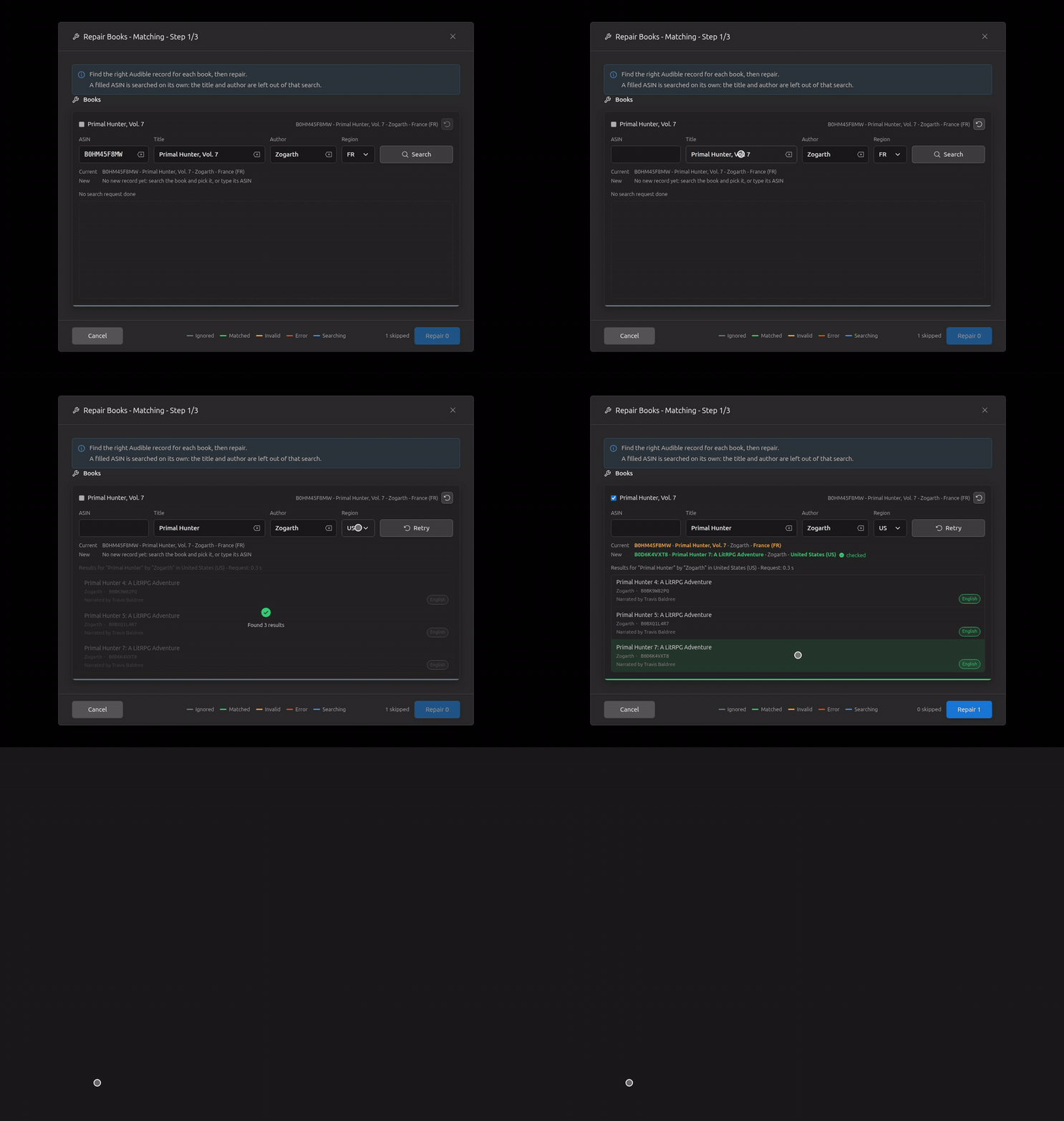
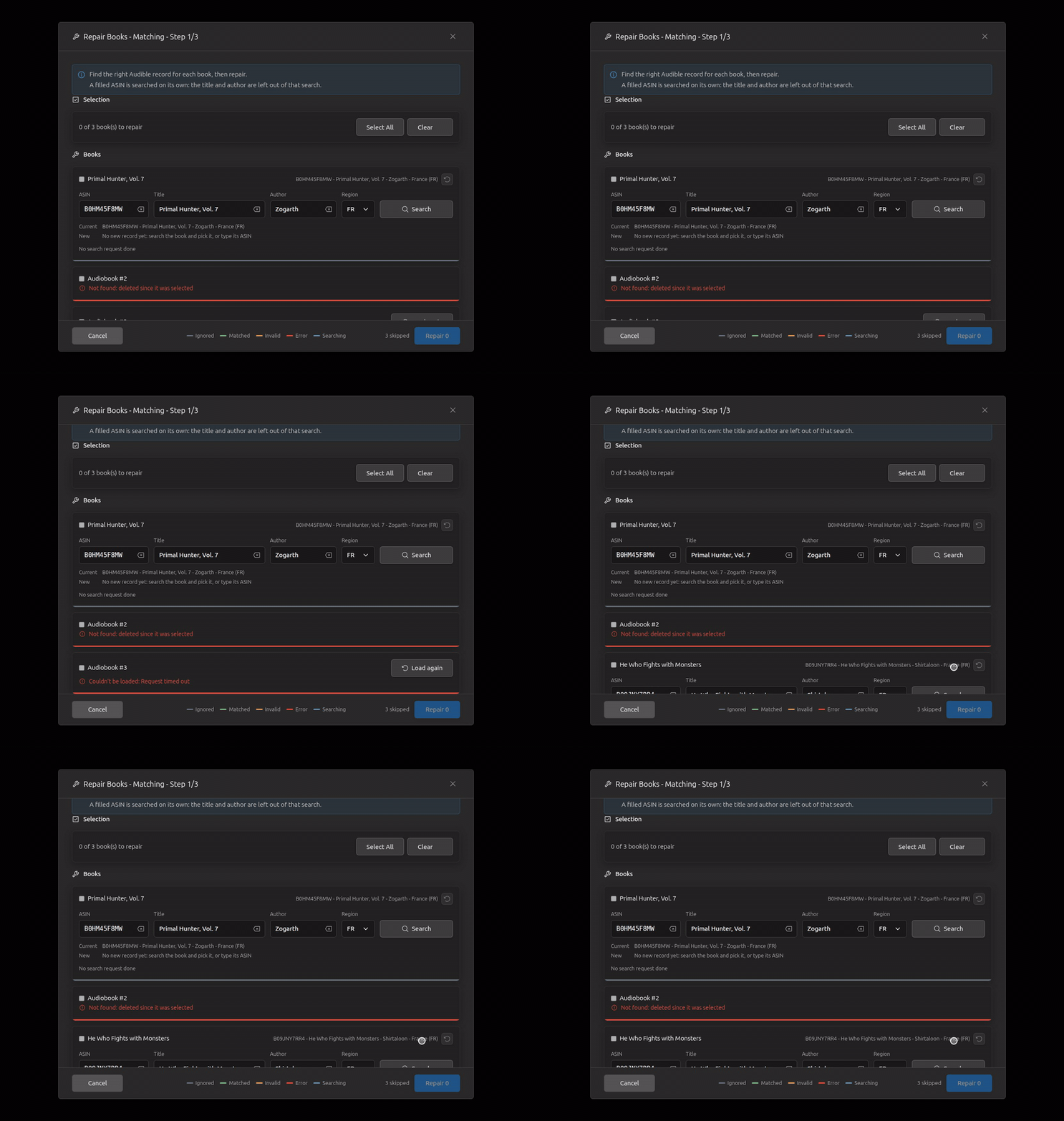
Three books selected: one deleted since (its card says so, nothing to load again), one whose load timed out (Load again reads it); the others stay repairable.
A record without an ASIN (Audible has nothing, the server adds one from OpenLibrary): greyed, tagged "No ASIN", and it can't be picked: a repair needs a record a metadata provider can read again.
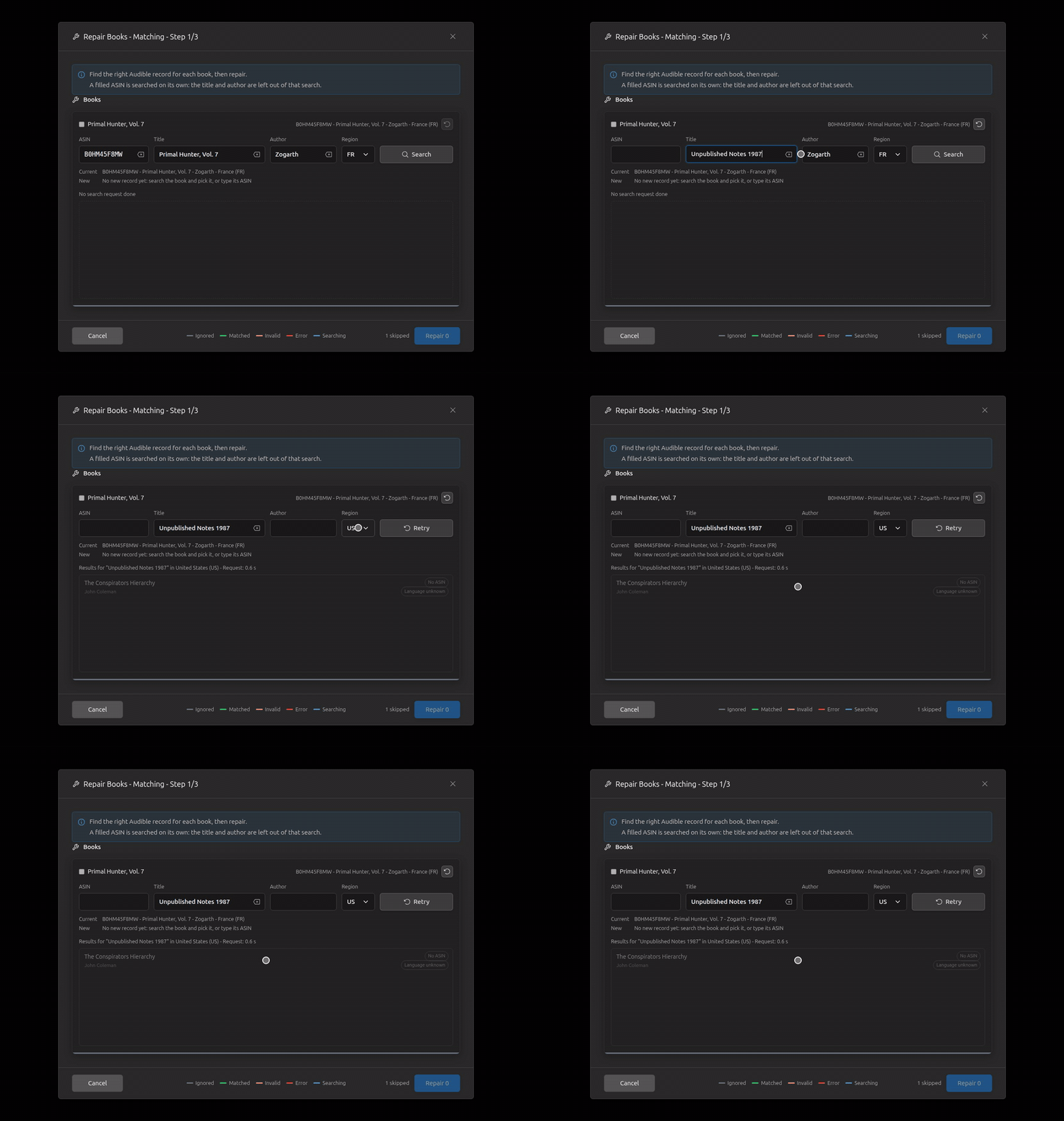
Step 2, the repair process (15)
Repair asks first, since it can't be undone: Cancel, then Escape, both leave step 1 as it was; asked again and accepted, the repair runs.
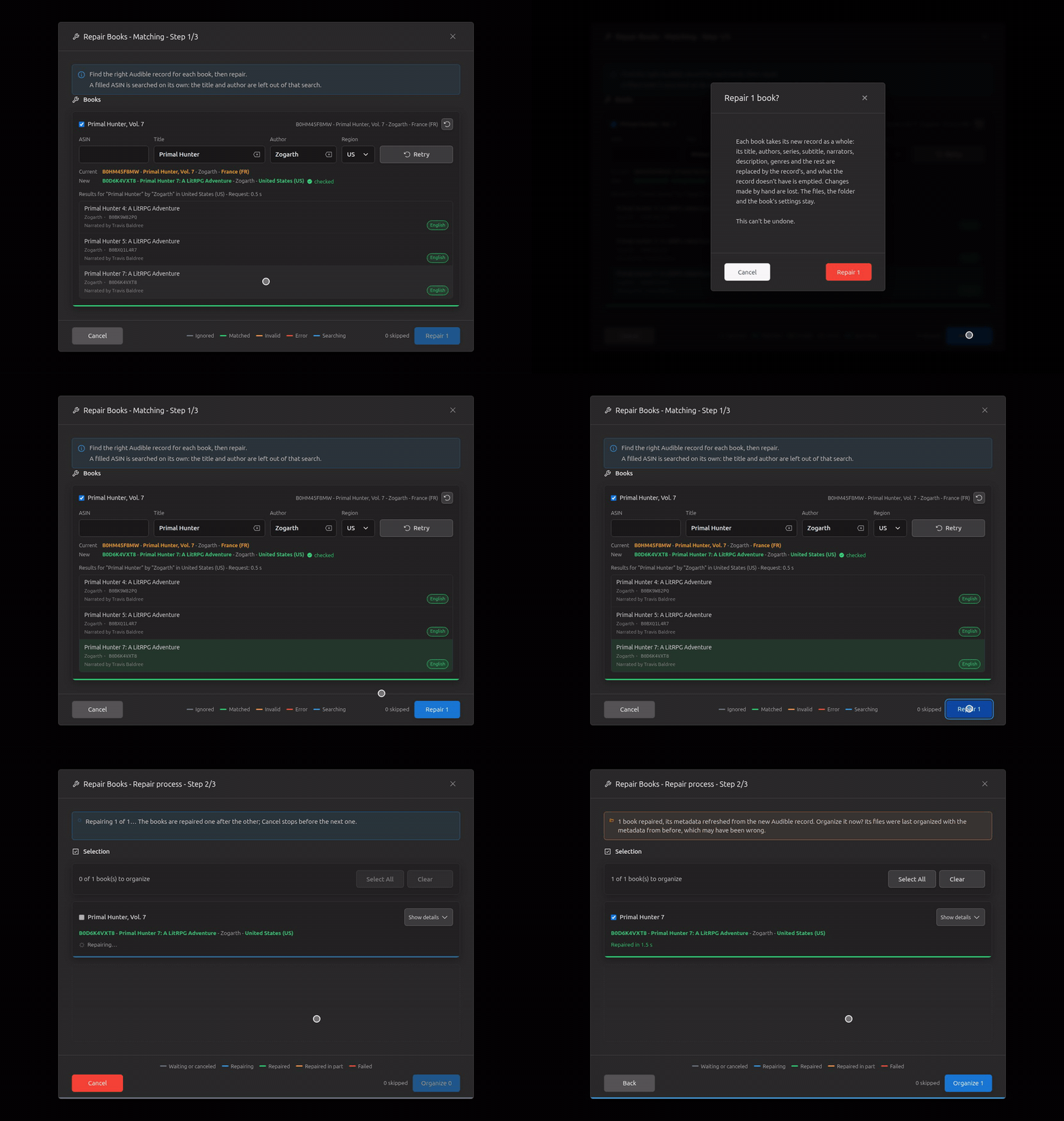
One book, a slow repair: step 2 at once, the dialog keeping step 1's height.
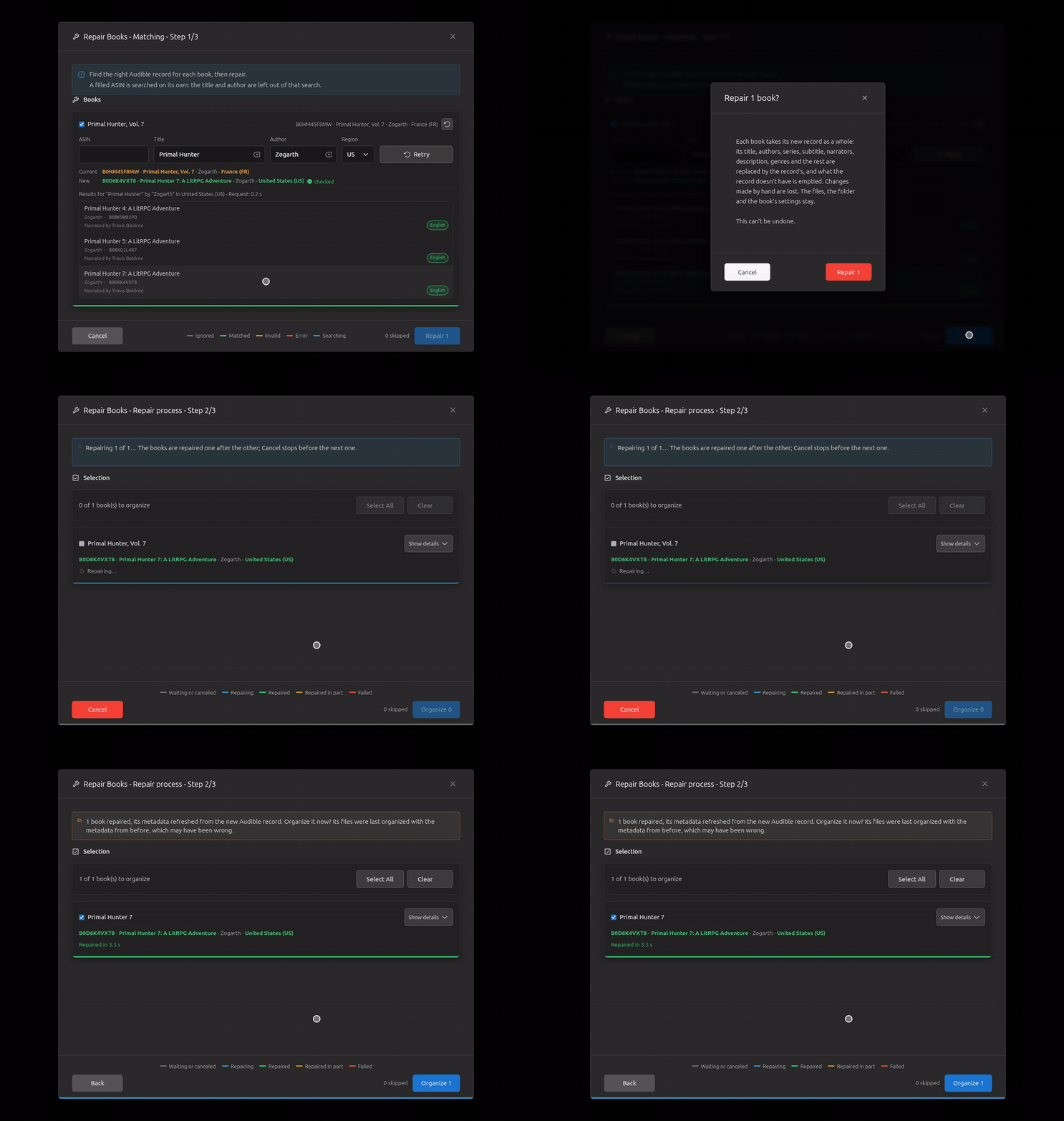
A fast repair.
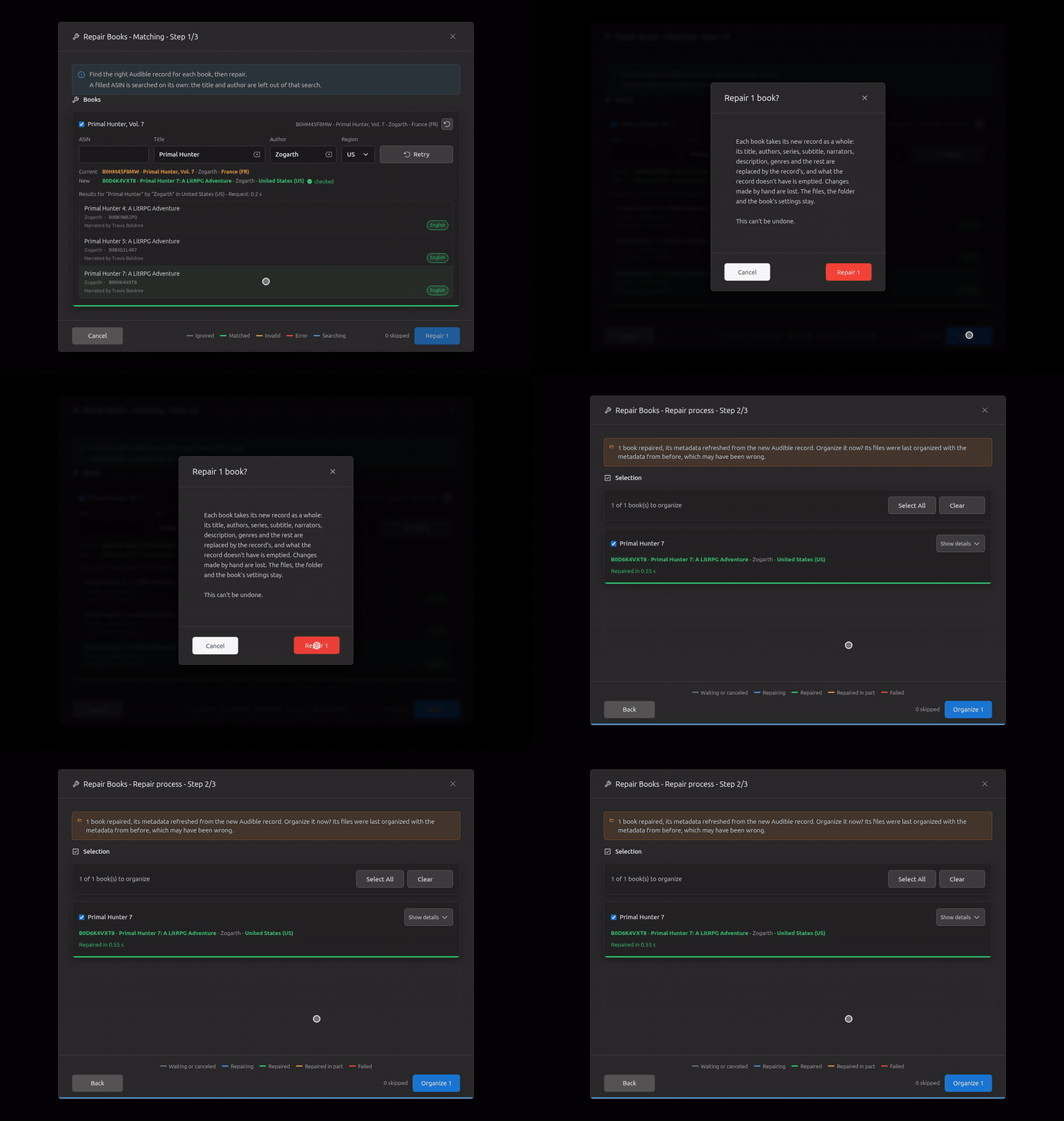
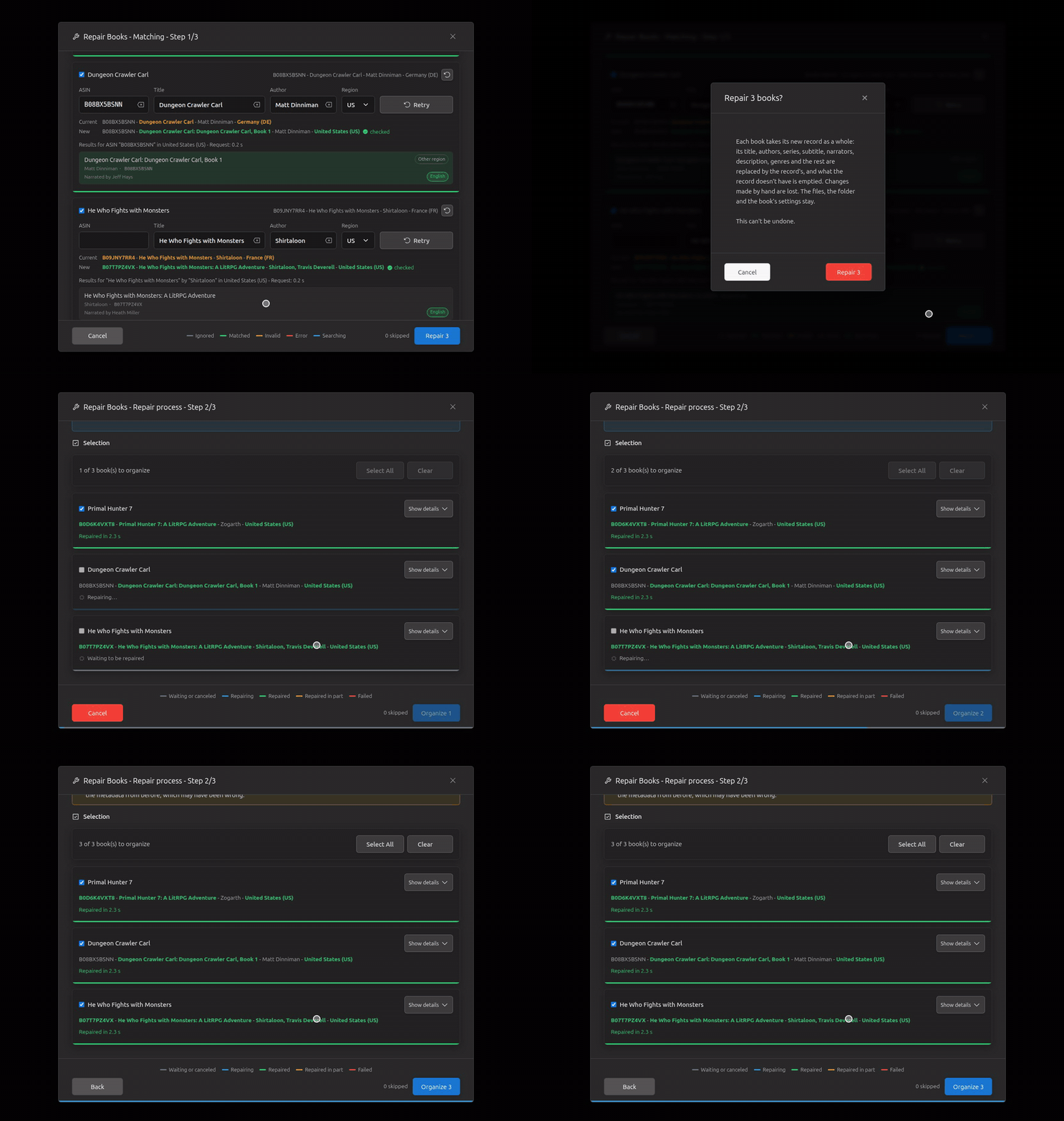
Three books, one repair at a time; the bottom bar filling.
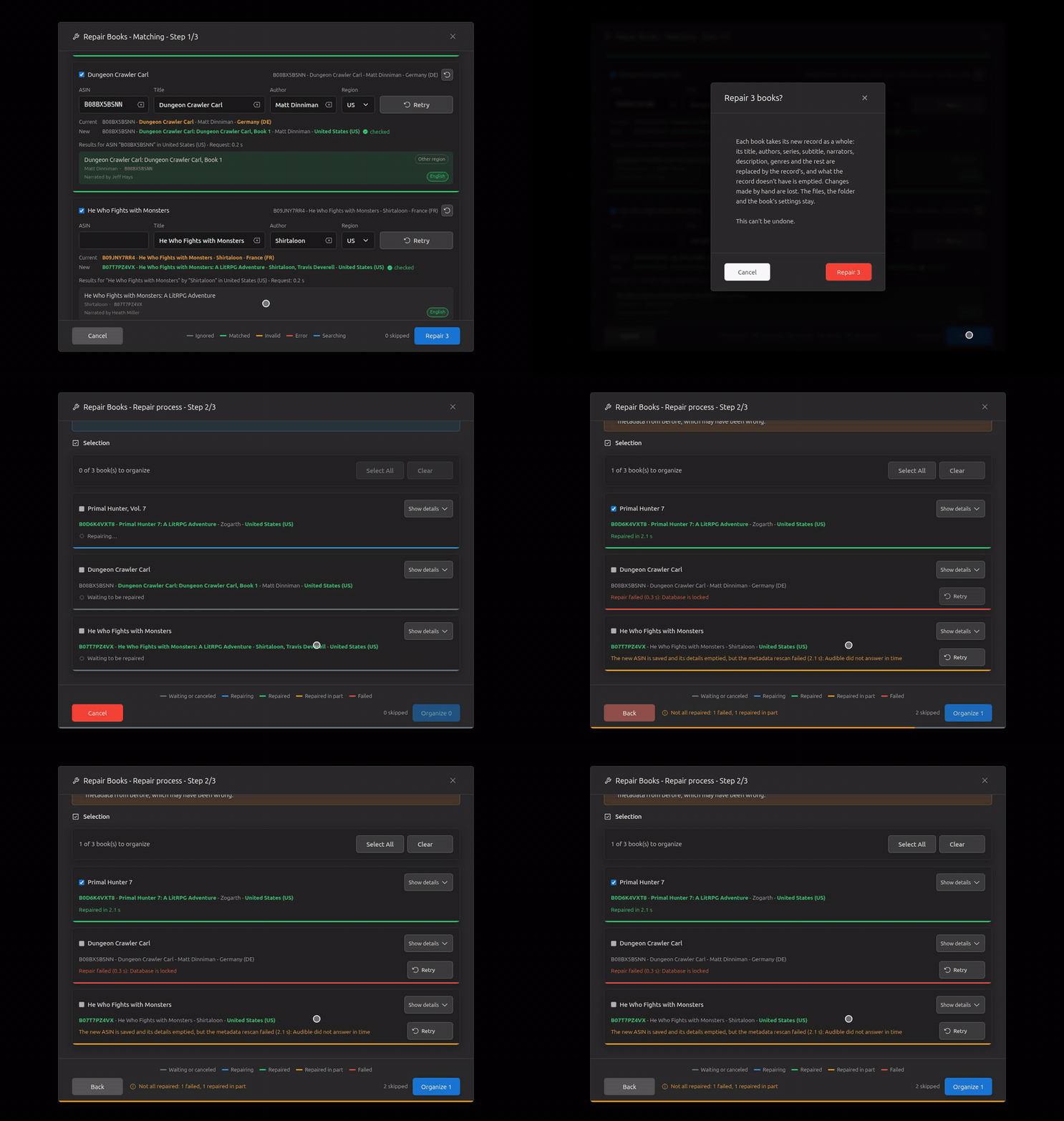
A failed repair and one done in part: the bottom bar orange, the warning.
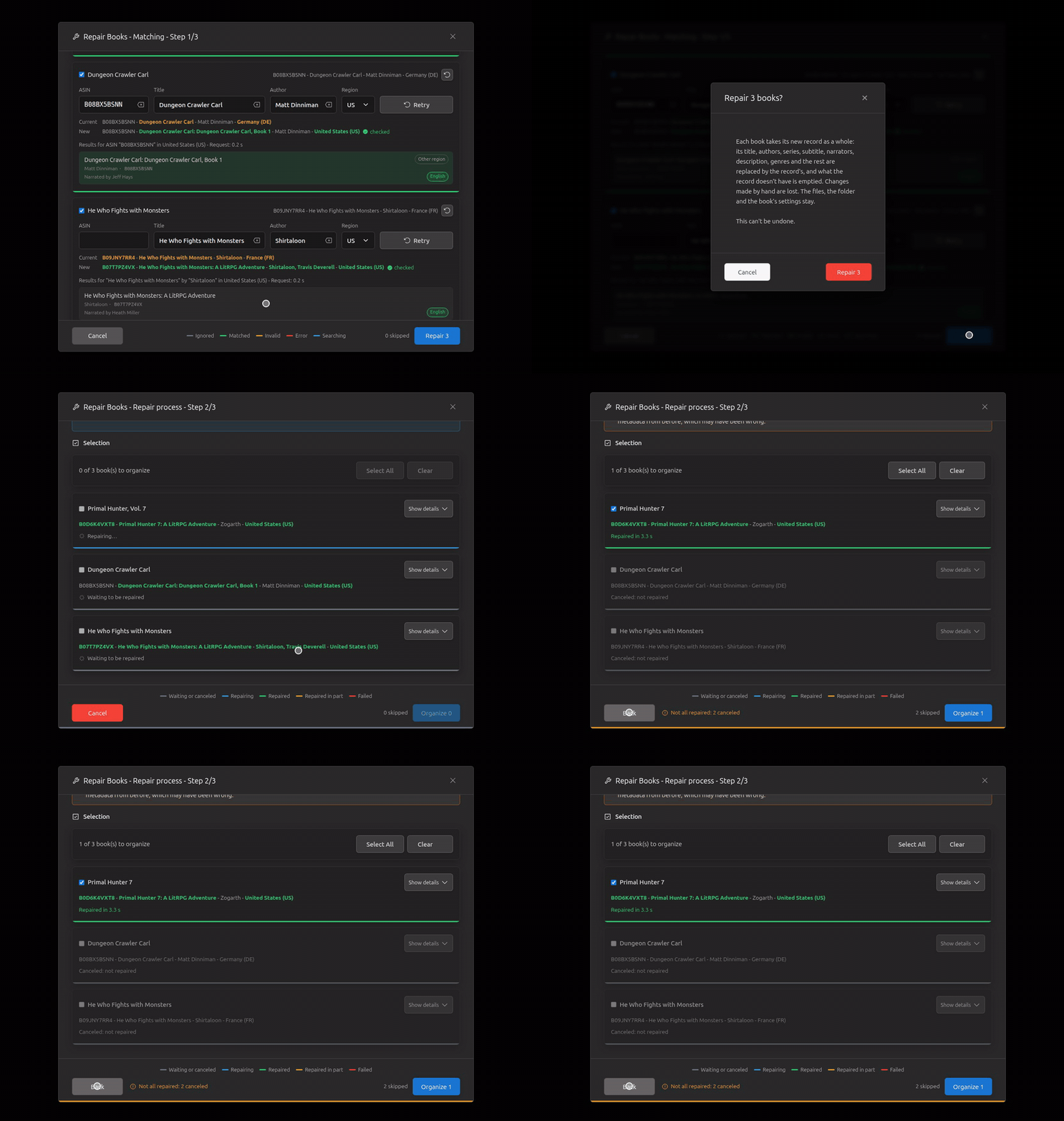
Cancel during the repair: the running one ends, the others are canceled.
Show details / Hide details: Old with the replaced parts in orange, New with the changes in green.
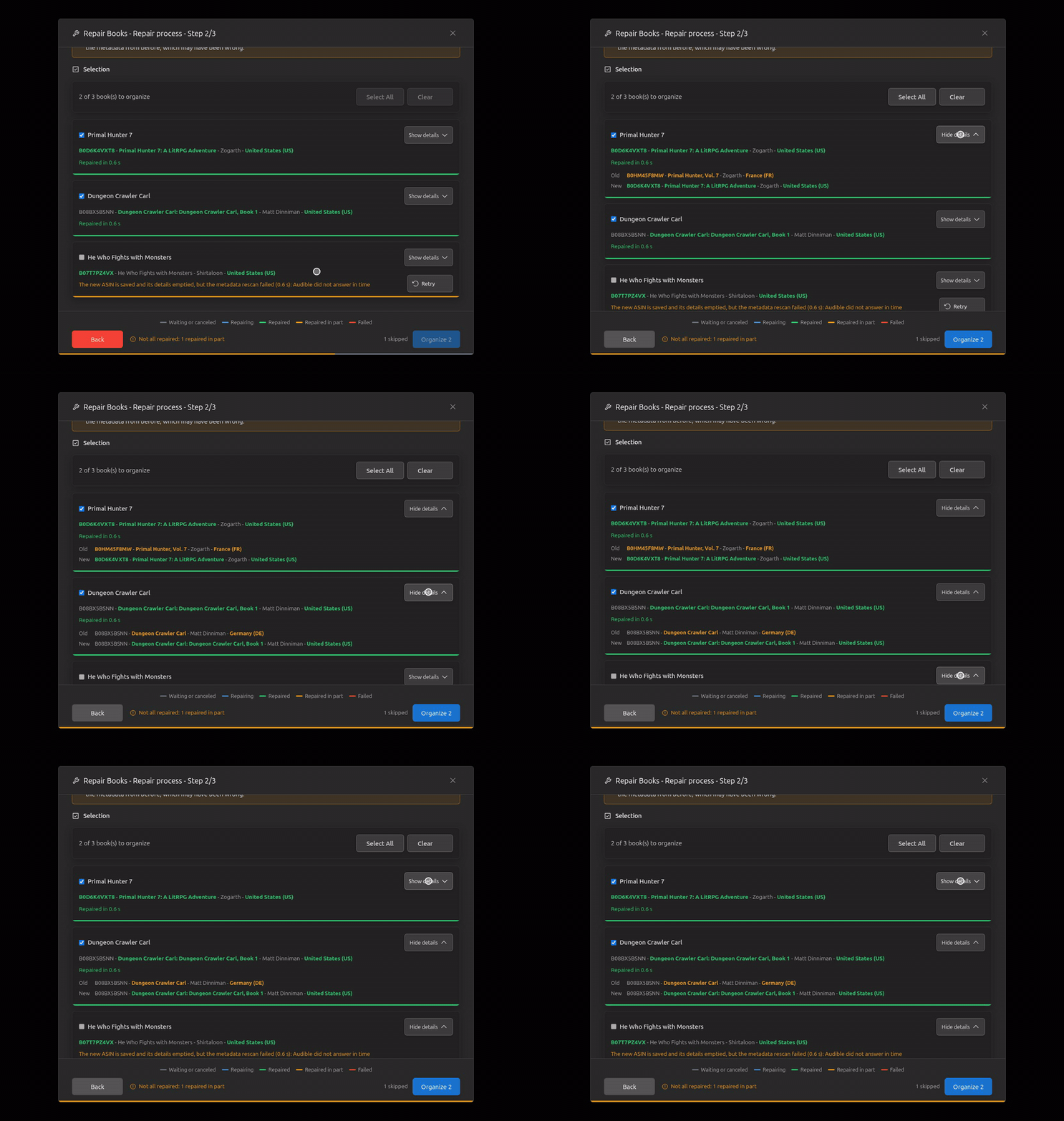
What to organize: a book unticked, Clear, Select All.
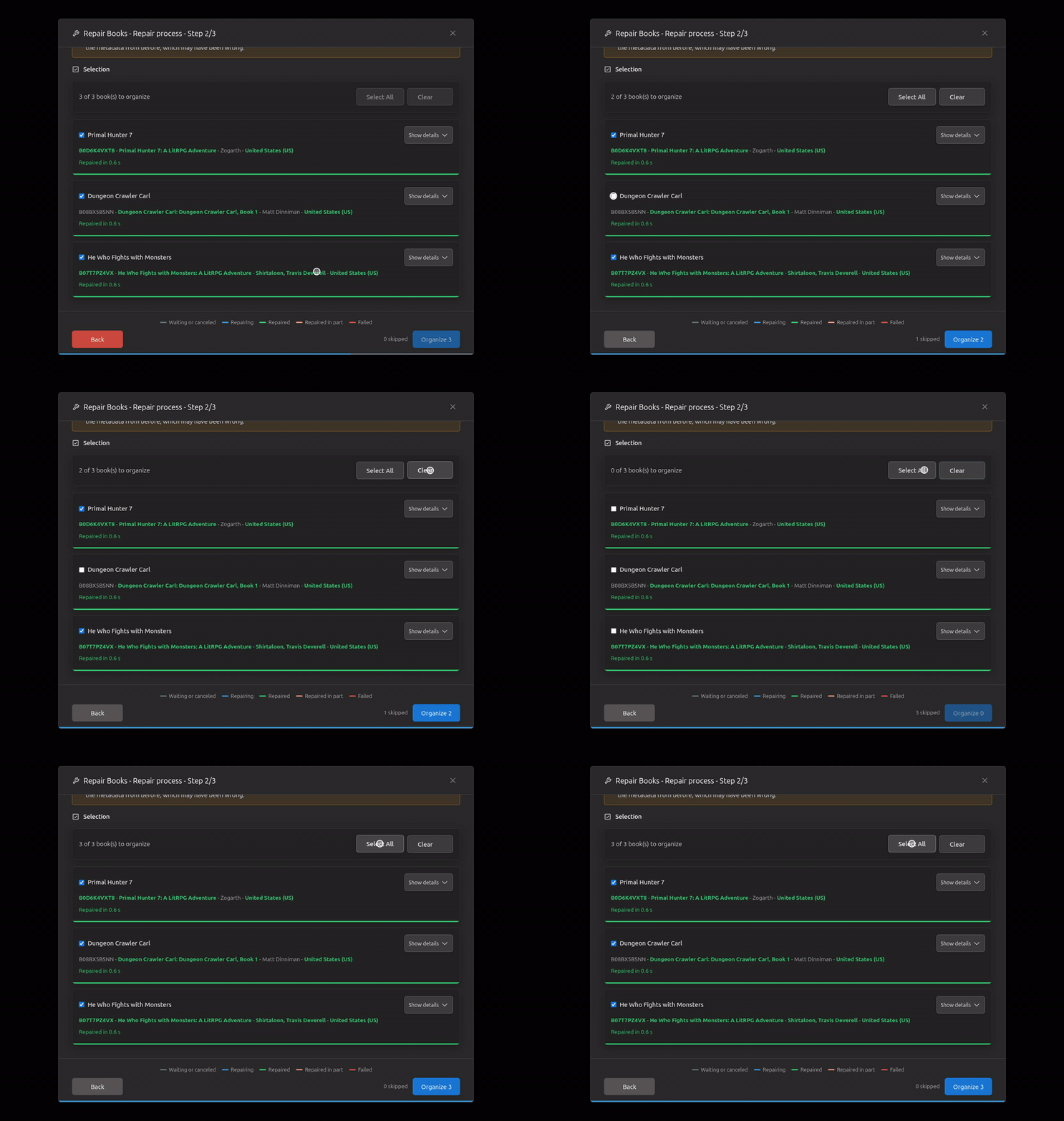
Step 2's footer as the dialog narrows: the warning's place going above the buttons.
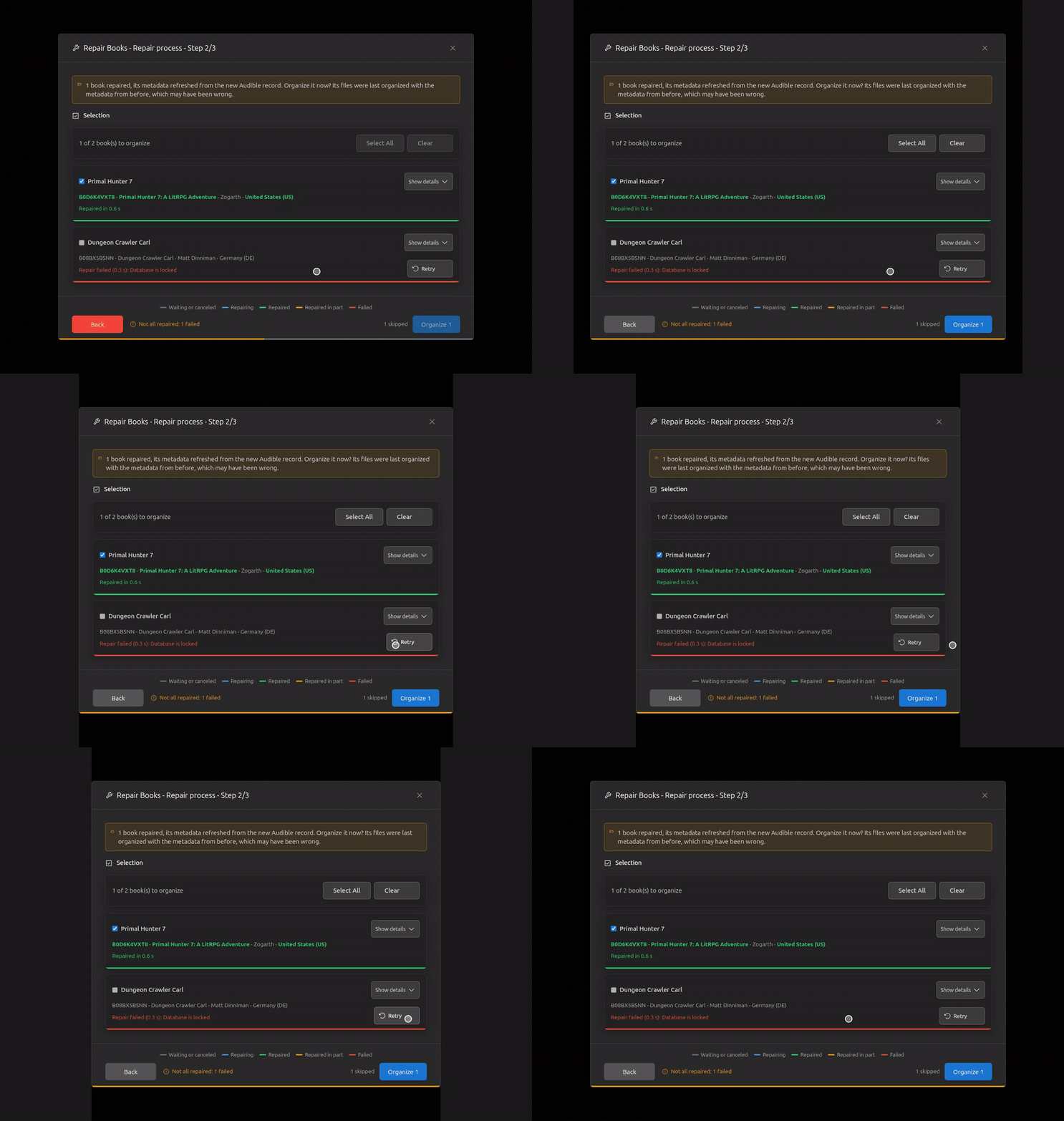
Back, once the repairs are over: step 1 loaded afresh, each book as it was repaired.
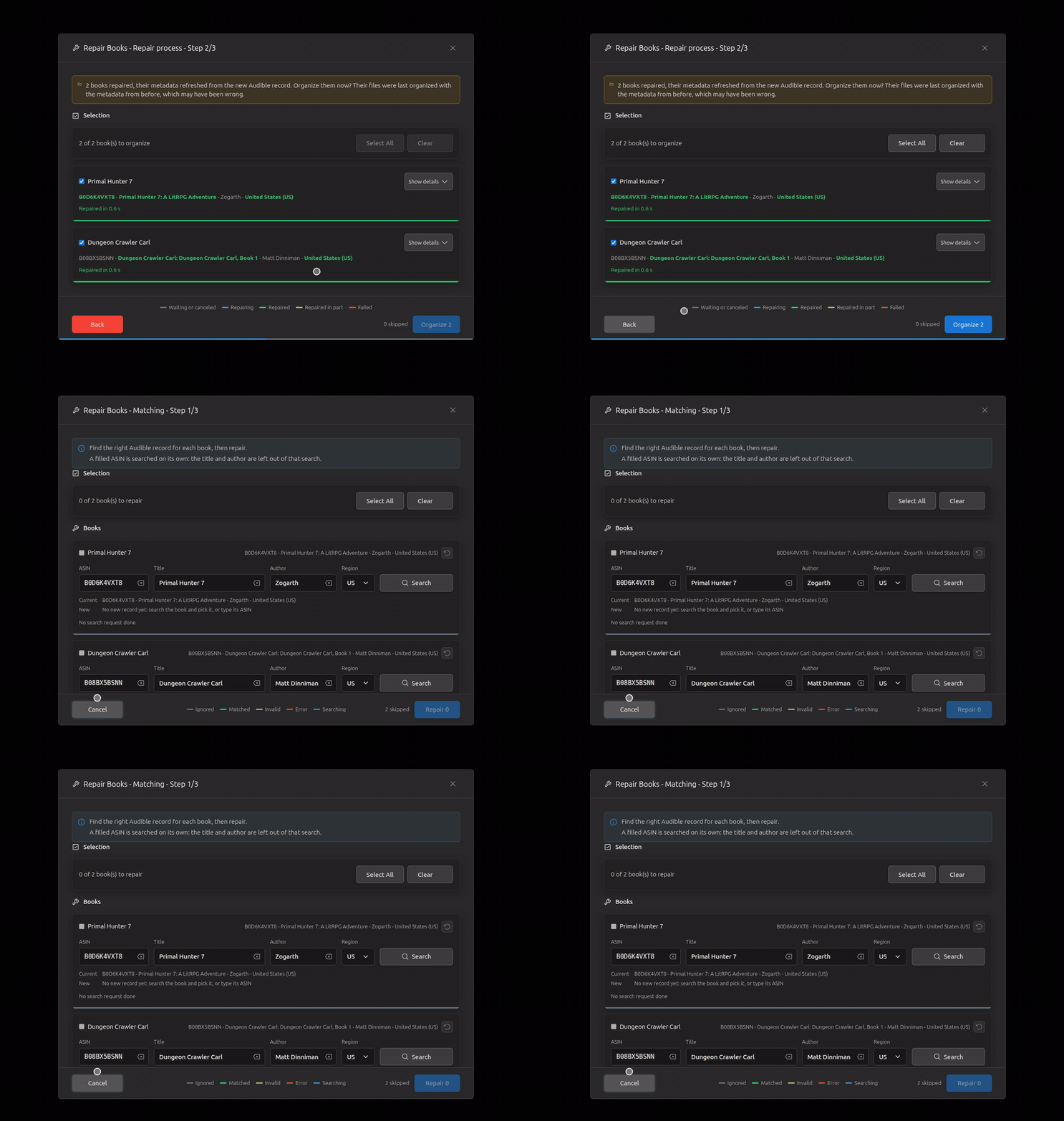
Retry on a failed repair: that book repaired again, the warning gone once it works.
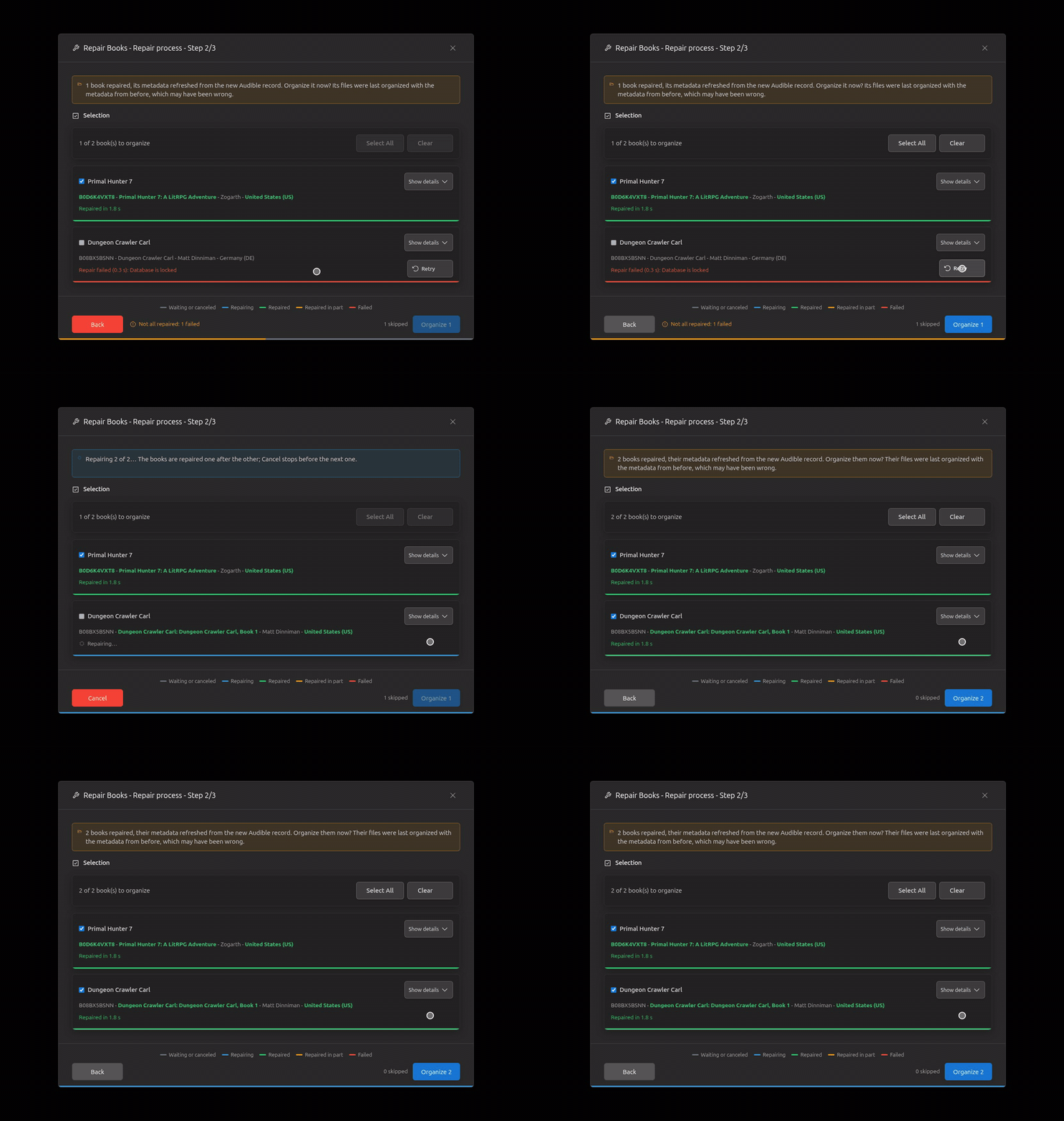
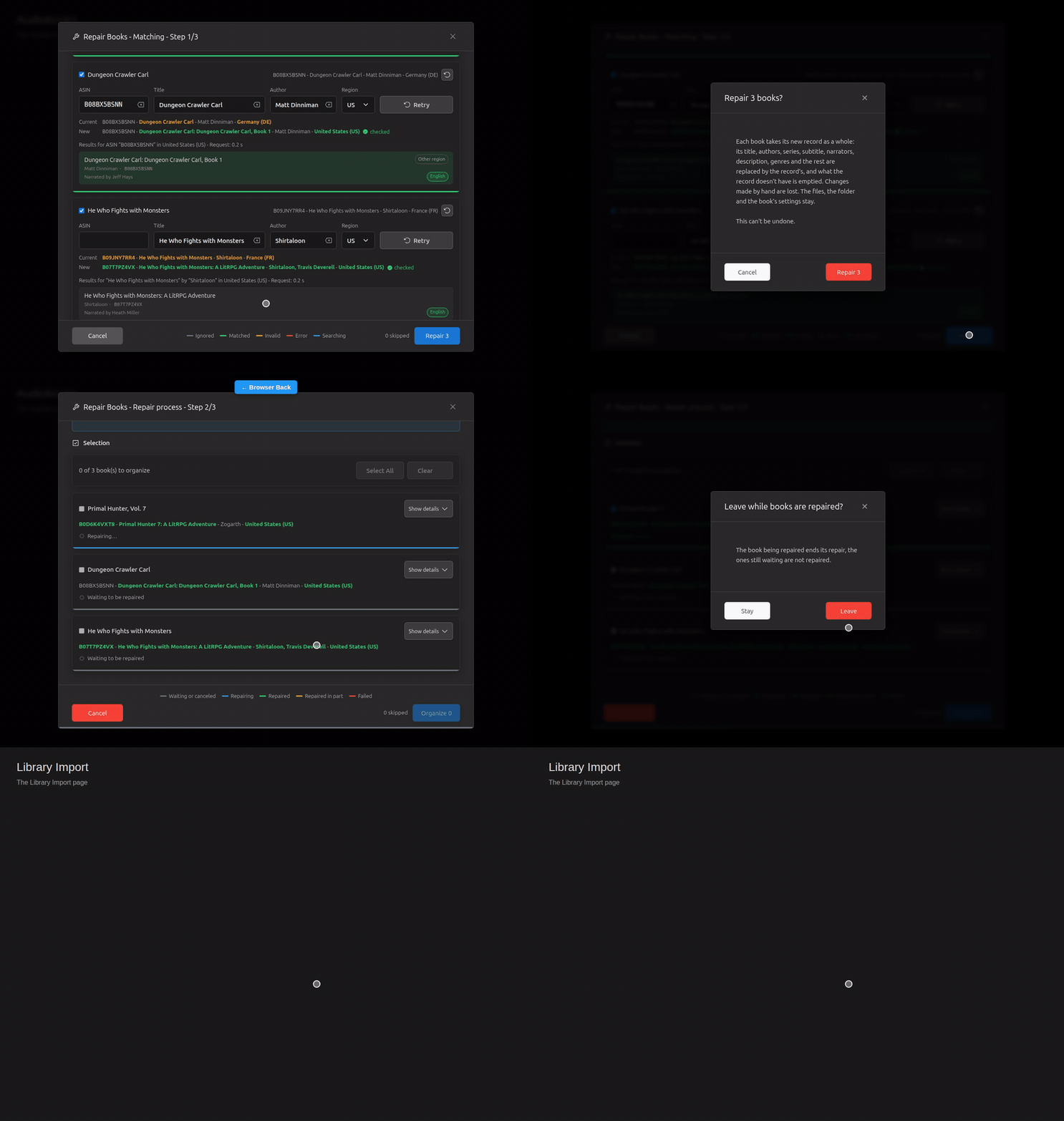
Leaving the page during the repairs (browser Back, shown by the label): the confirmation on top of the dialog, the repairs held while it asks (the running book ends, the next one waits); Stay, and they go on to the end.
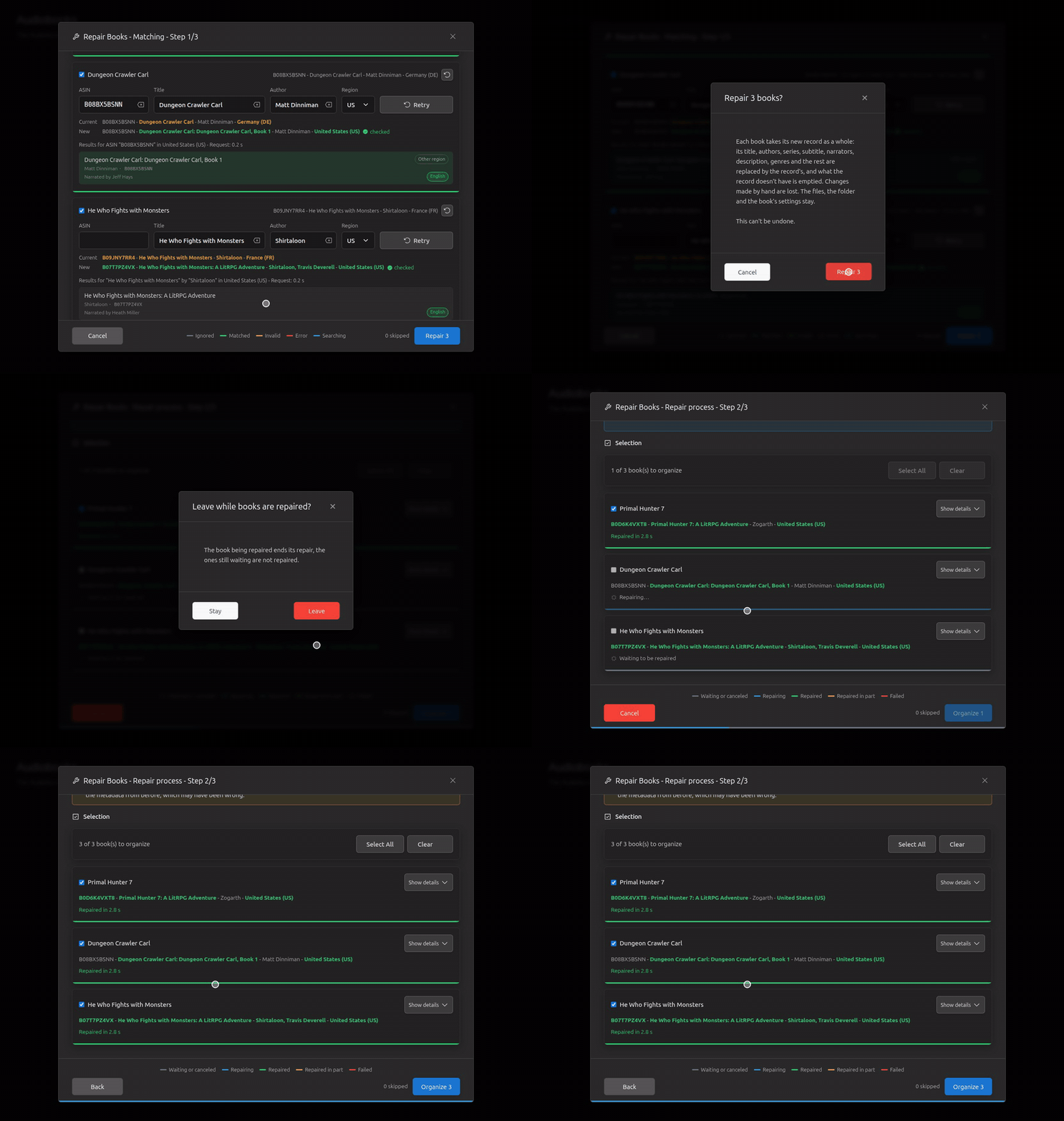
The same, then Leave: the book being repaired ends, the ones still waiting are not repaired, and the page changes.
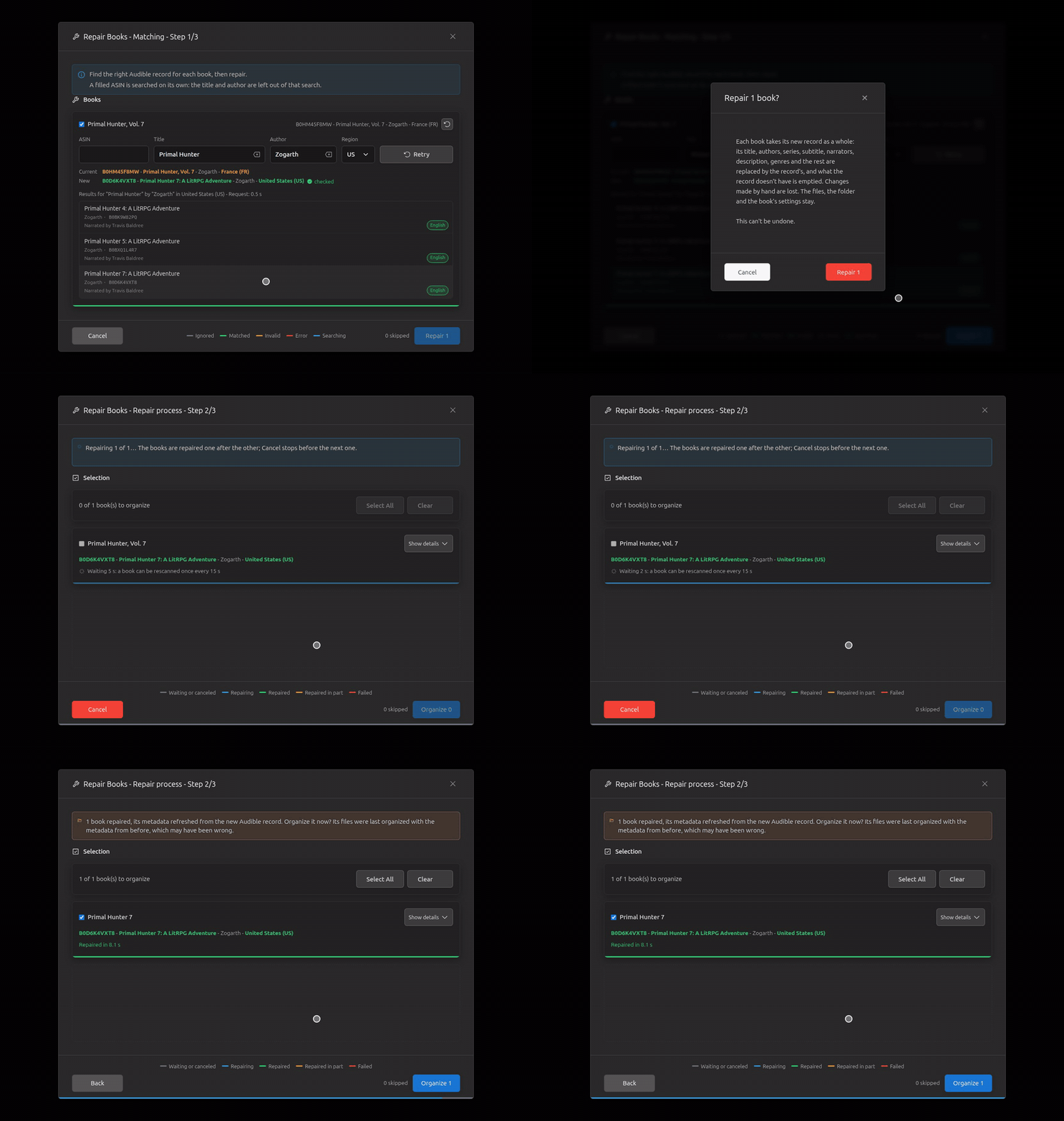
A rescan refused for coming too soon (the server's 15 s cooldown): the row counts down, then the book is repaired.
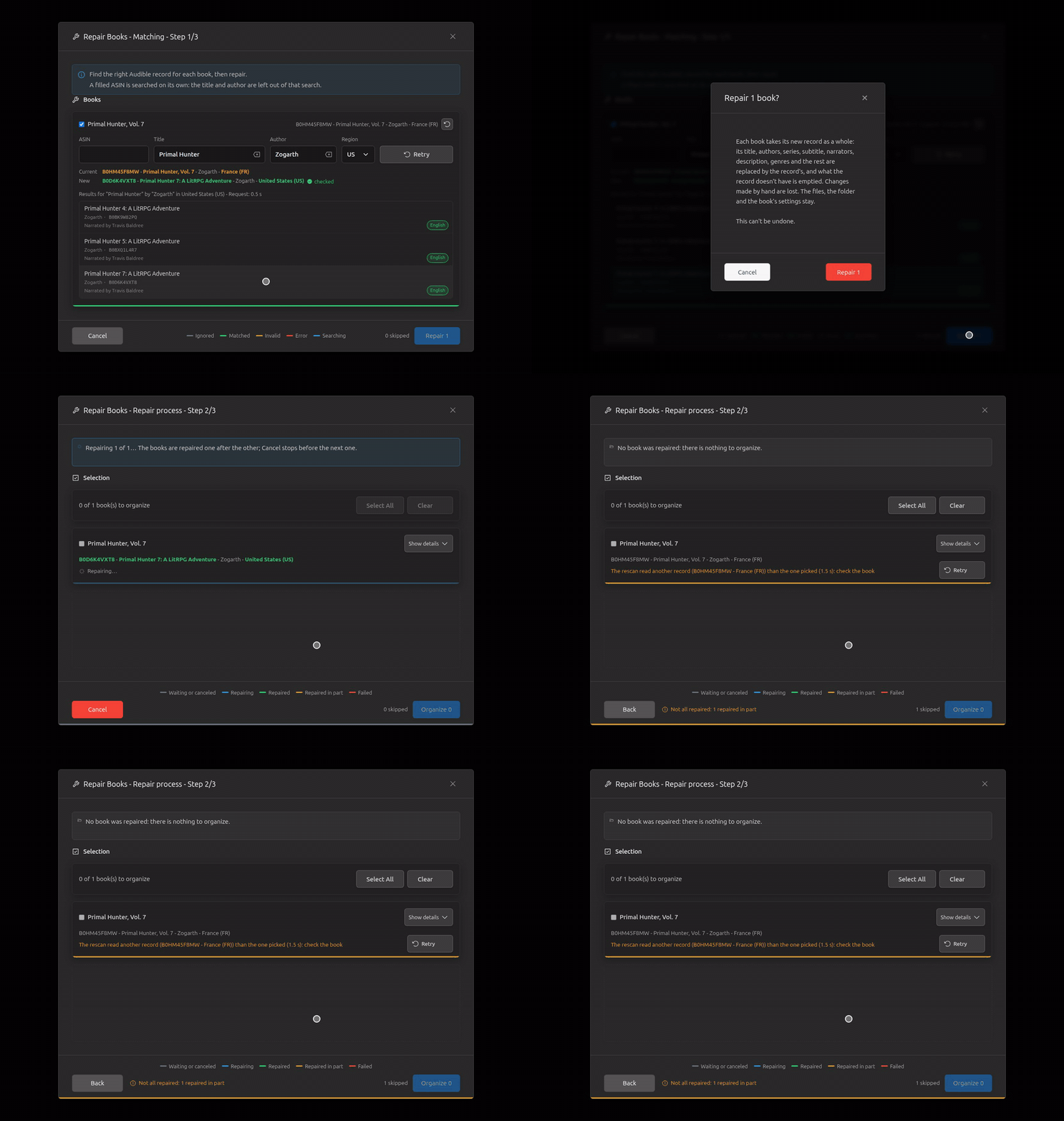
The rescan read another record than the picked one (the server fell back to the book's other ASIN): the row ends in orange, naming it, and the book isn't ticked for Organize.
Step 3, Organize (2)
Organize 2 opens the Organize dialog as Repair's step 3, then organizes.
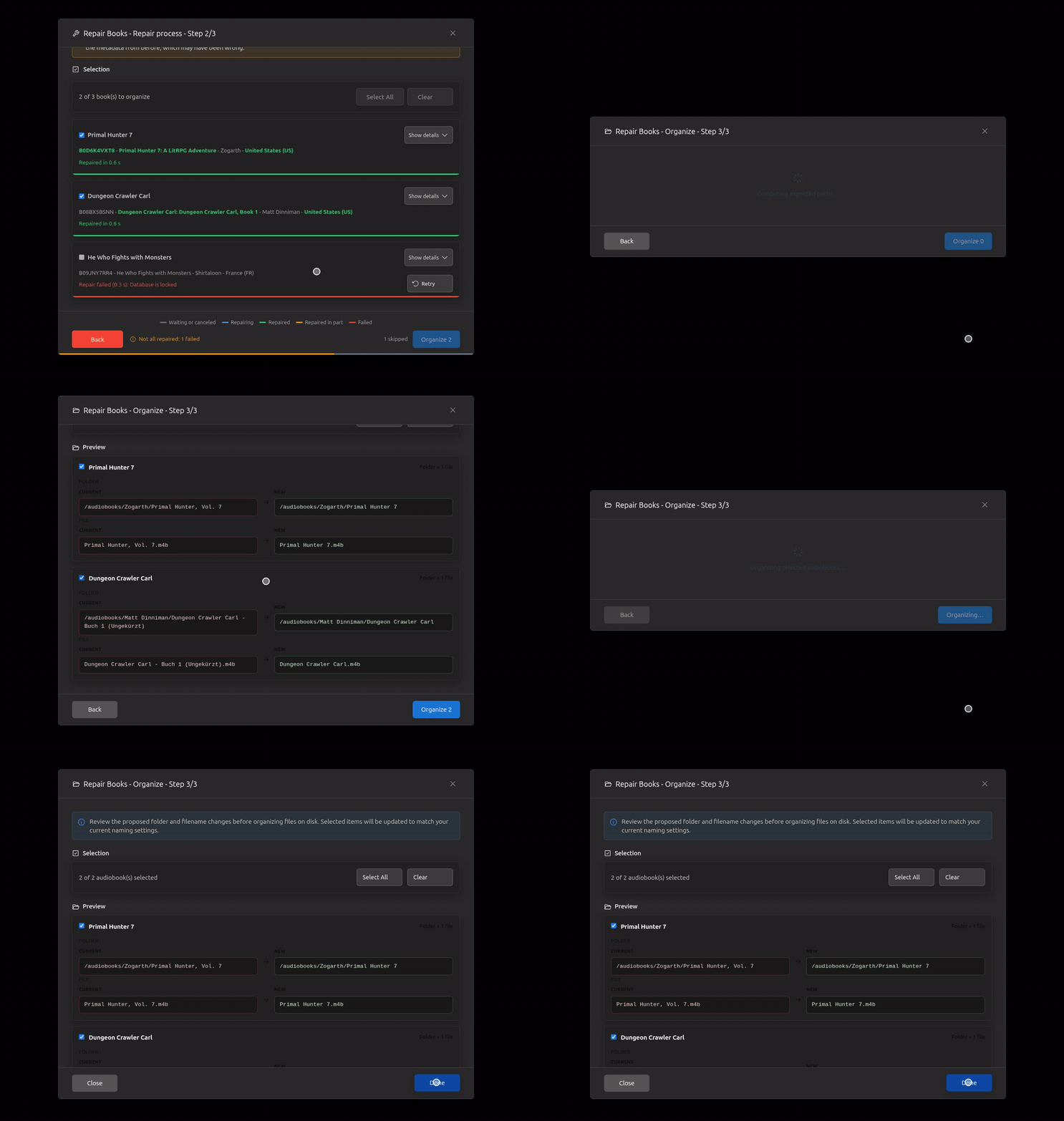
Back from Organize: step 2 as it was left.
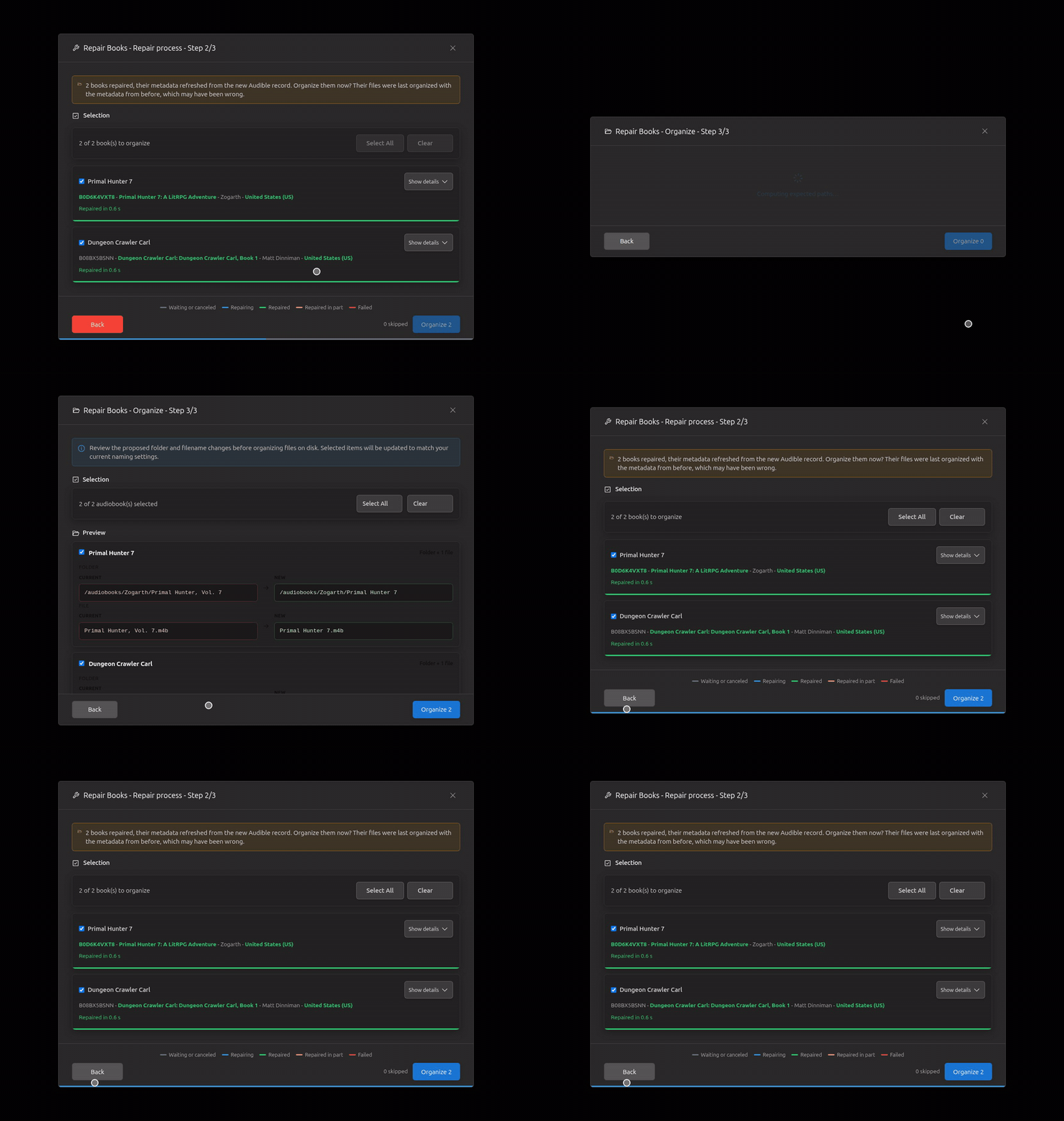
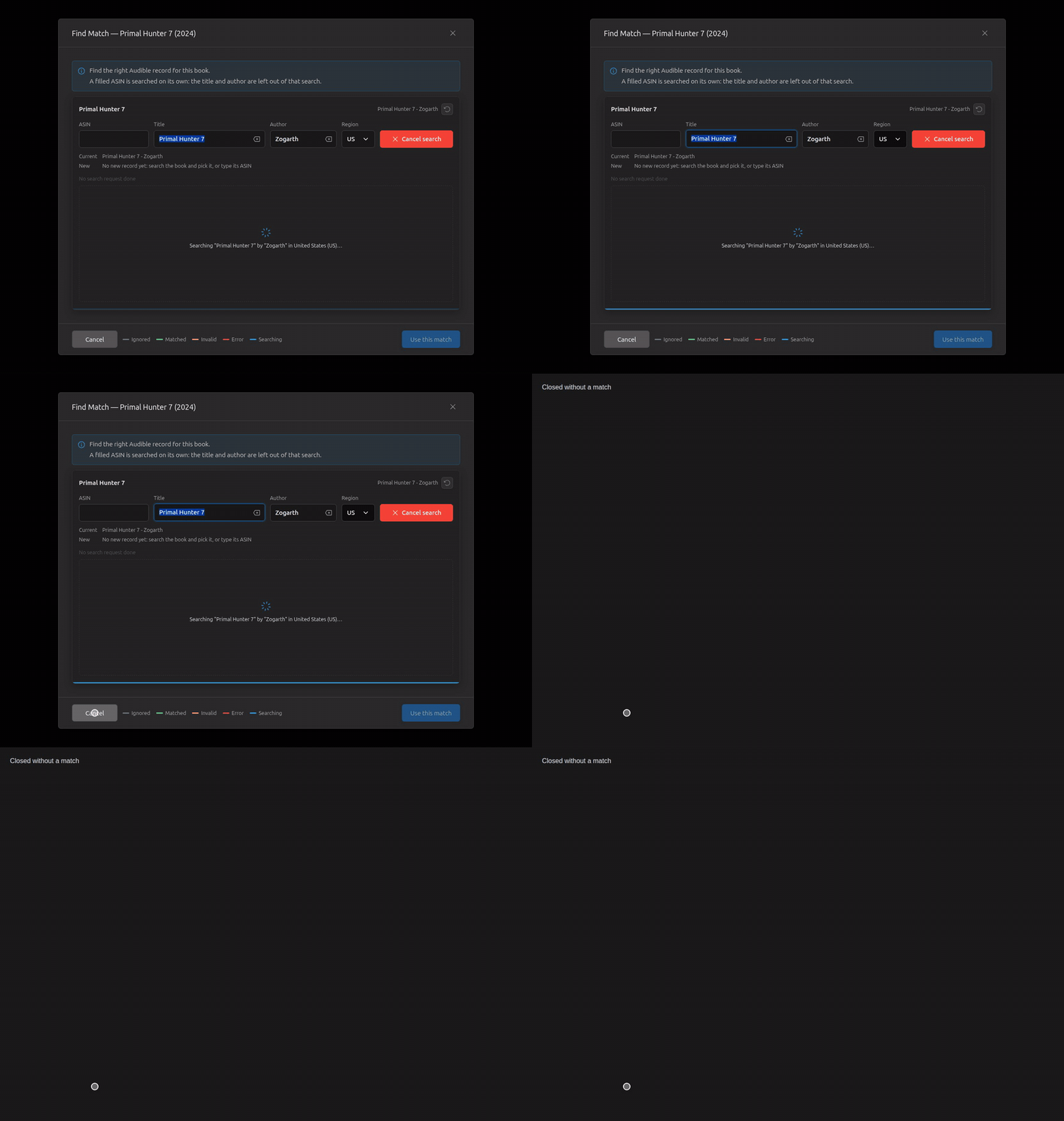
Find Match (Library Import) (12)
Opens searching the folder's title and author; pick, unpick, pick another, then Use this match.
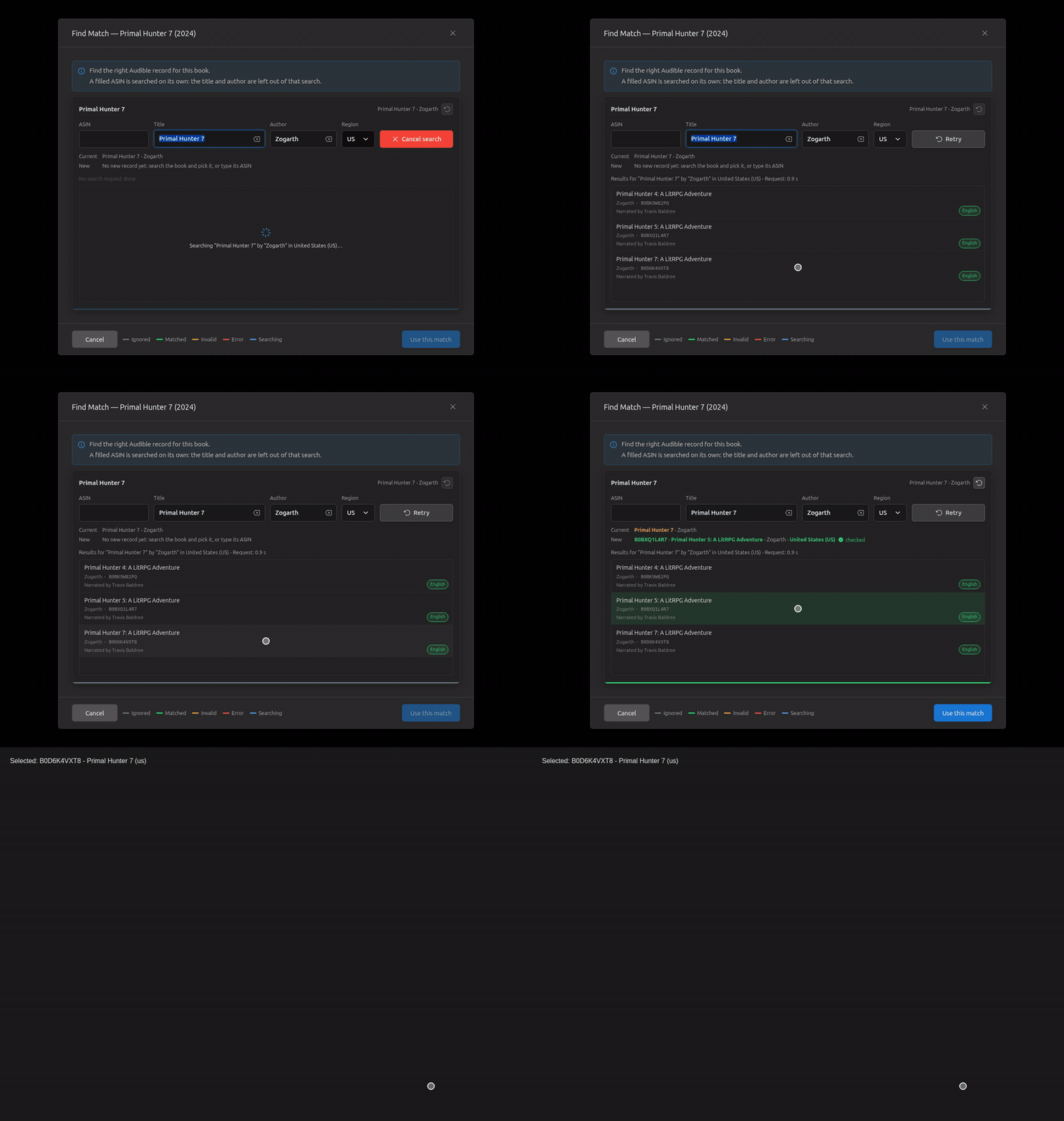
Typing only prepares; Enter searches; an erased author, Search; nothing changed, Retry.
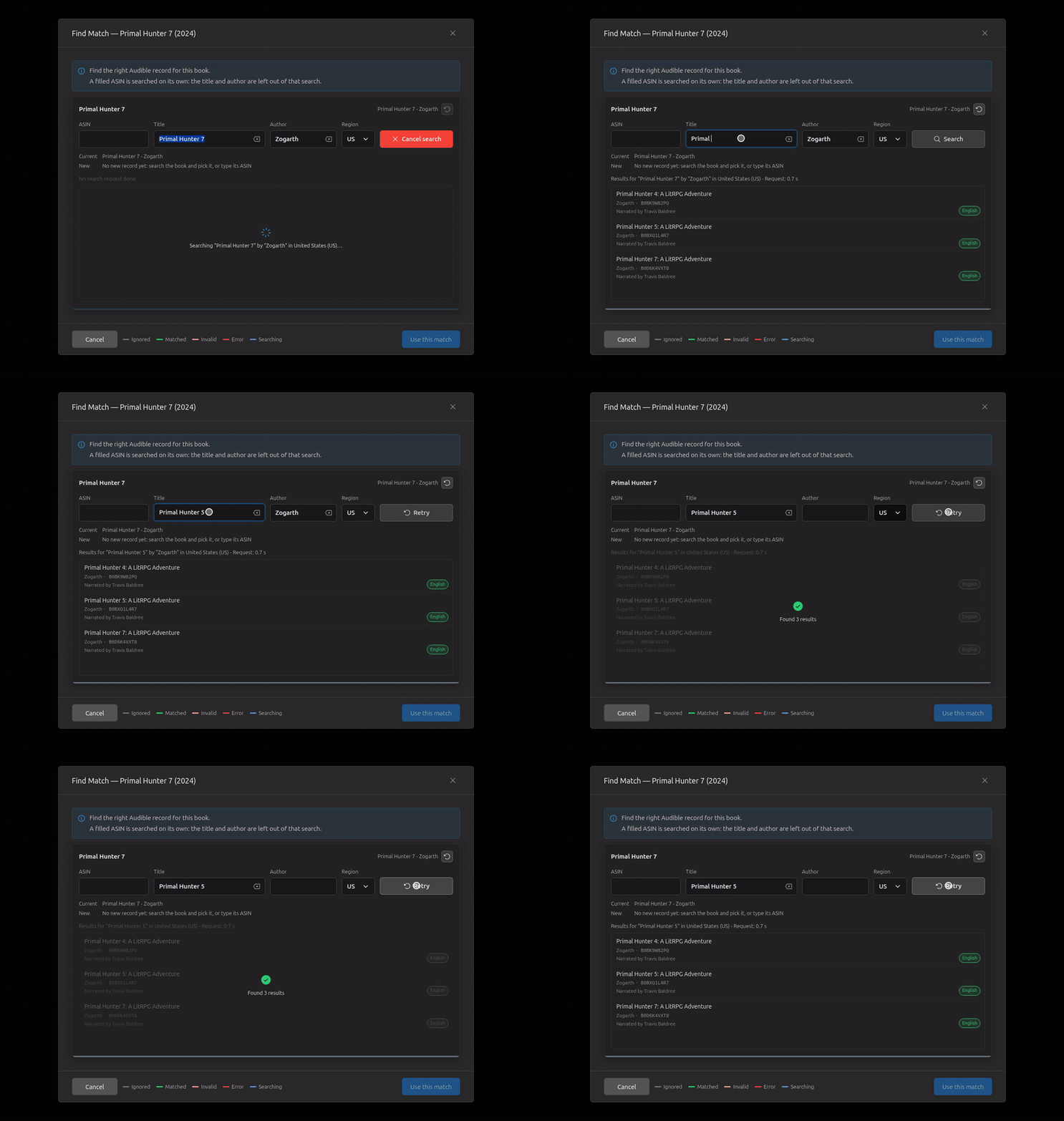
A region change searches there; back to a region already searched: Cached results; Retry asks again.
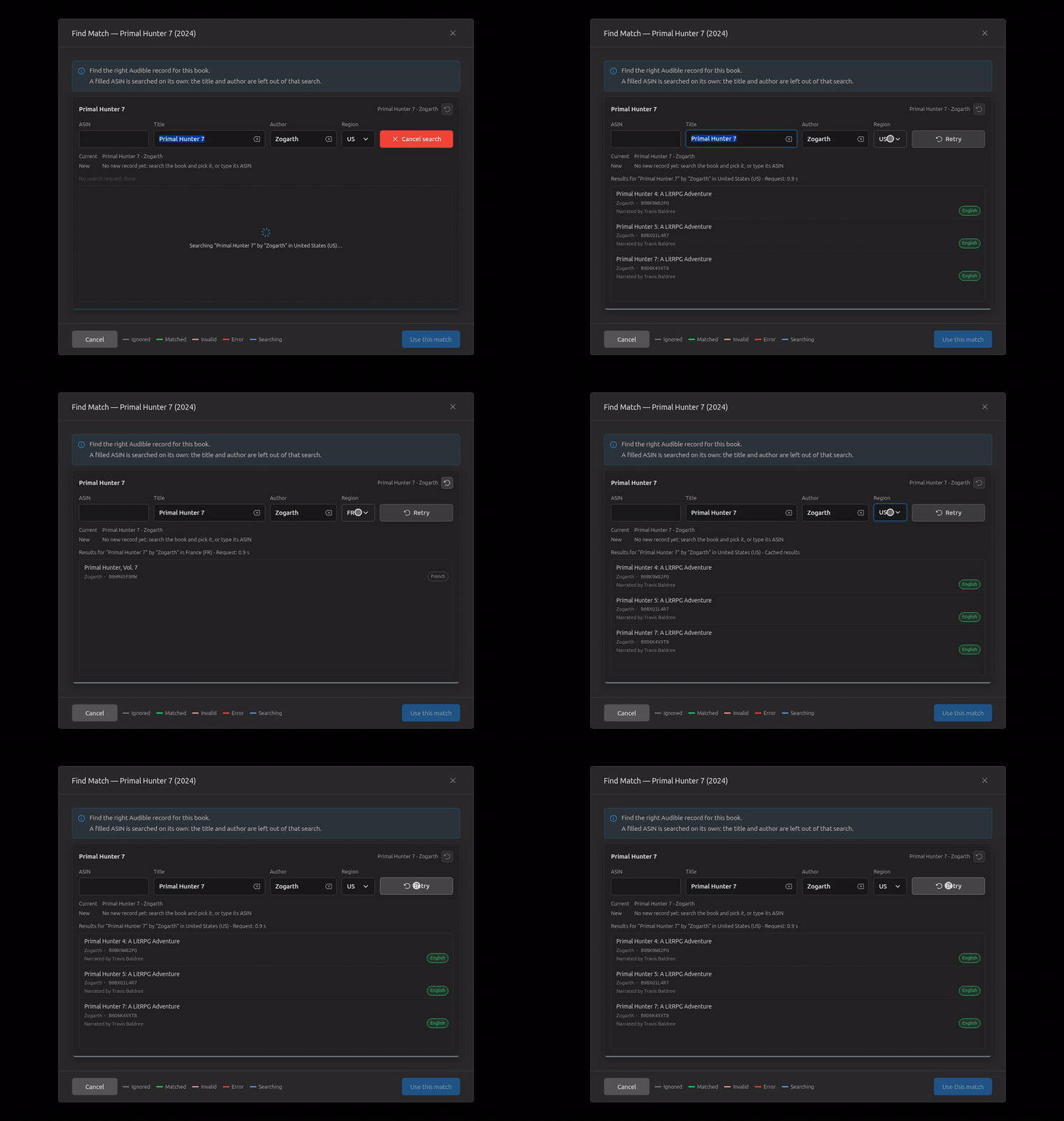
An ASIN in the folder's files: in the ASIN field and looked up on open, its record offered (not picked), then used.
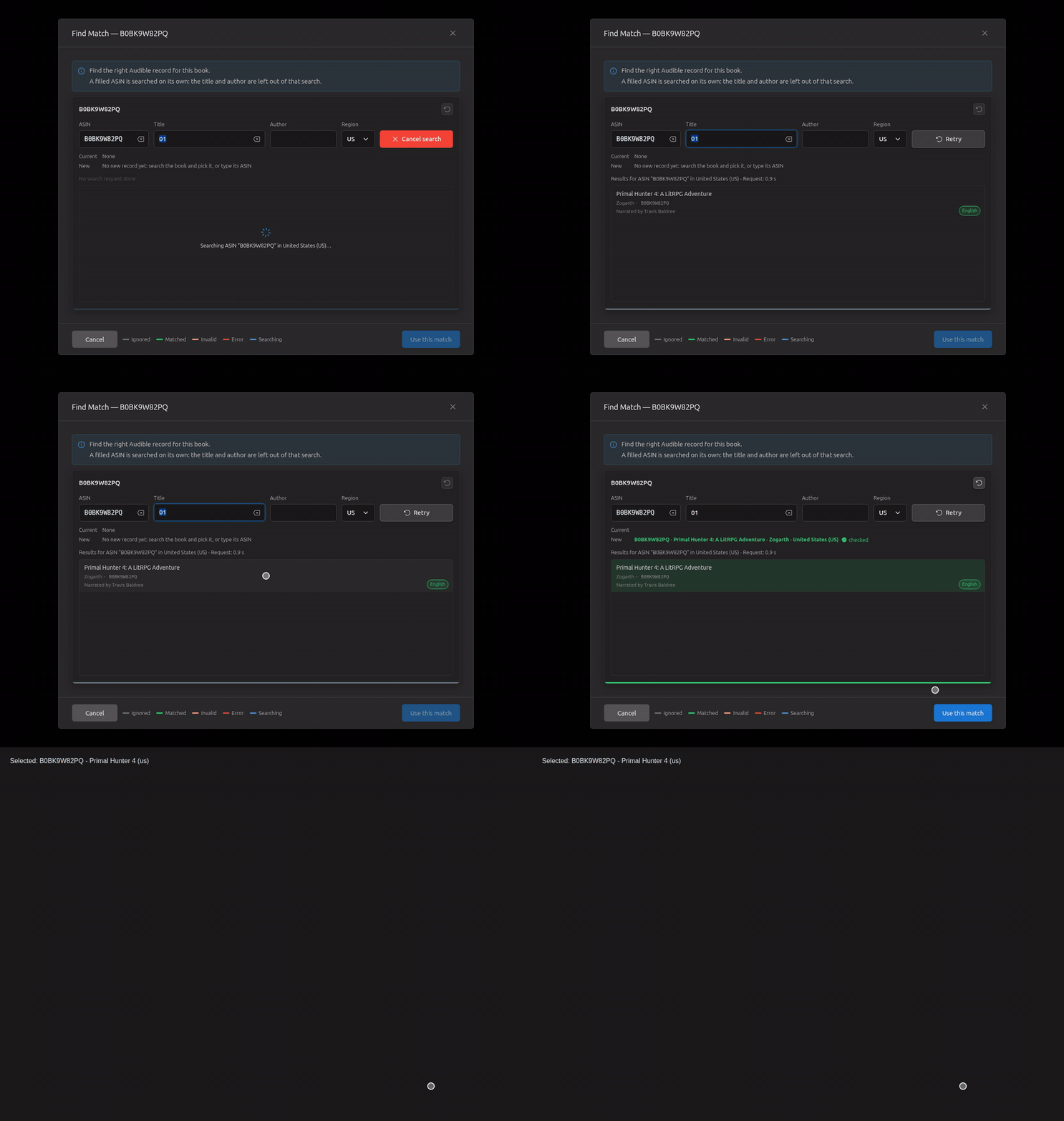
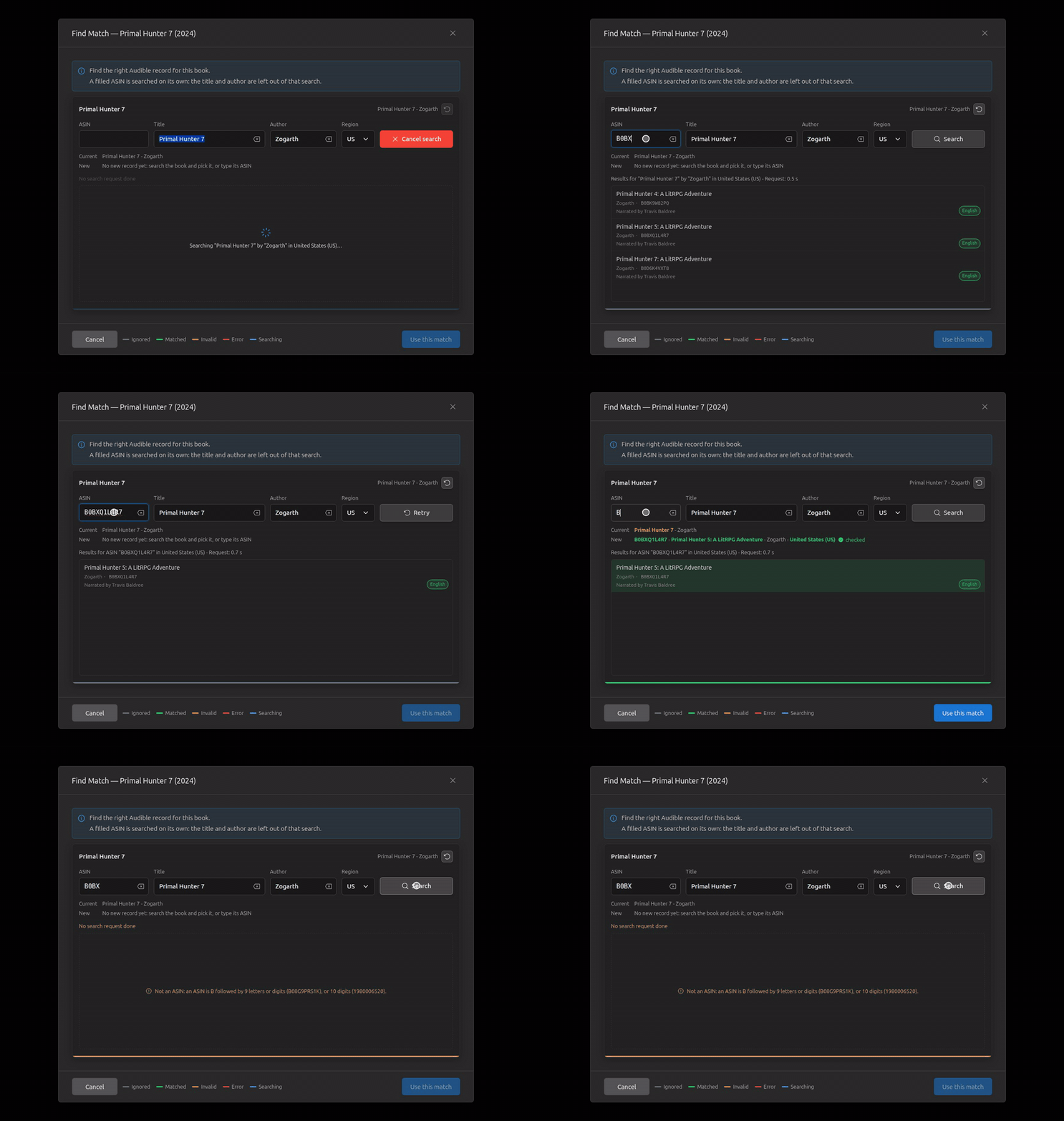
A typed ASIN looked up with Enter and offered; one that isn't an ASIN said without a request.
The search on open is slow: Cancel search (orange), then Retry, answered.
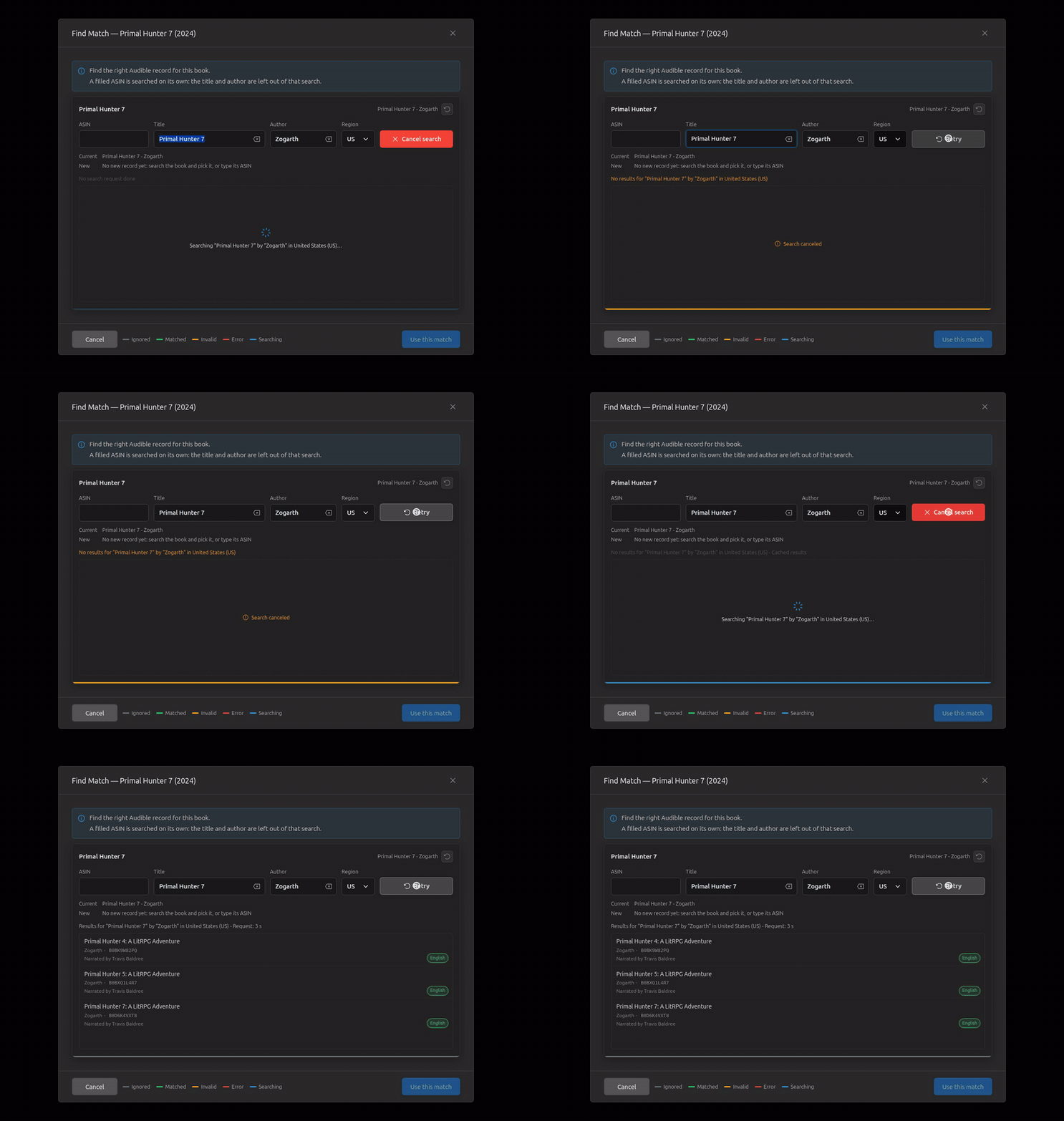
The search on open fails: the reason in red; Retry, then pick and use.
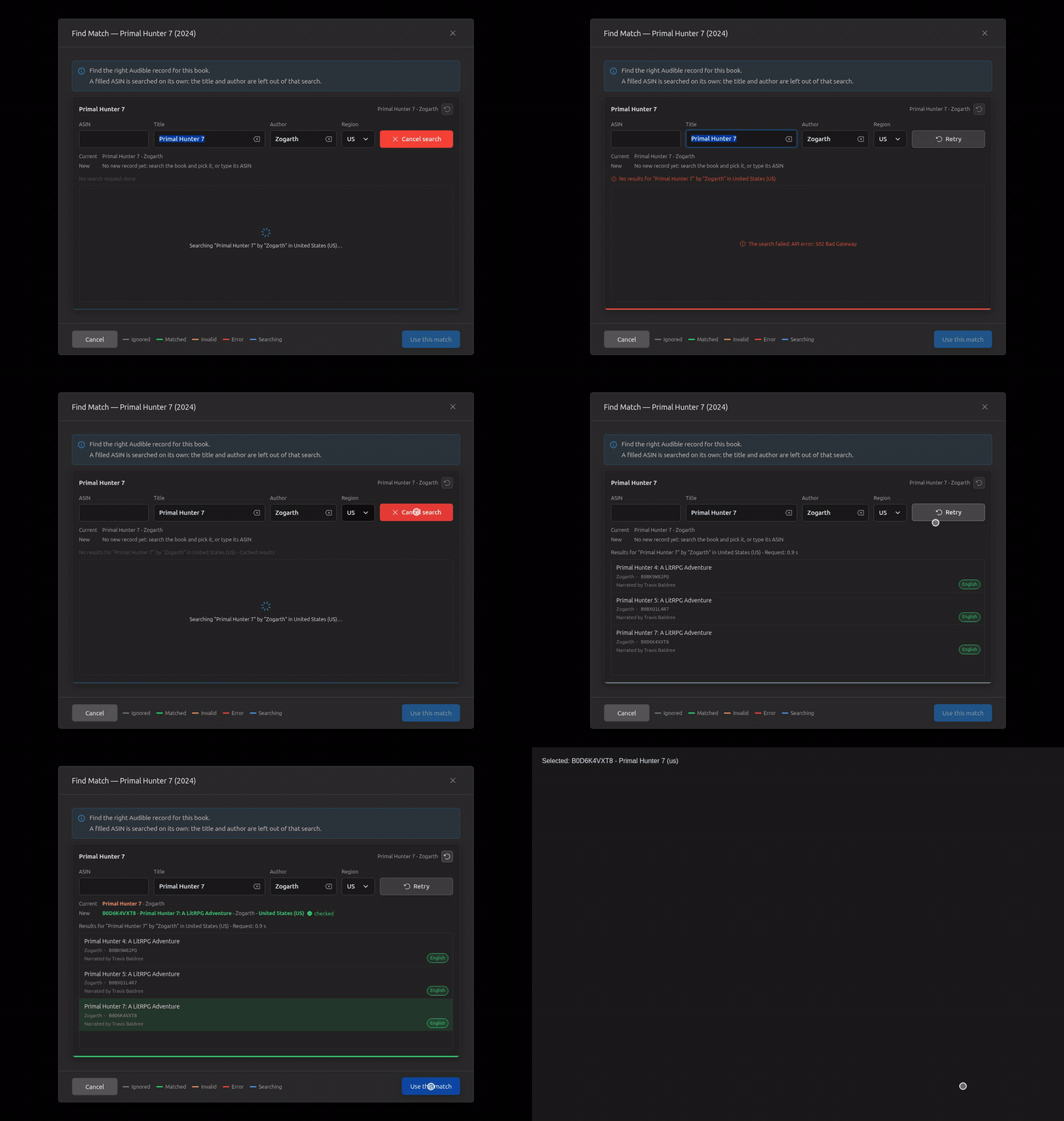
Revert: the fields back to what the files said, the pick dropped.
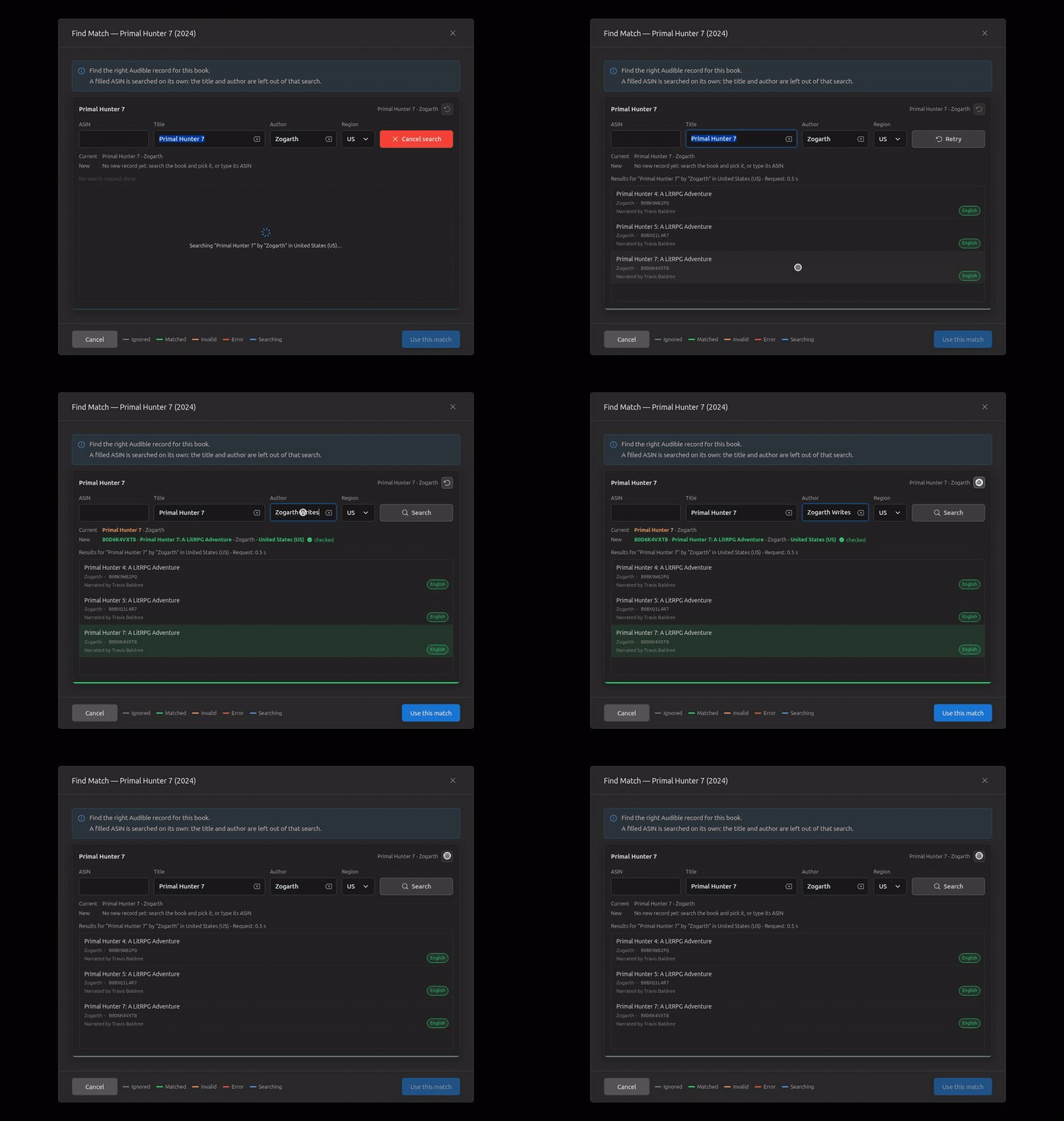
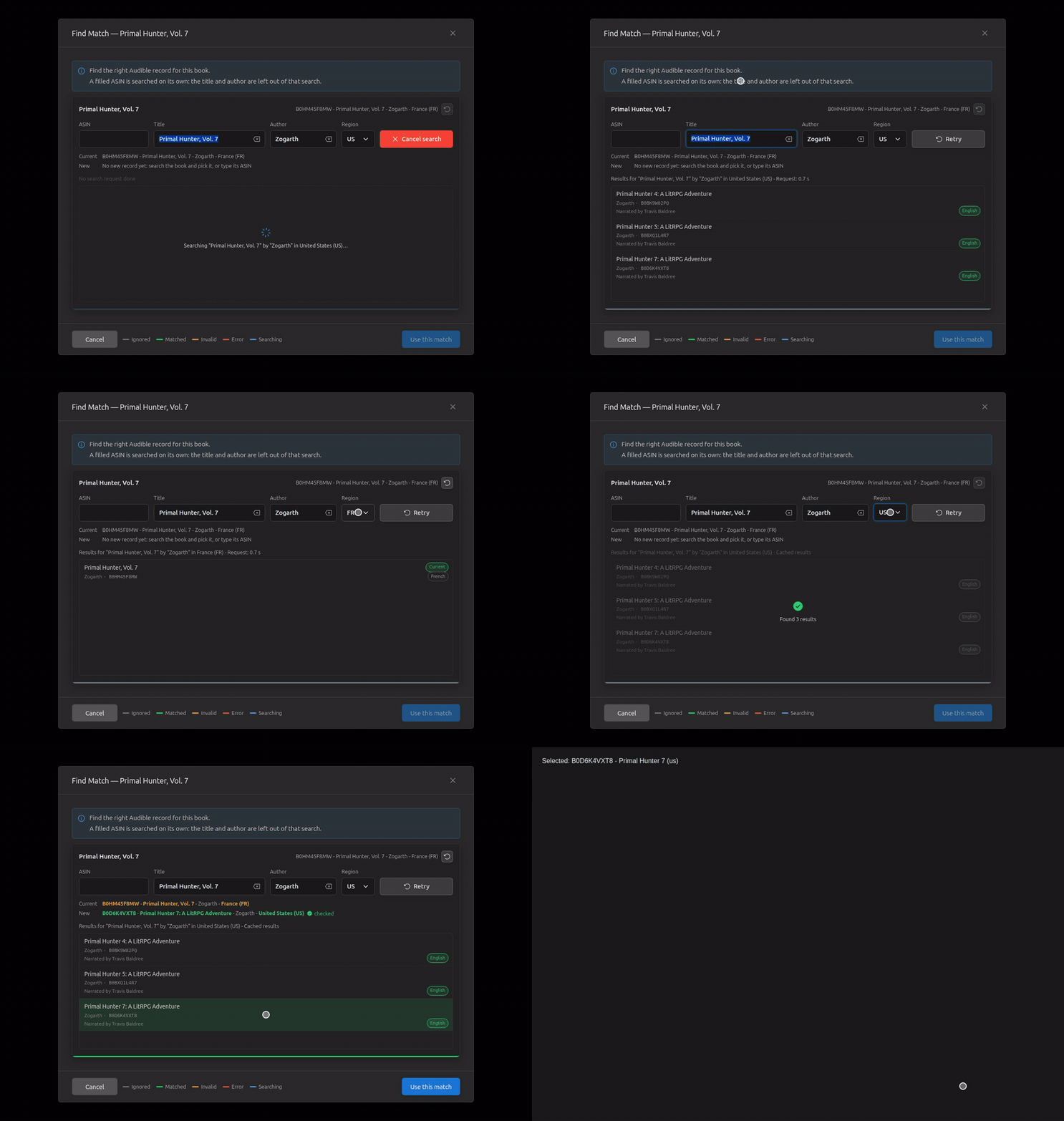
Already matched (the French Vol. 7): it opens with the same search as any folder, from its scan, its match only shown as Current; in France its own record is tagged Current, nothing to use; back to the US (cached), the English one used.
A record picked, then a new search: Use this match waits for it, and the pick is dropped.
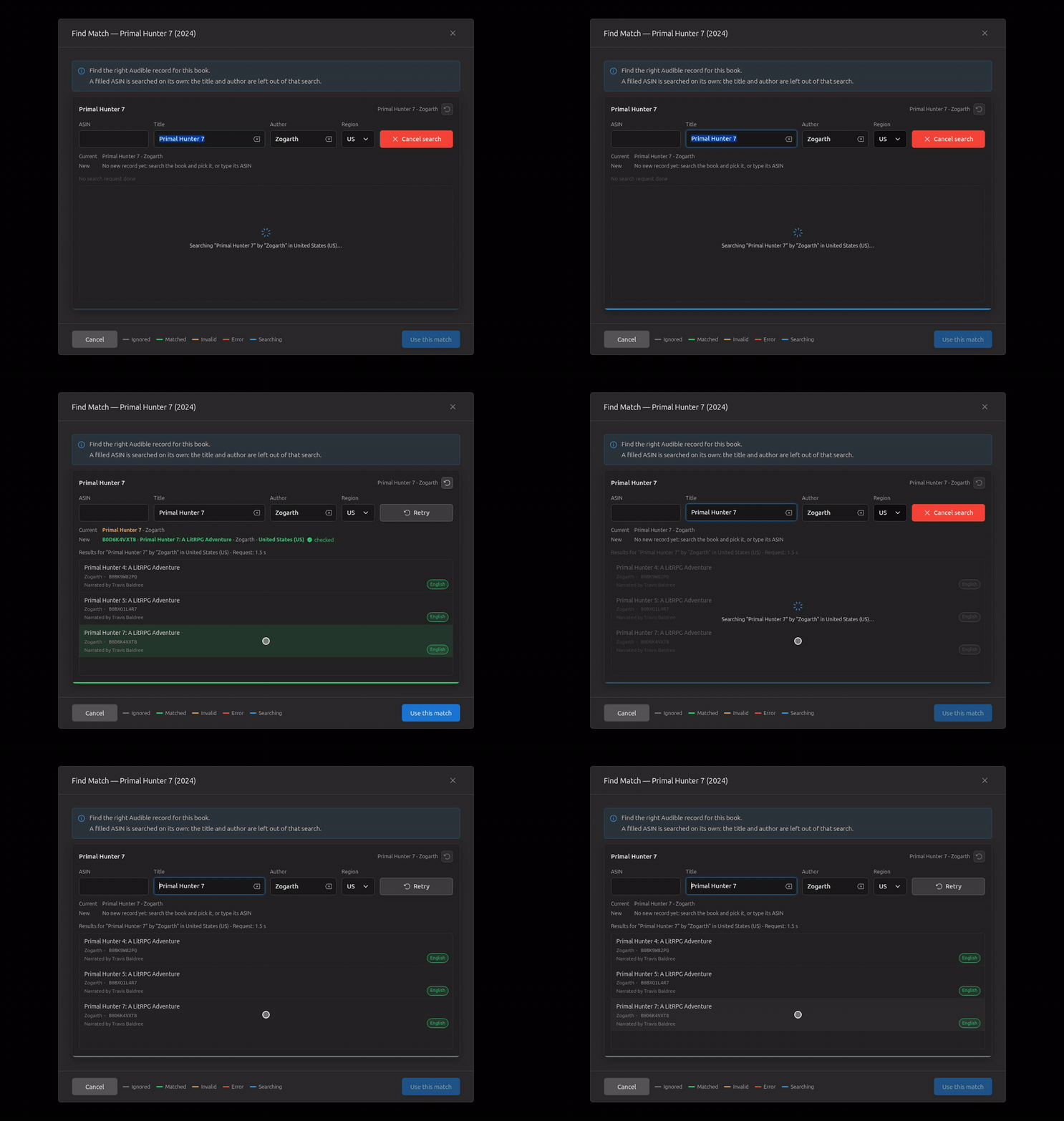
Closed during the search on open: the dialog goes, nothing sent back.
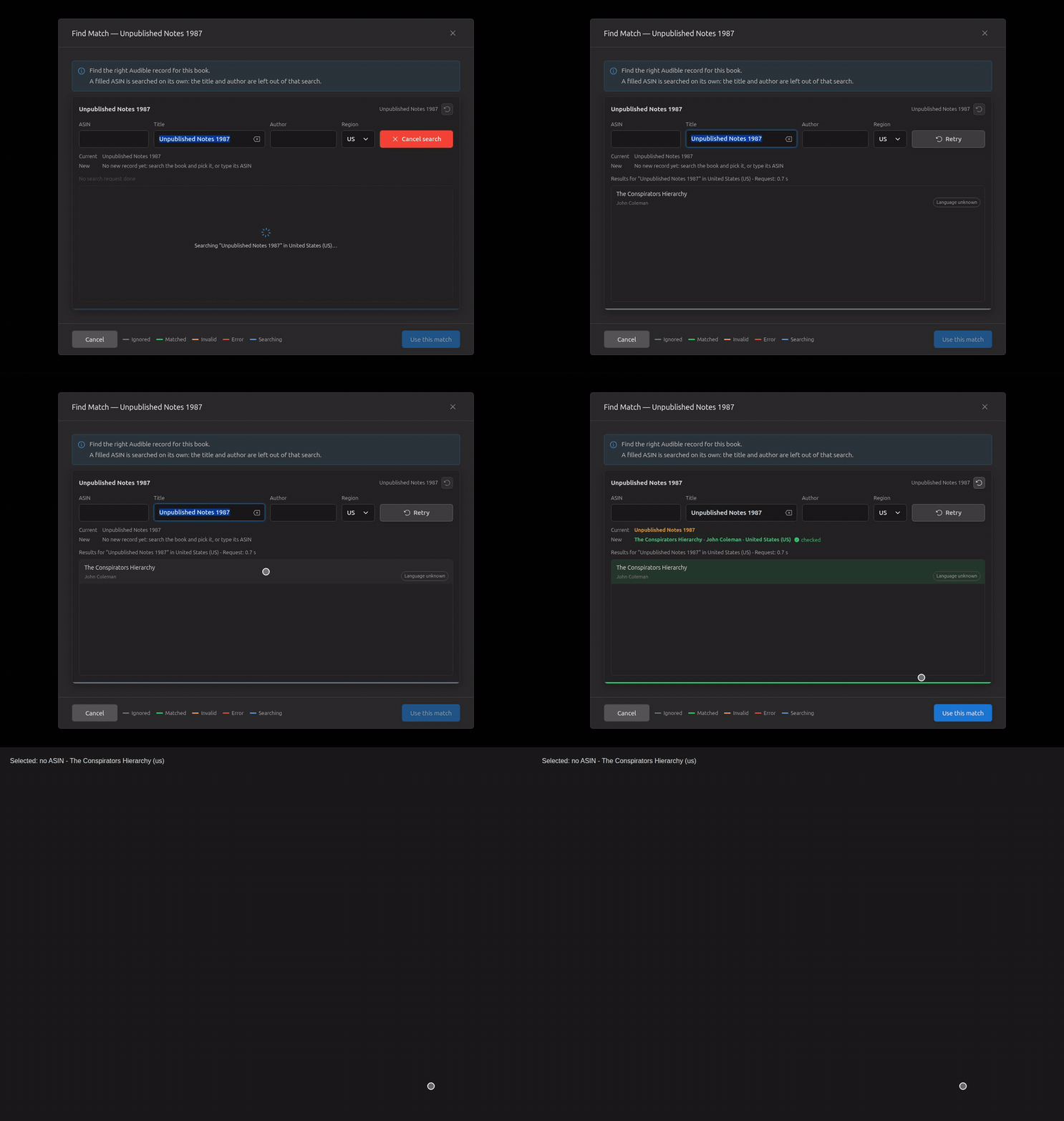
A book Audible doesn't have: the search adds an OpenLibrary record, without an ASIN; Find Match can pick it and use it (Library Import adds the book from it), as canary did.
🤖 Generated with Claude Code