

QuakeRay is a ray tracing engine for Quake 1. Its lighting is based on Q2RTX, with improvements to materials, light sources, skies and visual effects. It runs on Vulkan using NVIDIA NVRHI, with a multithreaded render frame built on the engine's own task graph.
Download · What's new · Report a problem
Code navigation for agents and contributors: Architecture index · Performance evidence · Multithreading.
Agents must use the QuakeRay engine MCP as their primary inspection/evidence interface and follow the mandatory workflow, including explicit reporting of unavailable tools or coverage gaps.
- Q2RTX-based ray-traced lighting, with light bouncing around rooms, reflections and shadows.
- An indirect lighting quality ladder (
rt_gi_level) — off, low, medium and high trade the number of indirect bounces against their resolution (low traces a half-height checkerboard tier the denoiser fills, medium is the full-resolution single bounce and high adds the second bounce); every bounce samples the light list, the sun and the sky. - DTAL System (Dynamic Texture Area Lights) — glowing textures on walls, models and moving objects act as light sources. Only the glowing parts emit light, following their shape, color and animation; nearby pieces group into a single area light by default.
- Lighting and Material Editor, built into the game:
- Change textures, shininess, glow and the light a surface gives off.
- Add and adjust lights, including spotlights, and change the sky, sun, clouds and fog.
- Fly around a frozen level, aim at a surface and press fire to select it. Use Tab to open the panel.
- Save or discard your changes when leaving. The trash button restores defaults after confirmation and removes saved editor work for the active mod.
- Edit the weapon view models from the Entities tab as well: pick one, it is drawn in first person, its skins open with the same tools, and an animation dropdown with a frame slider scrubs its sequences. The material is keyed by the model's skin name, so a save applies to the whole mod.
- Take clean screenshots with photocam: the world freezes, the interface is hidden except the console, and the free camera flies with WASD and the mouse.
- ReSTIR direct light sampling, NEE (Next Event Estimation) and ASVGF denoising for more stable lighting and a cleaner image.
- PBR materials, with adjustable roughness, metalness, emission and normal maps.
- Texture overlays and per-material UV transforms —
texture_overlaypaints an RGBA image over a material's base texture without replacing it (traced glass keeps its base look), andtexture_scale_u/v/texture_offset_u/vresize and shift all of the material's texture maps at once. - Ray-traced water, with moving waves, reflections and refraction.
- Ray-traced glass materials, with per-pane refraction, thickness and colour, and light that crosses a pane tinted and shifted.
- Volumetric clouds, with moving skies, sunlight and cloud shadows.
- Sun shafts and volumetric fog for more atmospheric levels.
- Enhanced models, where replacement models are available, with an option to keep the classic ones.
- Brightness, exposure and contrast controls with a tone-mapping curve choice, plus a full post-effects stack: bloom, near weapon depth of field, contrast-adaptive sharpening, a soft vignette, film grain and optional local exposure, all on their own Effects page.
- Weapon models normalized to one on-screen size, so the axe, the shotguns and the launchers read alike in the hand.
- Soft, lit smoke trails for rockets, grenades and lava balls, with a classic smoke option.
- Smooth or classic texture filtering, and a choice of particle styles.
- FSR 3.1 upscaling to improve performance, plus adjustable lighting, cloud and reflection quality.
- CPU task-graph multithreading platform — a reusable worker pool, scalar/indexed tasks, dependencies, synchronized upload channels and frame-aware profiling provide the foundation for adapting further CPU work. Render-scene producers already use it; this does not mean the whole engine or arbitrary existing code is worker-safe. Historical same-binary Debug A/B captures recorded FPS gains of around 40% in selected CPU-bound scenes, not a guaranteed gain for every map or the final binary. It has been the engine's only render path since 2026-10-14, when the
r_tasksswitch and its serial fork were retired. See the agent adaptation checklist and benchmark evidence. - A fullscreen mode choice — windowed, borderless, or a real exclusive fullscreen (
vid_fullscreen 2). - Vsync options, including adaptive vsync and a FreeSync mode; with vsync off the renderer prefers an immediate present mode for the least input lag.
- Quake Remastered support, alongside the original game, with a choice of version when both are available.
- Automatic Steam game detection. Read game files, music and available mods directly from your Quake installation, or use local game folders.
- OpenAL Soft sound backend with HRTF binaural sound and a five-band equalizer.
- Performance statistics, with FPS, CPU and GPU timings, graphs and recordings of up to 30 seconds. The display scales with your screen resolution.
- Custom Quake cursor.
QuakeRay is still in development. Some maps and mods may have visual or compatibility issues.
- DirectX 12
- FSR 4
- DLSS
- Full path tracing and further lighting improvements
- More visual effects
- Improved Arcane Dimensions support
- Production-ready whole-frame CPU multithreading: the render task frame is the only path since the serial fork was retired (2026-10-14). Continue by extending task coverage beyond render producers, reducing measured serial/lock bottlenecks, hardening scheduling and completing the correctness/scalability matrix. See the multithreading milestones and acceptance gates.
These are goals, not promises of a release date.
The separate performance goal is at least 45 FPS at 4K FSR Quality on the reference hardware throughout the maintained gameplay scene matrix, with frame-time improvement as internal resolution is reduced. Both CPU and GPU budgets must be met; multithreading alone cannot guarantee that target.
You need:
- 64-bit Windows. Linux and macOS are not currently supported.
- A graphics card with hardware ray tracing and Vulkan support, with an up-to-date driver.
- Quake game files. QuakeRay does not include the original game. You can use your own Quake installation or the shareware version.
- Download a Windows archive from Releases, when available.
- Extract the whole archive into its own folder. Keep the DLL files and the
id1folder with the executable. - Run
quakeray.exe.
If Quake is installed through Steam, QuakeRay can find its game files automatically. When both versions are available, it offers a choice of Original or Remastered.
For a manual installation, copy the game files from your Quake installation into id1 beside quakeray.exe. The full original game uses pak0.pak and pak1.pak; shareware uses pak0.pak only.
Keep id1/qray.pkz and id1/qray.materials.yaml. They belong to QuakeRay and are needed for its graphics. The release archive already includes them.
Place each mod in its own folder beside id1, then choose it from the Mods menu. Mods in a detected Steam installation can also appear there. Local files take priority over Steam files.
Original and Remastered game files are handled separately. Use the version a mod was made for, and expect some mods to need further compatibility work.
Launch the game with -condebug:
quakeray.exe -condebug
You can also add -condebug to a Windows shortcut's target. Reproduce the problem and close the game. Keep qconsole.log from beside the executable, and crash.log if one was created. Copy the logs before launching again: qconsole.log is replaced on each run.
Open the console with the ~ / backtick key and enter:
rt_stats 3
rt_stats_dump_start
Close the console and play through the slowdown or problem area. Open the console again and enter rt_stats_dump_end to finish. Recording also stops automatically after about 30 seconds.
Keep the resulting stats-<date>-<time>.dump file from the active game folder (id1, or the mod folder you are playing).
Open an issue and attach the log and performance dump, plus crash.log if available. Include:
- What happened and how to reproduce it.
- Your graphics card, driver version and screen resolution.
- The map or mod you were playing.
- A screenshot, if it is a visual problem.
This section is for contributors. Players can skip it.
Install Git, Visual Studio Build Tools with Desktop development with C++, CMake 3.20 or newer, Ninja and a recent Vulkan SDK with dxc and Vulkan C++ headers. Vulkan SDK 1.4.321.1 is used for local builds.
In PowerShell:
git clone --recursive https://github.com/f1ames0ff/QuakeRay.git
cd QuakeRay
.\build_win.ps1 Debug
.\build\Debug\quakeray.exe
For an existing checkout, run git submodule update --init --recursive before building. If the compiler runs out of memory, try .\build_win.ps1 Debug -Parallel 4.
Use build_win.ps1, not just a plain CMake build: it also compiles the shaders and prepares the game assets. Quake game files are still required, just as for a packaged release.
Created and maintained by f1ames0ff, building on Quake, QuakeSpasm, vkQuake and the work of many contributors. See AUTHORS.md for credits and changelog.md for release notes.
QuakeRay's engine and renderer are distributed under the GNU GPL, version 2 or later. See LICENSE.txt and the notices in the release archive for third-party licenses. Original Quake game content is not included.
These technologies help power QuakeRay. You do not need to install them separately to play.
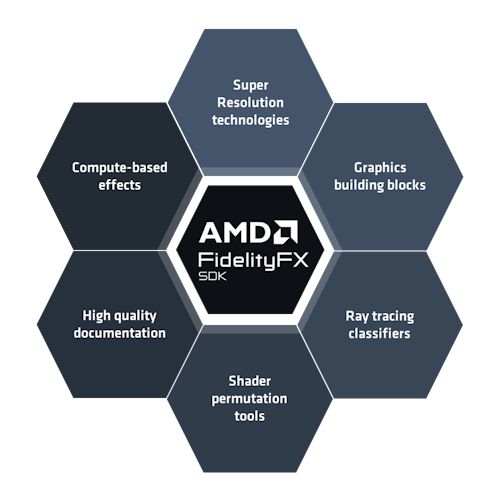 |
 |
 |
| AMD FidelityFX SDK FSR 3.1 upscaling |
Vulkan Graphics and ray tracing |
NVIDIA NVRHI The renderer's graphics library for frame graph and other fundamentals |
Also using OpenAL Soft for sound and Dear ImGui for editors and performance displays.
Logos identify the technologies used, not sponsorship or endorsement. Vulkan and the Vulkan logo are registered trademarks of the Khronos Group Inc. AMD, NVIDIA and their logos belong to their respective owners.