You signed in with another tab or window. Reload to refresh your session.You signed out in another tab or window. Reload to refresh your session.You switched accounts on another tab or window. Reload to refresh your session.Dismiss alert
{{ message }}
Repository navigation
feat(web): add a setting to disable history swipe navigation - #28370
On macOS desktop, a Logitech MX Master's horizontal thumb wheel can navigate thread history accidentally, including when horizontal scrolling reaches the edge of wide content. Electron 44's input events carry no trackpad-vs-wheel provenance, so the existing gesture cannot currently be restricted to trackpads.
Change
Add “Swipe to navigate” in desktop Settings > General > Navigation, with Settings search, a per-setting reset, and restore-defaults support. The client preference defaults to enabled. Turning it off unmounts the gesture handler and indicator immediately, including during a swipe; turning it on works without reloading. Mouse back/forward buttons and keyboard navigation retain their existing behavior. Since #32963 the gesture runs only on macOS, so the row and its search entry appear only in the macOS desktop app.
Scope and approval
CONTRIBUTING.md states: “A focused configuration option for an established capability may also be eligible without prior feature approval.” This option controls the existing desktop history-swipe capability. The default is unchanged, and the scope adds no workflow or broader navigation behavior. This follows the configuration route; it does not claim explicit maintainer approval or guaranteed acceptance.
The change is limited to the client setting contract, macOS desktop Settings/search/reset integration, its mount gate, focused tests, and one line in docs/user/keybindings.md next to navigation.back / navigation.forward that names the gesture and the switch. Hosted/local web, Windows and Linux desktop, and native mobile do not run the gesture, so they do not show the setting.
Verification
After merging main (93fd82b) and the wording follow-up (26f57be): vp run check:changed passed (format, lint, both knip passes, typecheck of 37 packages, 79 tests across 7 files, React Compiler on 4 files), and the focused contracts, AppSidebarLayout, HistorySwipeNavigation and Settings search tests passed 68 of 68. The bullets below are from the original change at db2a71b.
Failing first on origin/main at 15fe283, with only regression tests added: both disabled swipe directions still invoked history navigation once; three schema cases failed because the field was absent (5 failures, 28 existing tests passed).
With the change: 59 tests passed across settings contracts, AppSidebarLayout browser behavior, the existing swipe helper, and Settings search. Covers disabled back/forward navigation, removal of the indicator during an active swipe, and re-enabling without a reload.
Command: vp test run packages/contracts/src/settings.test.ts apps/web/src/components/AppSidebarLayout.browser.test.tsx apps/web/src/components/HistorySwipeNavigation.test.ts apps/web/src/components/settings/settingsSearch.test.ts.
vp run check:changed: passed (exit 0): format, lint, both knip passes, typecheck of 35 affected packages/dependents, 64 tests across six files, and four changed-source React Compiler cases.
Manual check in a desktop build carrying this change (recording below).
Evidence
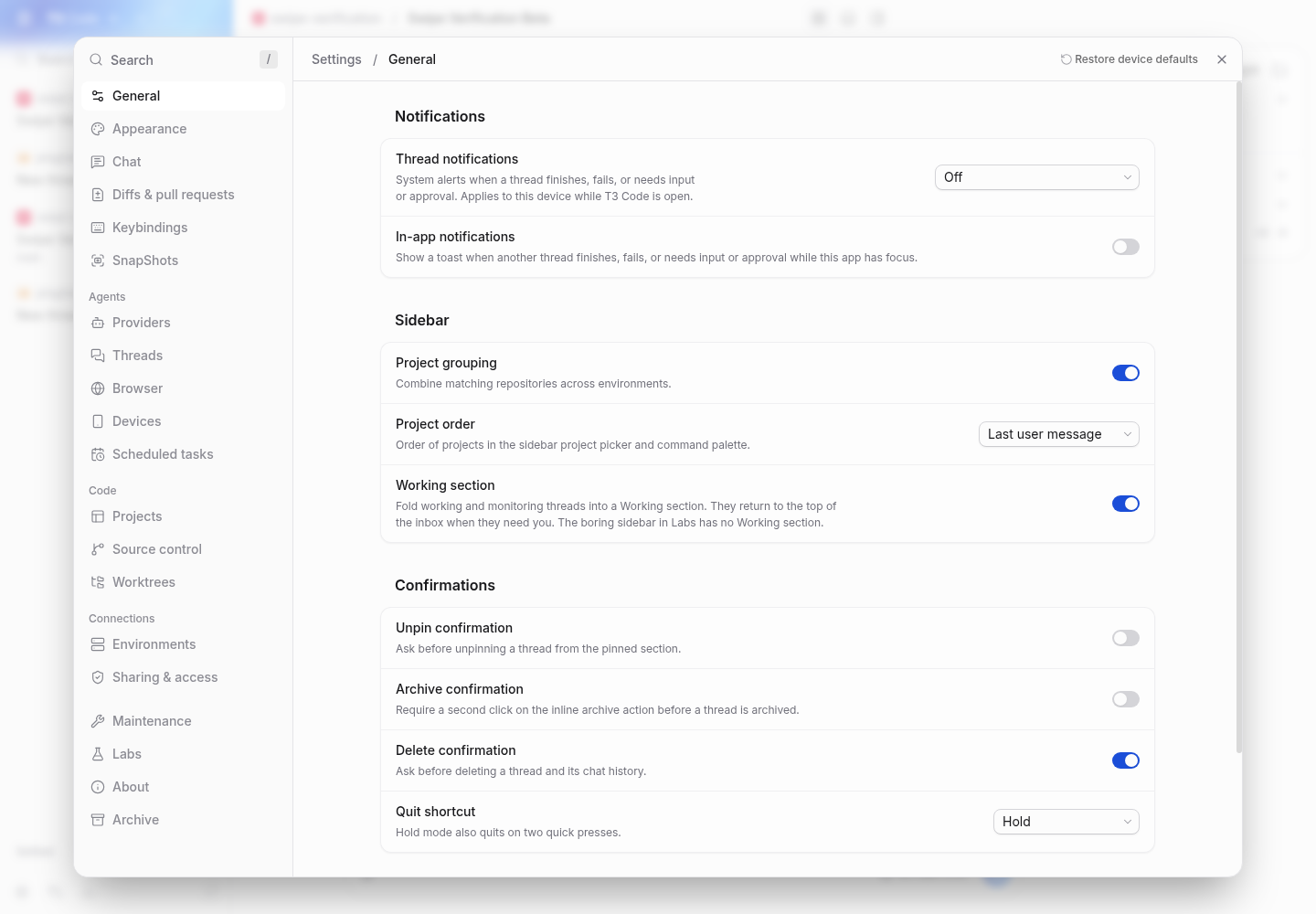
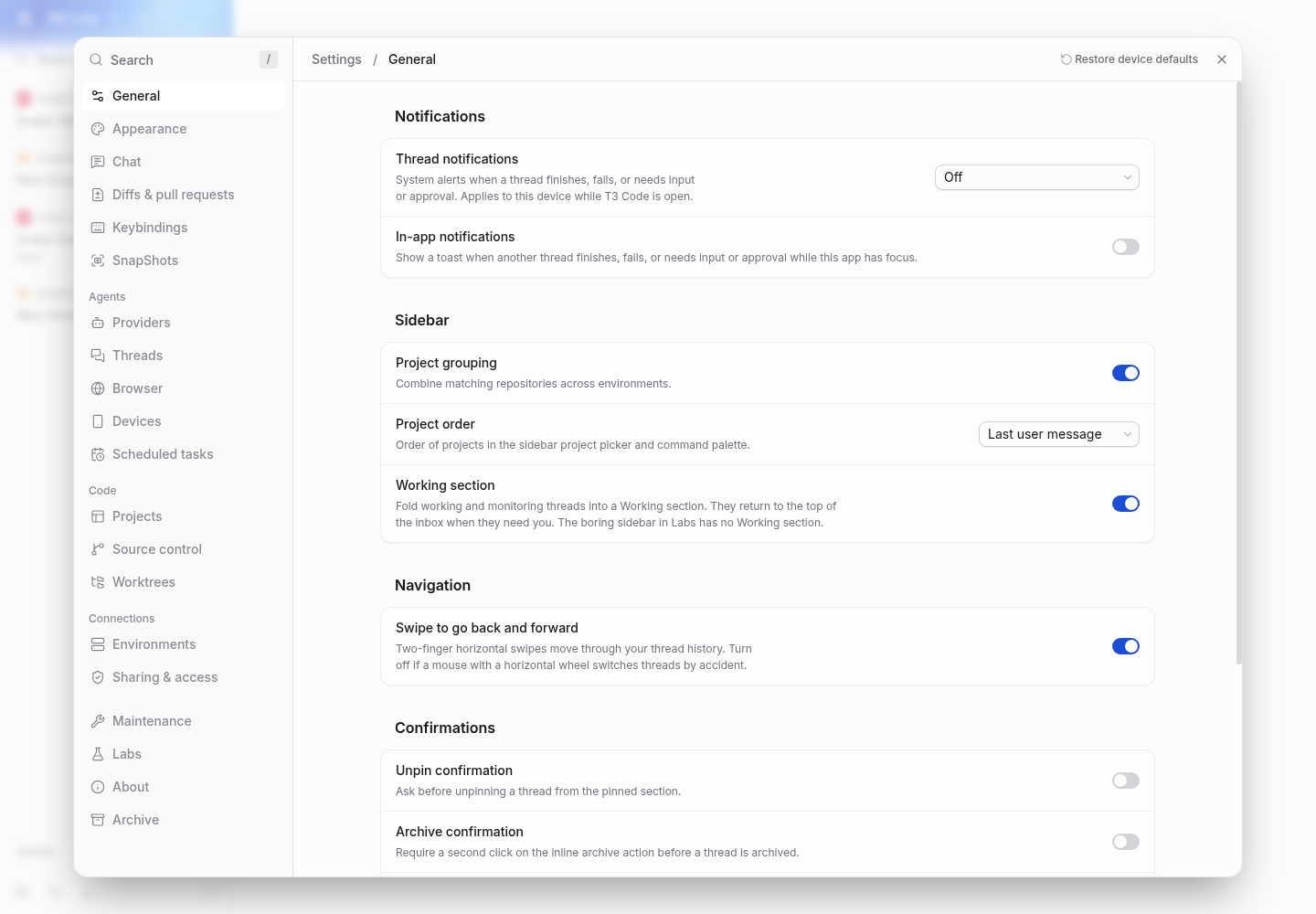
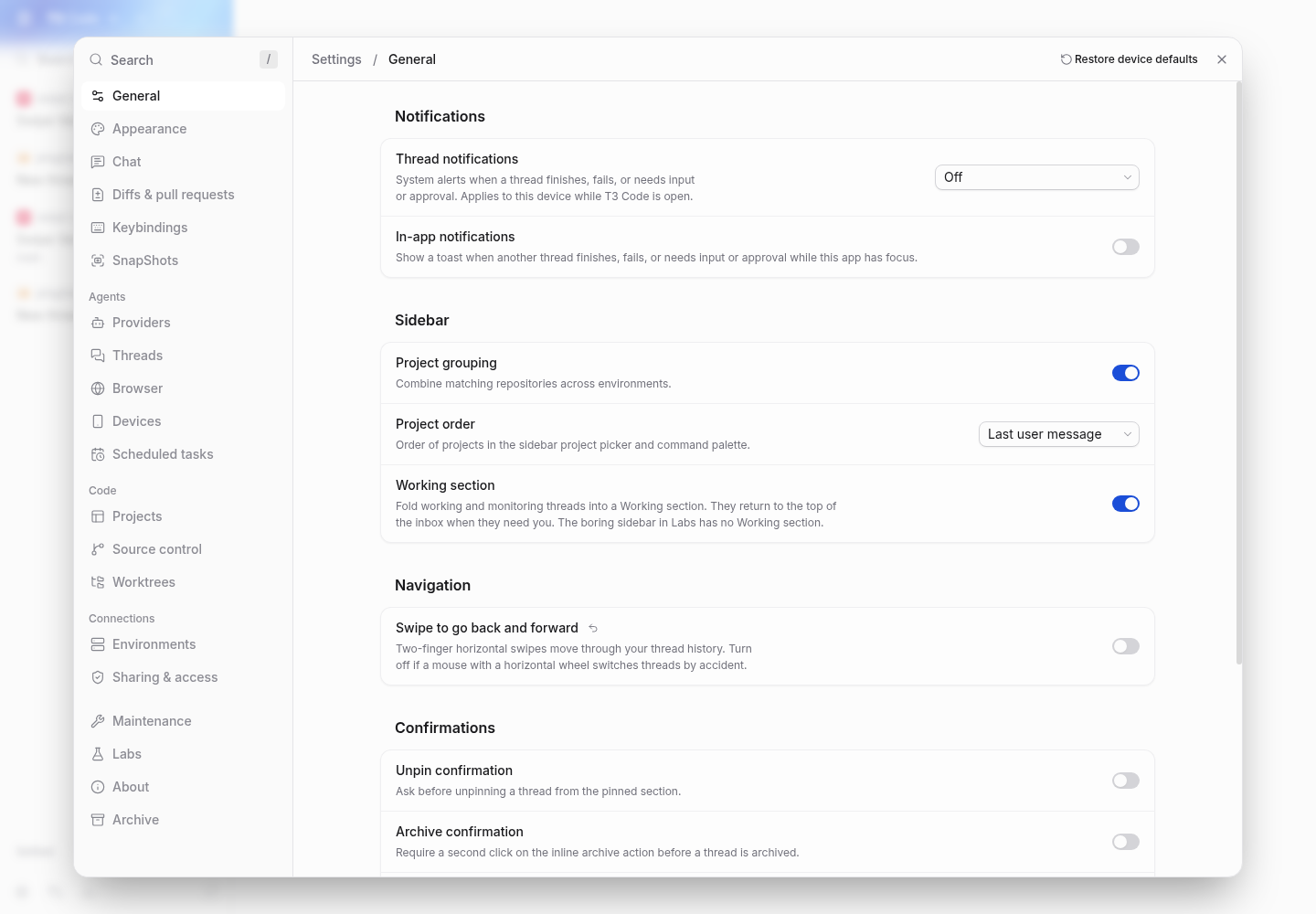
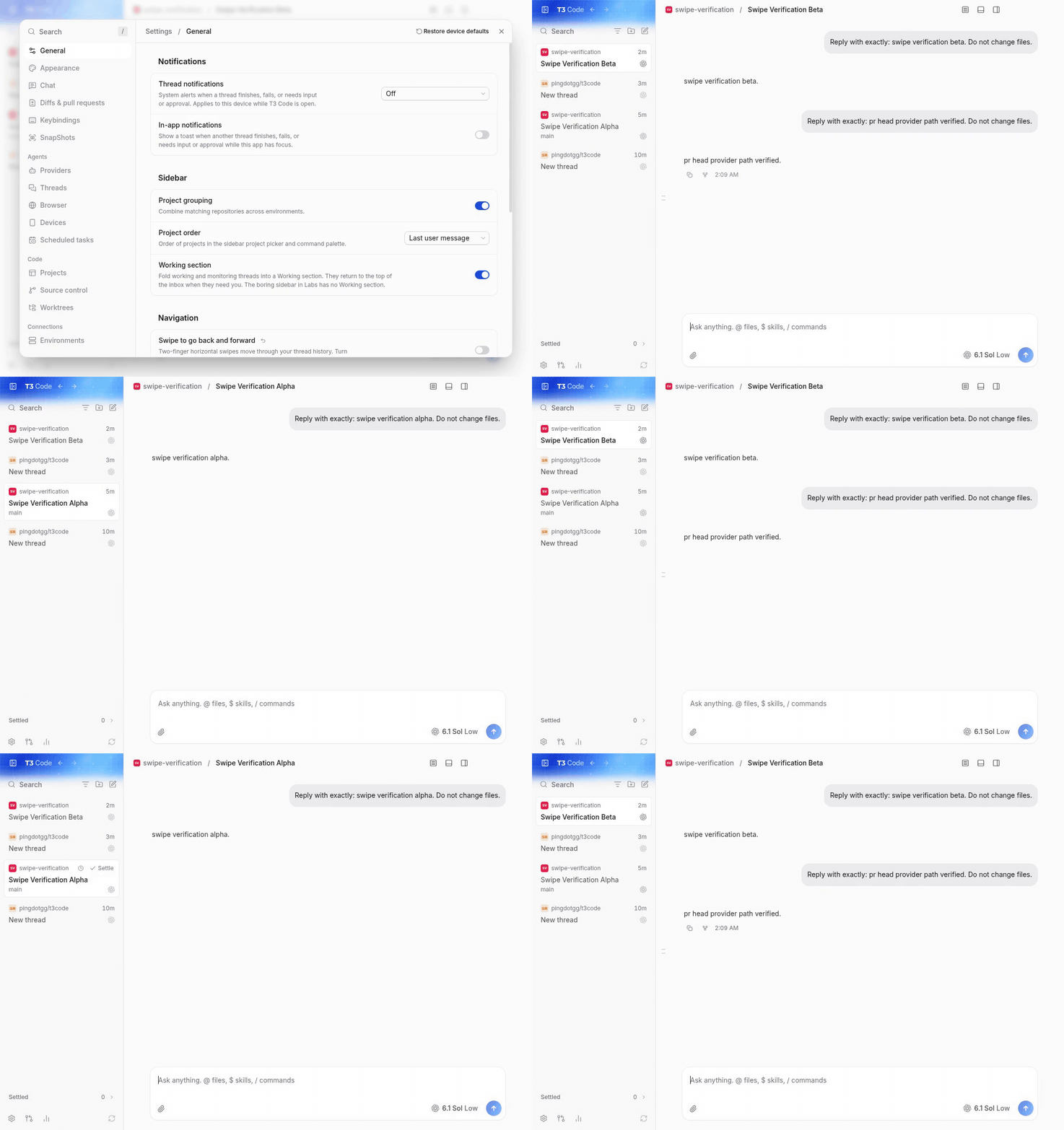
Settings > General > Navigation, enabled and disabled (captured at db2a71b, before the rename to “Swipe to navigate”):
Recording: 0–10 s the setting is on and horizontal swipes move between threads; at 12 s it is turned off; 15–24 s the same swipes leave the thread in place.
swipe-demo.mp4
Model: gpt-6.1-sol via Codex CLI, orchestrated by Claude Code. The merge with main and the review follow-ups: Claude Opus 5.5 via Claude Code.
Horizontal mouse wheels can accidentally navigate desktop thread history.
Electron input events do not distinguish a trackpad swipe from a mouse wheel.

Add a default-enabled client setting with desktop Settings search and reset
support. Unmount the gesture handler when disabled, and cover disabling,
mid-swipe cleanup, and re-enabling with focused regression tests.

Model: gpt-6.1-sol via Codex CLI, orchestrated by Claude Code.
Macroscope's review found this PR approvable — Adds a desktop setting to disable swipe history navigation while keeping it enabled by default. The change is reversible and removes gesture listeners when disabled.
You can add or adjust custom eligibility rules. Learn more.
No actionable comments were generated in the recent review.
Walkthrough
A client setting now controls desktop history swipe navigation. The setting defaults to enabled, appears in Electron macOS General settings, and controls whether AppSidebarLayout renders HistorySwipeNavigation.
ClientSettingsSchema defaults historySwipeNavigation to true. ClientSettingsPatch accepts an optional boolean. Tests cover omitted and explicit values.
Settings controls and search apps/web/src/components/settings/SettingsPanels.tsx, apps/web/src/components/settings/settingsSearch.ts, apps/web/src/components/settings/settingsSearch.test.ts, docs/user/keybindings.md
The Electron macOS General settings panel exposes the setting and a reset action. Restore tracking and restoring defaults include it. Desktop settings search indexes the setting. The keybindings documentation describes the gesture and setting.
AppSidebarLayout renders HistorySwipeNavigation only in Electron when the setting is enabled. Browser tests cover disabled and enabled behavior in both directions. The indicator has a test ID.
This adds an opt-out for desktop swipe navigation. It defaults to on, so existing behavior is unchanged. Keyboard and mouse navigation are unaffected. No merge-blocking issues were found.
Pre-merge checks: 3 · 1
Failed checks: 1 inconclusive
Check name
Status
Explanation
Resolution
Description check
This assessment has not completed. The check will be retried on the next pre-merge check run.
Passed checks: 3 passed
Check name
Status
Explanation
Title check
The title "feat(web): add a setting to disable history swipe navigation" matches the main change. The PR adds a client setting that turns off the desktop thread-history swipe gesture, and the diffs ad…
Linked Issues check
Check skipped because no linked issues were found for this pull request.
Out of Scope Changes check
Check skipped because no linked issues were found for this pull request.
Full details: Title check
Explanation
The title "feat(web): add a setting to disable history swipe navigation" matches the main change. The PR adds a client setting that turns off the desktop thread-history swipe gesture, and the diffs add the setting, its settings UI, search entry, and tests. It is a conventional commit title in plain language and is specific enough for a teammate scanning history.
Finishing Touches
Generate unit tests (beta)
Create a new PR
Autofix · Keep fixing CodeRabbit findings and required CI, and resolving merge conflicts
Included review availability: This review used your included allowance. Your plan provides up to 10 included reviews per hour; 9 remain after this review.
merged current main (4adb946ae7) into the contributor branch at 252f3a2386, without rebasing. resolved the add/add conflict in AppSidebarLayout.browser.test.tsx by keeping both the swipe-setting tests and main's terminal-focus sidebar shortcut test. no production changes; the diff remains nine files. existing review suggestions are already applied, and two independent source reviews found no additional issues.
blacksmith vp run check:changed passed: format, lint, both knip checks, 37-package typechecking, 97 tests in seven files, and four react compiler cases. chromium was installed on the worker before the passing run. the worker's shallow snapshot was given a comparison parent at the exact merged main commit so the check covered the nine-file PR diff.
started the real server with isolated .t3 state and checked General settings using Playwright with /usr/bin/google-chrome: the desktop-only control is hidden in the web client. macos desktop input was not re-driven this run; the earlier real-client evidence below is retained and belongs to its stated revision.
Earlier verification (gpt-6.1-sol)
Verified in a real dev environment
verified as-is at db2a71b12f7d5a389f60aa0fc05f1ff56c72de54 on this linux vm. no source changes.
reproduced on github/main at 8b74a69019e3 first: horizontal wheel input navigates between threads, with no setting to disable it.
used real dev servers, chrome through repository playwright, and the actual electron 44 desktop client built from each revision. created a real git project and two threads through the app. codex gpt-6.1-sol completed both main turns and another turn through the pr's web client. no mocks or seeded conversations.
in desktop settings, the control defaults on. switching off blocks both directions and removes the indicator. re-enabling restores both directions without reload. disabling during a swipe removes its indicator. the disabled preference survives reload.
keyboard and toolbar back/forward still work while swipes are disabled. settings search for "horizontal wheel", per-setting reset, and restore device defaults work. chrome correctly hides the desktop-only control.
blacksmith: desktop build and vp run check:changed 15fe2832727893cbdd2214383f9f971474849695 passed, including 35-package typechecking, 64 tests across six files, and four react compiler cases. all 31 reported ci checks pass.
after disabling, the real-client checks reported:
disabled back swipe keeps beta true
disabled swipe has no indicator true
keyboard back still works while disabled true
disabled forward swipe keeps alpha true
keyboard forward still works while disabled true
toolbar back still works while disabled true
toolbar forward still works while disabled true
re-enabled back swipe works without reload true
re-enabled forward swipe works without reload true
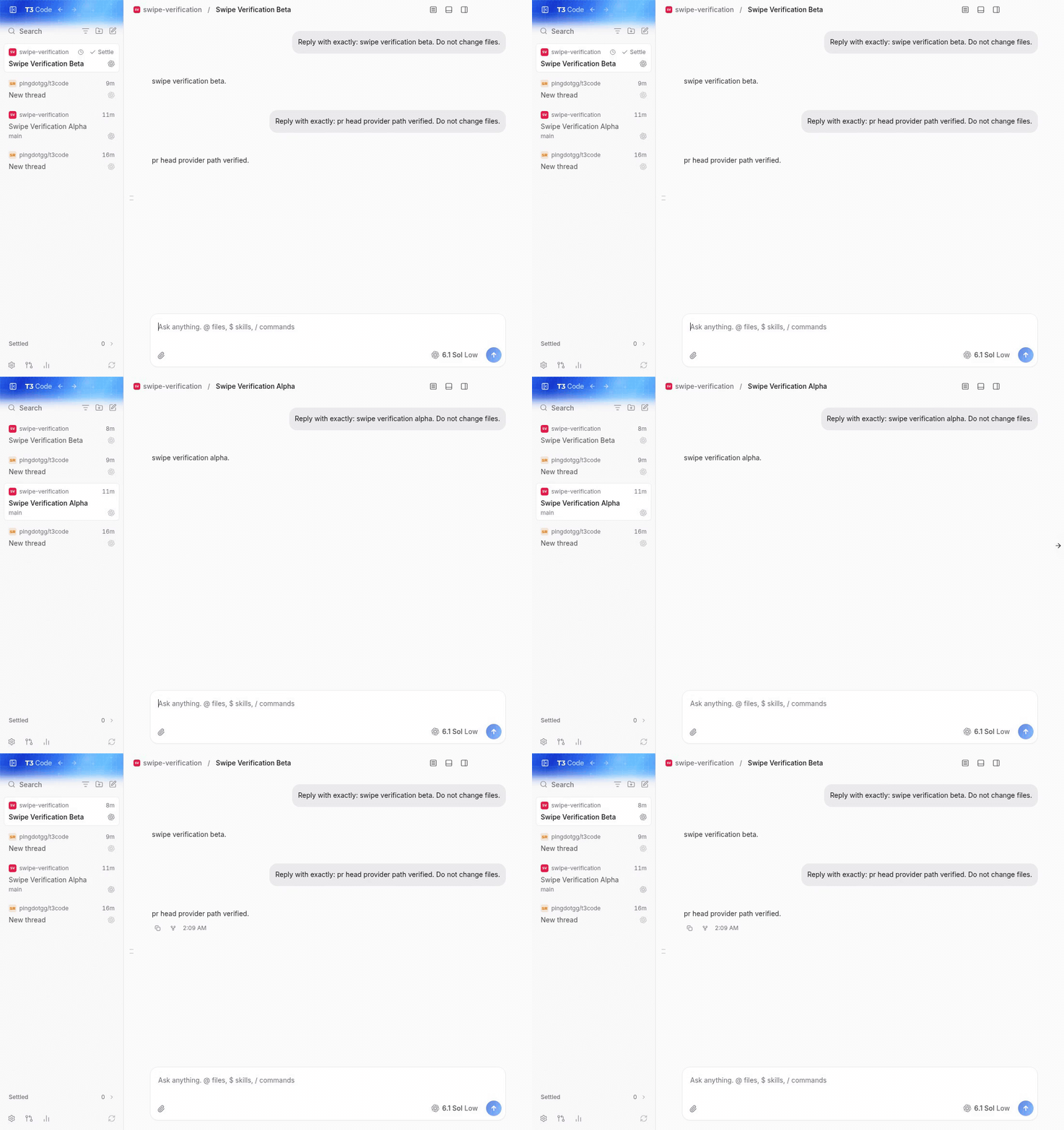
before, main settings with matching project data and viewport:
pr, enabled:
pr, disabled:
main: horizontal wheel input moves beta to alpha and back.
pr: disabled swipes leave the thread unchanged; keyboard and toolbar navigation still work; enabling restores swipe navigation. these animations contain the full recordings. the original mp4s were inspected and played through in t3, including seeking.
Not verified
macos hardware input from a physical trackpad or logitech mx master, mouse thumb buttons, windows desktop, native ios/android, and relay/tunnel connections were not exercised on this linux vm. the wheel checks used trusted chromium input through the real electron renderer and gesture ipc, so they do not prove macos hardware event provenance.
I'm a huge +1 on this PR. I use an Apple Magic Trackpad, and I couldn't understand what was happening: while I was scrolling, my threads kept suddenly switching from one to another.
I keep running into issues using shift+scroll to horizontally scroll diffs but end up over scrolling and moving forward/back in navigation history. It's incredibly obnoxious. Would this proposed setting fix that since over scrolls are considered swipes?
+1. Same on macOS desktop with an MX Master 3S: horizontally scrolling a wide Markdown table with the thumb wheel, once the table hits its edge the swipe indicator appears and the app jumps to another thread. It is easy to miss and confusing. It also happens with the trackpad in the same situation, so a setting to turn the gesture off would help both cases.
Same issue on Zorin OS 18.1 (Ubuntu-based), Wayland, T3 Code 0.1.7, with an MX Master 4. Horizontal thumb-wheel scrolling switches threads. Would appreciate this toggle.
This switch is the per-user escape hatch the platform check cannot provide: mouse users on macOS can turn the gesture off without taking it away from trackpad users. If #32963 lands first, I'll rebase and show the switch only where the gesture exists. #31728 proposes the same switch; happy to close this one in favour of whichever you prefer.
macos hardware input from a physical trackpad or logitech mx master, mouse thumb buttons, windows desktop, native ios/android, and relay/tunnel connections were not exercised on this linux vm.
Adding the hardware side that the verification above could not cover (it ran on a Linux VM with synthetic wheel input).
I have used this change daily since 31 October in desktop builds on a MacBook Pro on macOS 26.6 with a Logitech MX Master and the built-in trackpad:
Switch on (the default): a two-finger trackpad swipe goes back and forward as on main. The MX Master's thumb wheel triggers the same navigation, which is the misfire that made me open this PR.
Switch off: neither the thumb wheel nor a trackpad swipe changes the thread. Keyboard and toolbar back/forward still work.
The choice has survived every restart and app update since.
On #32963: it leaves macOS unchanged, so this case stays open there. If it lands first, I'll rebase this PR and show the switch only where the gesture exists.
The reason will be displayed to describe this comment to others. Learn more.
Really agree with adding this as a toggleable feature. I think the suggested changes here just make the wording a little simpler and fit in with the rest of the settings a little better. Would love to see this merged!
The reason will be displayed to describe this comment to others. Learn more.
🤖 On behalf of Mateusz: applied in 26f57be. The title is now msg("Swipe to navigate"), since main moved the General page to translated strings, and the switch's aria-label matches it.
@maria-rcks@juliusmarminge thanks for keeping this one and closing my duplicate (#34481). +1 to merge: it is clean against main, and kelchm and chomamateusz have confirmed it on macOS with a trackpad and an MX Master.
Two small refinements from #34481 that Julius mentioned. Neither needs to block this PR; I can open them as a follow-up after it merges, or you can take them here:
One line in docs/user/keybindings.md, after navigation.back / navigation.forward: "In the desktop app on macOS, a two-finger trackpad swipe does the same. Turn it off in Settings."
Igloczek
added a commit
to iglo-tech/iglo.code
that referenced
this pull request
Nov 12, 2026
Resolve the SettingsPanels.tsx conflict: main translated the General
panel, so the Navigation section uses gt, T and the translated setting()
helper. The swipe gesture is now macOS-only on main, so the layout
browser test pins a macOS platform.
Name the setting "Swipe to navigate" with a shorter description, and add
back/forward to its search terms. The gesture only runs on macOS now, so
show the row and its search entry only there. Mention the gesture and the
switch next to navigation.back/forward in the keybindings guide.
Merged main in 93fd82b (main at 1001bc7; merge commit, no rebase or force-push). The conflict was in SettingsPanels.tsx: main moved the General page to translated strings, so the Navigation section now uses gt, <T> and the translated setting() helper, with the behaviour unchanged. Main also made the gesture macOS-only (fix(web): mouse tilt wheel no longer switches threads on Windows and Linux desktop #32963), so the AppSidebarLayout browser test now pins a macOS platform, as main's own swipe test does. Without that, both of its cases fail after the merge.
alex-delia's four wording suggestions: "Swipe to navigate" as the title and restore label (the switch's aria-label matches), the shorter description, and back/forward in the search terms.
The two refinements Nikhil listed from feat(web): setting to turn off trackpad swipe navigation #34481: the row and its search entry appear only in the macOS desktop app (isElectron && isMacPlatform(navigator.platform), macOnly: true), and one line in docs/user/keybindings.md after navigation.back / navigation.forward that points to Settings → General → Navigation → Swipe to navigate.
Left as is: this PR's historySwipeNavigation key, its mount gate in AppSidebarLayout and its Navigation section. feat(web): setting to turn off trackpad swipe navigation #34481 did those differently, but switching would grow the diff without changing behaviour. The PR description above still uses the old wording.
Evidence:vp run check:changed on the tree pushed as 26f57be passed: format, lint, both knip passes, typecheck of 37 packages, 7 test files (79 tests), React Compiler on 4 files. A focused run of packages/contracts/src/settings.test.ts, AppSidebarLayout.browser.test.tsx, HistorySwipeNavigation.browser.test.tsx and settingsSearch.test.ts passed 68 of 68 tests. GitHub reports the PR as mergeable. Nobody has re-tested on macOS hardware since this push; kelchm's and Mateusz's hardware checks were at 18909a5.
+1, hitting this on macOS with a mouse in 0.1.10-nightly.20261113.4643. Horizontal scrolling switches to a different conversation while I'm trying to scroll content. It initially looked random because it navigates through visit history rather than the sidebar order.
Would really appreciate getting this toggle shipped. Accidental thread switches are disruptive during normal use.
Because of a disability I can't use a scroll wheel, so I scroll through assistive software that turns my mouse input into smooth, trackpad-style scrolling. On the macOS desktop app, ordinary scrolling keeps sending me back or forward between threads. Turning the software off isn't an option for me.
As far as I can tell from its description, #33924 won't cover this. It recognises the fixed-size notches of a physical wheel, and smoothed scrolling has none: the events are pixel-precise and coast to a stop like a real trackpad. Since Electron can't tell the two apart, an off switch looks like the only reliable fix for this kind of input.
Seen on 0.1.10-nightly.20261115.4736.
This branch has not been deployed
No deployments
This file contains hidden or bidirectional Unicode text that may be interpreted or compiled differently than what appears below. To review, open the file in an editor that reveals hidden Unicode characters.
Learn more about bidirectional Unicode characters
size:M30-99 changed lines (additions + deletions).vouch:unvouchedAuthor is not yet trusted in the VOUCHED list.
13 participants
Add this suggestion to a batch that can be applied as a single commit.This suggestion is invalid because no changes were made to the code.Suggestions cannot be applied while the pull request is closed.Suggestions cannot be applied while viewing a subset of changes.Only one suggestion per line can be applied in a batch.Add this suggestion to a batch that can be applied as a single commit.Applying suggestions on deleted lines is not supported.You must change the existing code in this line in order to create a valid suggestion.Outdated suggestions cannot be applied.This suggestion has been applied or marked resolved.Suggestions cannot be applied from pending reviews.Suggestions cannot be applied on multi-line comments.Suggestions cannot be applied while the pull request is queued to merge.Suggestion cannot be applied right now. Please check back later.


 github-actions
Bot
added
vouch:unvouched







 alex-delia
left a comment


Problem
On macOS desktop, a Logitech MX Master's horizontal thumb wheel can navigate thread history accidentally, including when horizontal scrolling reaches the edge of wide content. Electron 44's input events carry no trackpad-vs-wheel provenance, so the existing gesture cannot currently be restricted to trackpads.
Change
Add “Swipe to navigate” in desktop Settings > General > Navigation, with Settings search, a per-setting reset, and restore-defaults support. The client preference defaults to enabled. Turning it off unmounts the gesture handler and indicator immediately, including during a swipe; turning it on works without reloading. Mouse back/forward buttons and keyboard navigation retain their existing behavior. Since #32963 the gesture runs only on macOS, so the row and its search entry appear only in the macOS desktop app.
Scope and approval
CONTRIBUTING.md states: “A focused configuration option for an established capability may also be eligible without prior feature approval.” This option controls the existing desktop history-swipe capability. The default is unchanged, and the scope adds no workflow or broader navigation behavior. This follows the configuration route; it does not claim explicit maintainer approval or guaranteed acceptance.
The change is limited to the client setting contract, macOS desktop Settings/search/reset integration, its mount gate, focused tests, and one line in
docs/user/keybindings.mdnext tonavigation.back/navigation.forwardthat names the gesture and the switch. Hosted/local web, Windows and Linux desktop, and native mobile do not run the gesture, so they do not show the setting.Verification
main(93fd82b) and the wording follow-up (26f57be):vp run check:changedpassed (format, lint, both knip passes, typecheck of 37 packages, 79 tests across 7 files, React Compiler on 4 files), and the focused contracts,AppSidebarLayout,HistorySwipeNavigationand Settings search tests passed 68 of 68. The bullets below are from the original change at db2a71b.vp test run packages/contracts/src/settings.test.ts apps/web/src/components/AppSidebarLayout.browser.test.tsx apps/web/src/components/HistorySwipeNavigation.test.ts apps/web/src/components/settings/settingsSearch.test.ts.vp run check:changed: passed (exit 0): format, lint, both knip passes, typecheck of 35 affected packages/dependents, 64 tests across six files, and four changed-source React Compiler cases.Evidence
Settings > General > Navigation, enabled and disabled (captured at db2a71b, before the rename to “Swipe to navigate”):
Recording: 0–10 s the setting is on and horizontal swipes move between threads; at 12 s it is turned off; 15–24 s the same swipes leave the thread in place.
swipe-demo.mp4
Model: gpt-6.1-sol via Codex CLI, orchestrated by Claude Code. The merge with
mainand the review follow-ups: Claude Opus 5.5 via Claude Code.